
You're usually searching for verifying phone number on WhatsApp when something operational is already blocked. A client can't finish setup. An agency is migrating numbers between staff. A Business App install won't accept the code. A Cloud API onboarding is stuck at the point where the number should go live. Or a sales team has a list of contacts and needs to know which numbers are usable before outreach starts.
That's why professionals have to think about verification differently than consumers do. For an individual, verification is mostly about getting into an account. For an agency, marketer, or SaaS provider, verification is tied to access, deliverability, account type, routing, security, and whether a number is worth building workflow around in the first place.
Table of Contents
- Why WhatsApp Number Verification Matters for Professionals
- Verifying Your Number on WhatsApp and Business Apps
- WhatsApp Cloud API Verification for Scalable Messaging
- Troubleshooting Common WhatsApp Verification Issues
- Advanced Number Management for Agencies and Resellers
- Securing Your Verified WhatsApp Number
- The Future of WhatsApp Verification and Automation
Why WhatsApp Number Verification Matters for Professionals
Most public advice treats verification as a one-time login step. That's too narrow for anyone running campaigns, onboarding clients, or supporting messaging operations.
For many users, verifying a WhatsApp number now covers two separate jobs. One is identity verification for account access. The other is deliverability verification for lead generation, where teams need to know whether a number is active on WhatsApp or tied to an unexpected account type before they spend time and budget on outreach, as discussed in Wassenger's explanation of real-time and bulk validation.
That distinction changes how professionals should work.
If you're an agency, a failed registration code is only one class of problem. The bigger issue is often upstream. The number may be inactive. It may exist on WhatsApp but not fit the workflow you planned. It may belong to a personal account when your team expected a business identity. It may be usable for app login but unreliable for scaled outreach and CRM routing.
Practical rule: Verify the number for the job you need it to do, not just for the screen you're trying to get past.
A marketer cleaning a contact list, a reseller onboarding a client workspace, and a business owner activating the Business App are all using the word “verification,” but they're solving different problems. Mixing those problems causes bad decisions. Teams keep retrying codes when the underlying issue is list quality. They migrate a legacy number into a new stack without checking ownership and account history. They assume a verified app number is automatically ready for broader operations.
The professionals who avoid these failures treat phone numbers as operational assets. They validate ownership. They confirm format. They document who controls the SIM. They decide whether a number belongs in the mobile app, the Business App, a linked-device workflow, or a Cloud API setup. That discipline is what keeps messaging stable when clients, staff, devices, and campaigns all change at once.
Verifying Your Number on WhatsApp and Business Apps
A client signs off on launch day, but the verification code goes to an old handset in a drawer, a former staff member still controls the SIM, and the agency burns an hour retrying a process that was never going to succeed. That is how number activation fails in real business use.
If you're setting up the standard WhatsApp app or WhatsApp Business, the on-screen steps look familiar. The operational risk does not. For agencies, resellers, and SaaS teams, the job is not just to receive a code. The job is to register the right number on the right app, under clear ownership, with recovery options your team can still use six months later.
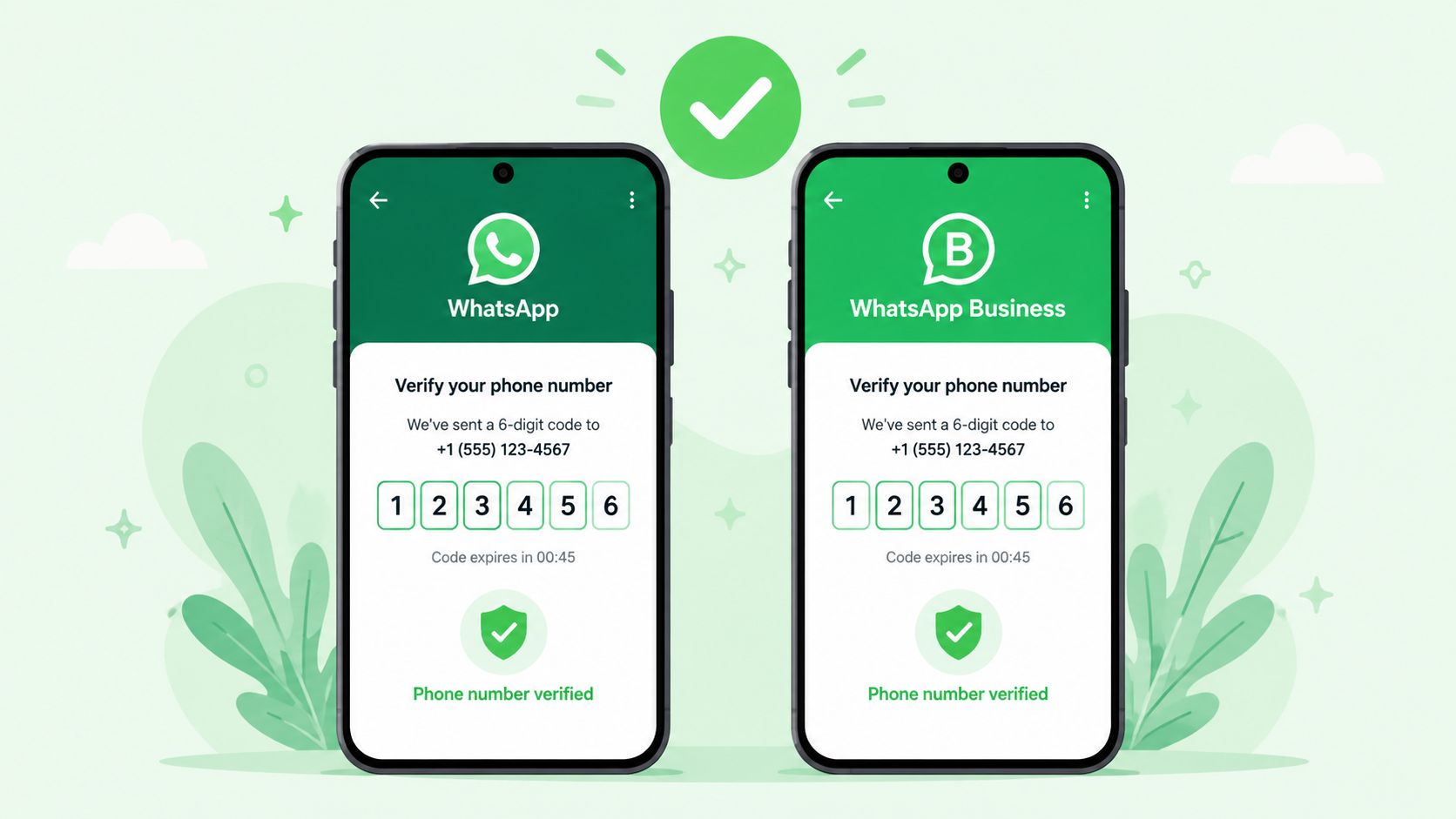
What the registration flow actually does
WhatsApp's registration process confirms control of a phone number with a 6-digit code sent by SMS or phone call. In some cases, the app can complete verification automatically when the device and carrier details line up, according to WhatsApp's Help Center on registration verification.
In practice, there are three approval paths:
- Automatic verification when WhatsApp can confirm the device context.
- SMS verification for the normal code flow.
- Voice call verification when SMS delivery is delayed or blocked.
That sounds simple. At agency scale, it rarely is.
The same code flow can behave very differently depending on whether the number sits on a dedicated mobile line, a shared office SIM, a recently ported number, or a line that changed carriers last week. The app only shows a verification screen. It does not tell you whether the issue is telecom ownership, stale device access, or a client contact who gave you the wrong number.
A setup process that holds up in real operations
Use this sequence for both WhatsApp and WhatsApp Business:
- Enter the number in international format. Country code errors and extra leading digits cause many failed attempts.
- Confirm who controls the active SIM before requesting anything. “Client-owned” is not enough. Identify the person, device, and carrier line that will receive the SMS or call.
- Request the code once and wait. Repeated attempts can trigger delays and confuse the handoff if multiple people are watching for the message.
- Check the receiving phone directly. Shared inbox tools, call forwarding, and corporate telecom setups often hide where the code is really landing.
- Use voice call verification if SMS is unreliable. This is often the faster recovery path on filtered or delayed carrier routes.
- Keep the device on-network and reachable. Poor signal, roaming restrictions, and handset spam controls block more codes than teams expect.
For solo business owners, this is mostly setup hygiene. For agencies, it is account governance.
Before activation, record the legal owner of the number, the current carrier, the physical SIM holder or eSIM admin, and who approves changes if the number must be re-registered later. I have seen more onboarding delays caused by weak ownership records than by WhatsApp itself.
A verified number without documented control is hard to keep stable.
WhatsApp vs WhatsApp Business: same verification, different consequences
The registration mechanics are largely the same in both apps. What changes is the operating model after the number is live.
With the regular app, the risk is usually personal access and device continuity. With WhatsApp Business, the risk expands to shared team usage, client handoffs, catalog setup, and whether the business is treating a long-term support number like a disposable campaign asset. Agencies should decide that before activation, not after.
A few practical rules help:
| Scenario | Better fit | Why |
|---|---|---|
| Founder or solo operator managing conversations directly | WhatsApp Business | Supports a business presence without adding platform complexity |
| Temporary test line for internal review | Regular WhatsApp or Business App | Faster to activate, but not ideal for long-term client operations |
| Shared client number with multiple staff touching replies | WhatsApp Business | Better starting point for business workflows and later migration planning |
| Number expected to support system-driven messaging later | WhatsApp Business | Cleaner operational path than starting on a purely personal setup |
This decision matters because changing the app later is easier than fixing poor number governance later.
Where professional teams get tripped up
The common failure point is confusing initial registration with ongoing account protection. The code that activates the number is temporary. Two-step verification is a separate security control added after setup.
Treat those as different operational tasks:
| Item | What it does | When you use it |
|---|---|---|
| Registration code | Confirms control of the phone number | During first setup or re-registration |
| Two-Step Verification PIN | Protects the account after activation | After the number is active |
That separation matters during client onboarding, staff turnover, and SIM changes. If a number is ported, reassigned internally, or recovered after a device loss, the team needs to know whether the problem is “we never received the registration code” or “the number is active but no one has the PIN and recovery email.”
Those are different incidents. They need different runbooks.
The safest process is straightforward. Finish activation. Then store the PIN and recovery ownership in your credential system, not in a chat thread, kickoff doc, or inbox that disappears when an account manager leaves. For agencies handling many client numbers, that one habit prevents a lot of avoidable recovery work.
A clean verification means more than code received. It means the number is active on the correct app, tied to a known owner, and recoverable by the people who are supposed to manage it.
WhatsApp Cloud API Verification for Scalable Messaging
An agency onboards a client number into Cloud API on Monday. By Wednesday, message delivery is blocked because nobody can confirm who controls the carrier account, who approved the Meta assets, or whether the number was already tied to another WhatsApp setup. That is a common failure pattern in API projects.
Cloud API verification sits inside Meta's business infrastructure. The job is to register a number for programmatic messaging inside the correct business account, with the right permissions, webhook configuration, and operational owner attached from day one.
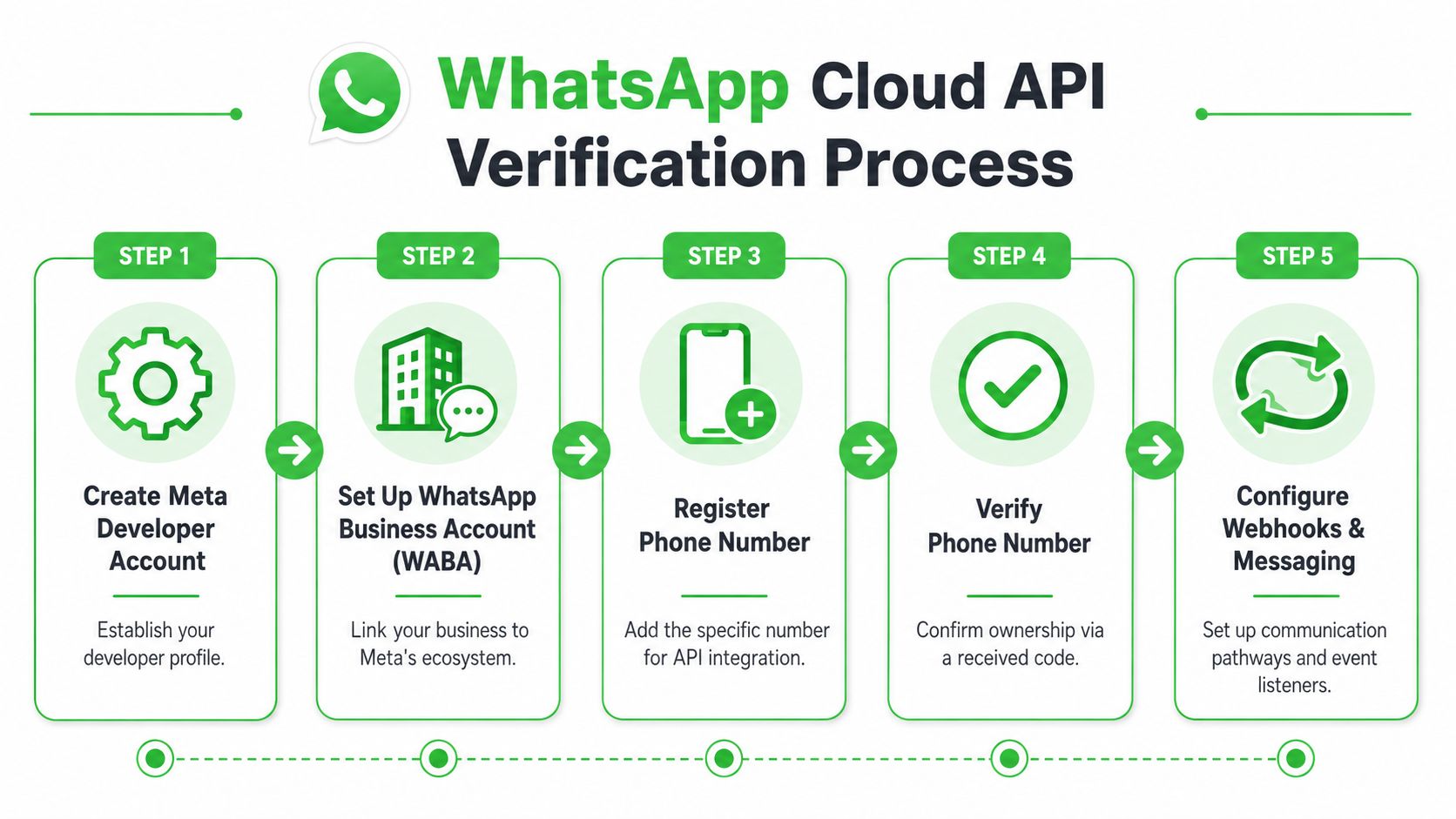
Cloud API verification is business onboarding
Once a team moves from the app to Cloud API, the number becomes one part of a larger system. Meta developer access, the WhatsApp Business Account, display-name approval, webhook endpoints, token management, and support ownership all affect whether the setup stays stable after launch.
That changes the operating model. Consumer-style advice focuses on getting a code. Professional setup focuses on keeping the number usable across onboarding, handoffs, audits, and client changes.
A practical distinction helps:
- Mobile app verification activates a number for direct app use.
- Cloud API verification registers a number inside a managed messaging environment with technical and administrative dependencies.
A quick walkthrough helps frame the sequence:
How agencies should run the process
For agencies, the safest workflow starts before anyone logs into Meta.
Confirm operational ownership first
Document the current carrier, the legal business owner, the Meta business owner, and the person who can receive the verification event. Cloud API issues are often blamed on platform setup when the underlying problem is ownership ambiguity.
This matters even more with ported numbers, numbers inherited from a former vendor, and client accounts where multiple admins have come and gone. If ownership is unclear, pause the onboarding. Fixing that after registration is slower and usually involves more people.
Check whether the number is clean for API use
A number may be active and still be a poor API candidate. I usually check four things: whether it is already connected to another WhatsApp environment, whether the client expects shared device access, whether support can handle inbound conversations through a platform, and whether the business is ready for template-based outbound messaging.
That last point gets missed. Cloud API is a fit for structured messaging operations, not every client communication model.
Build for account continuity, not just launch day
The team that verifies the number is often not the team that runs it six months later. Store who approved the number, where the webhook lives, which business manager owns the assets, and who can make changes without opening an emergency escalation. Agencies that skip this create preventable recovery work during renewals, migrations, and staff turnover.
Where bulk validation fits
Cloud API number verification and recipient validation solve different problems. One confirms that your sender number can be registered and operated inside Meta. The other checks whether the numbers in your contact data are usable before you spend time and budget on them.
That second layer matters at scale. Agencies importing leads from CRMs, ad forms, partner lists, or client exports often discover that list quality, not API setup, caused the poor campaign result.
Professional tools support single and bulk validation from files such as JSON and CSV, which is useful for teams cleaning recipient data before campaign launch, as shown in the documented examples from the Wassenger WhatsApp number verify tool.
Use bulk validation when you need to:
- Clean imported lead lists before routing them into outreach.
- Segment operationally between active and questionable entries.
- Reduce wasted sends on records that should not enter campaign logic.
- Check account type expectations when downstream handling depends on it.
Treat sender verification, recipient validation, and account ownership as separate controls. Teams that separate those tasks usually launch faster and spend less time diagnosing the wrong problem.
Troubleshooting Common WhatsApp Verification Issues
Most verification failures aren't mysterious. They usually come from formatting mistakes, timing mistakes, carrier delivery problems, or too many retries by someone trying to force the process.
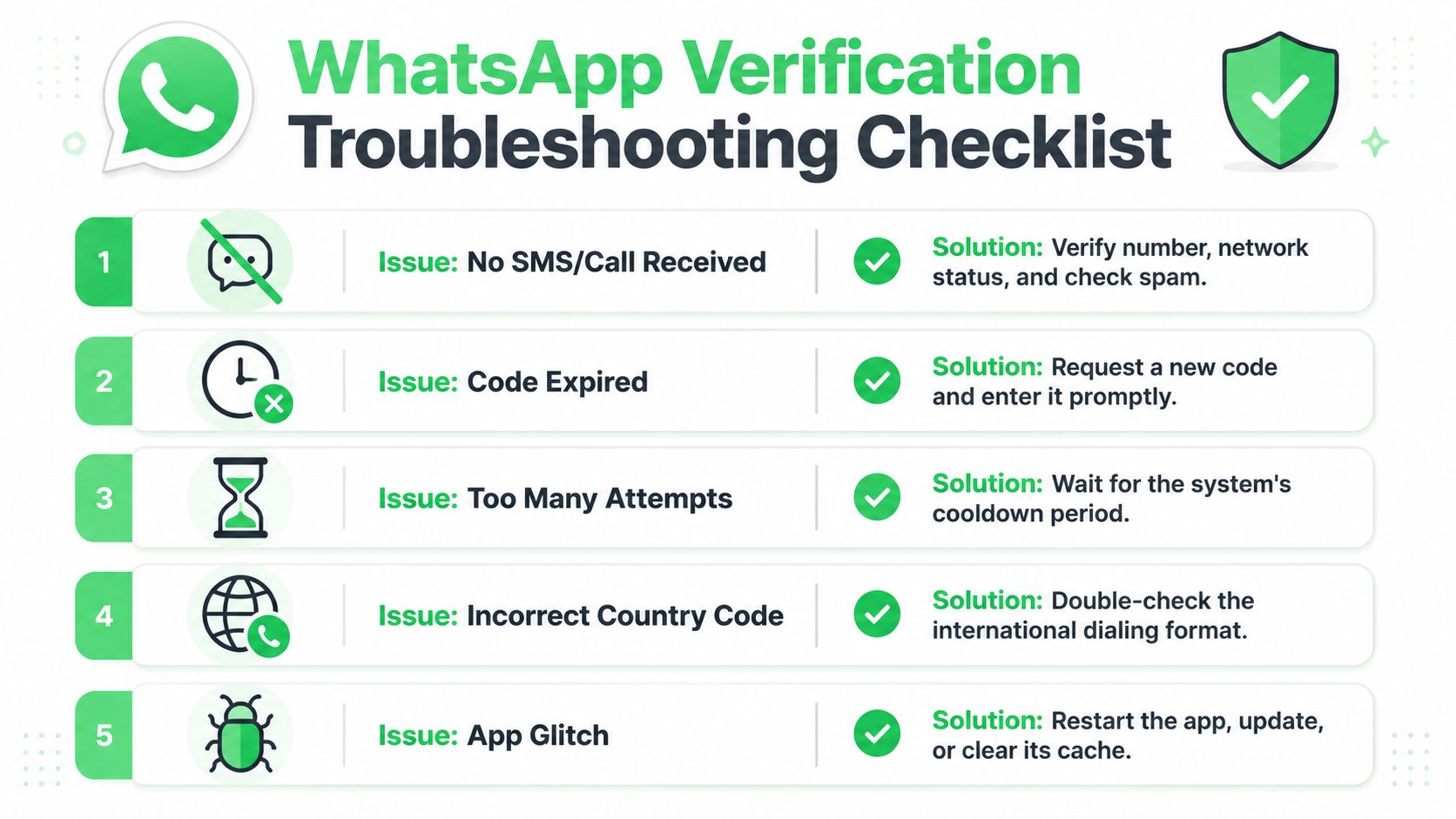
When the code never arrives
Start with the basics before changing devices, uninstalling apps, or escalating internally.
For reliable verification, WhatsApp's own guidance says to enter the number in international format, wait up to 10 minutes before retrying, switch to voice call if SMS fails, and avoid guessing codes because that can trigger a temporary lockout, as covered in this WhatsApp verification walkthrough on YouTube.
That guidance lines up with what works in practice.
If no code arrives, check these in order:
- Number format first. A wrong country code or a local-format entry breaks the process before delivery even starts.
- Signal and carrier path next. If the handset can't reliably receive SMS or calls, the app can't fix that.
- Use the call option after waiting. Don't jump between methods too quickly.
- Confirm the receiving endpoint. Business numbers often sit behind forwarding, shared devices, or telecom setups that nobody checked before onboarding.
When retries make the problem worse
A lot of teams lose time because they react too quickly. Someone requests the code repeatedly. Another person on another device does the same. Then someone starts guessing which code is “probably right.”
That's how you turn a normal delay into a lockout.
If the process starts failing, slow down before you do anything else. Verification punishes impatience.
For agencies, assign one operator to run the attempt. Everyone else should stay out of the app and off the line until the timer clears or the fallback path is used. Verification is one of those jobs where too many helpers create the outage.
A fast triage checklist
Use this short decision table when support tickets start piling up:
| Symptom | Most likely issue | What to do |
|---|---|---|
| No SMS received | Formatting or carrier delivery problem | Re-enter the number in international format and wait before retrying |
| No call received | Line can't receive automated calls reliably | Confirm call handling on the destination device or line |
| Code rejected | Wrong code, expired code, or multiple active attempts | Request a fresh code and enter only the newest one |
| Can't request another code | Temporary cooldown after repeated attempts | Stop retrying and wait out the lock period |
| Business onboarding is chaotic | Multiple people are controlling the same step | Assign a single owner for the verification session |
A few things don't help much. Reinstalling the app is overused. Device switching in the middle of verification often adds confusion. Delegating the code request to a person who doesn't control the number is almost always a mistake.
The fastest fixes are boring. Correct format. One operator. Wait when instructed. Use the voice path when SMS doesn't land. Keep the number owner involved until the process is complete.
Advanced Number Management for Agencies and Resellers
Agencies get into trouble when they treat phone numbers like disposable inputs. They aren't. A working WhatsApp number carries customer history, staff habits, inbound demand, and business risk. If that number breaks, the problem is bigger than a missed code.
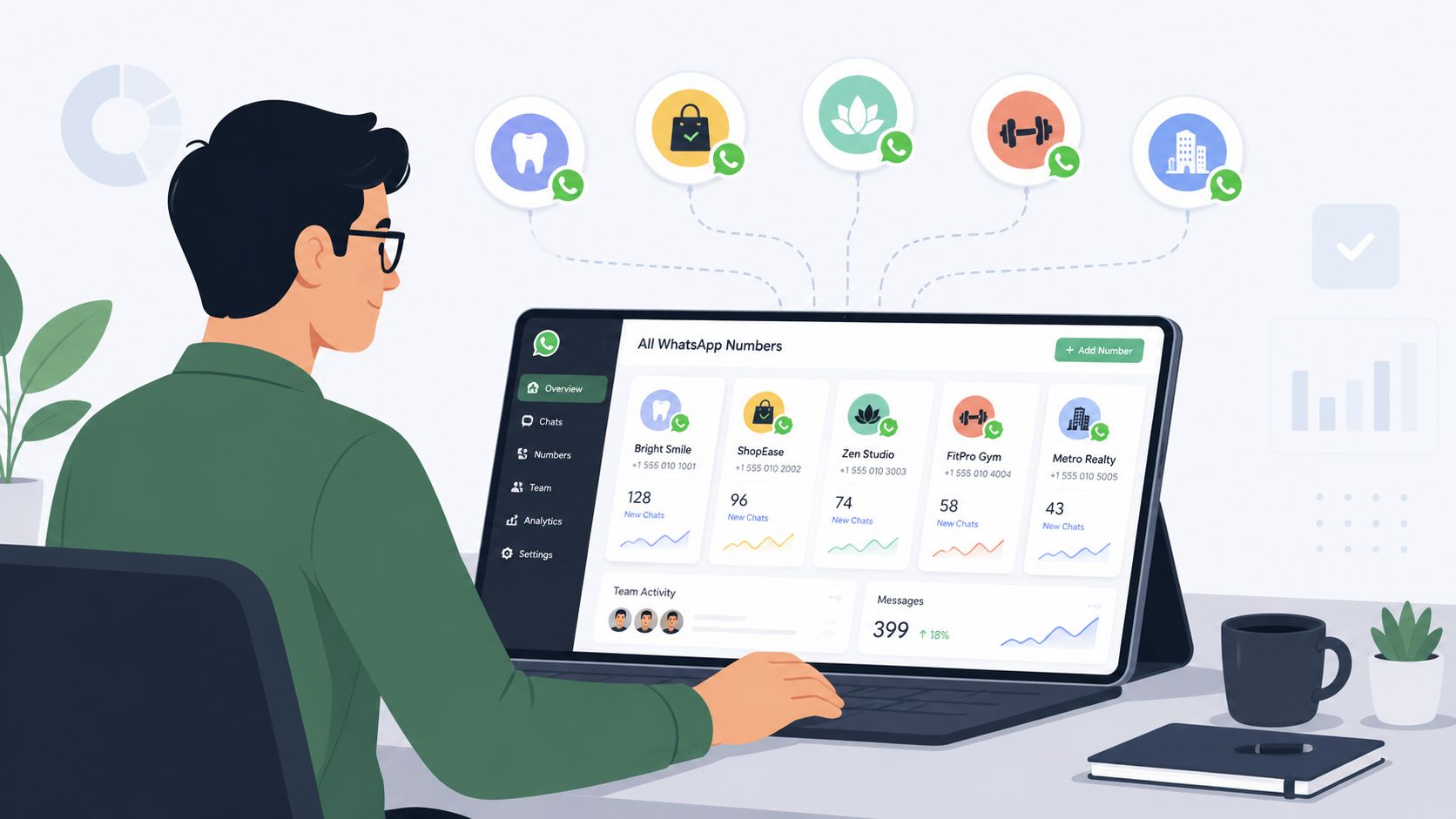
Treat numbers like infrastructure
The cleanest agency operations use a number governance process. Not a loose spreadsheet. A real policy.
That policy should answer:
- Who owns the number contract
- Who controls the SIM or receiving device
- Who approves changes
- Which stack the number belongs in
- What happens if staff leave
- How recovery is handled if access is lost
Without those answers, every future event becomes expensive. Porting becomes risky. Recovery turns political. Security incidents drag on because no one can prove control quickly.
I've seen agencies inherit accounts where the number was “the client's,” the handset was with a former manager, the verification messages went to a line no one monitored, and nobody knew whether the number should remain in the Business App or move into a shared system. That's not a WhatsApp issue. That's an operating model issue.
The number that brings leads in should never depend on one employee's personal phone.
Porting, SIM swaps, and banned numbers
These are the cases standard consumer guides rarely touch, but they matter most once you manage multiple clients.
Porting a number
Porting can be safe if you stage it carefully. The mistake is changing carriers or line control without mapping how WhatsApp access will be maintained through the transition. Before any port, confirm who can still receive verification events, who has app or platform access, and whether the number is tied to broader business workflows that can't tolerate downtime.
SIM swap risk
SIM control is power. If the wrong person gets control of the line, they can interfere with recovery and re-registration. Agencies should reduce single-person dependency around any revenue-critical number. If a client insists on using a founder's long-held number, document that risk and make the client acknowledge it.
Banned or restricted numbers
A banned number changes the conversation from verification to asset recovery. Don't improvise. Pull the account history, isolate what changed before the restriction, and decide whether the number is worth appealing for or whether a replacement number is operationally cleaner. Agencies often cling to damaged numbers too long because the client is emotionally attached to them.
A practical recovery playbook looks like this:
- Freeze changes. Don't keep altering devices, apps, and operators while the situation is unclear.
- Document ownership. You'll need a defensible record of who controls the line and how it has been used.
- Review sending behavior. A number with poor practices behind it may not be worth rebuilding around.
- Prepare a fallback route. If the appeal path drags, client communication still needs continuity.
When to keep a client number and when to replace it
In this scenario, agencies need judgment.
Keep the existing number when it already has brand recognition, ongoing customer traffic, stable ownership, and clean internal controls. Replace it when the number is politically messy, operationally fragile, dependent on one person, or already linked to repeated verification and access disputes.
A new dedicated number is often easier to govern. It can be assigned clear ownership, clean routing, and documented support procedures from the beginning. The trade-off is that it won't carry the same history or familiarity as a long-established line.
Here's the decision frame I use:
| Scenario | Better choice |
|---|---|
| Founder-owned number with mixed personal and business use | Usually replace |
| Shared support line with clear business ownership | Usually keep |
| Legacy number tied to former staff and unclear recovery access | Replace unless there's a strong business reason not to |
| Number with stable inbound customer behavior and documented control | Keep and harden security |
| Number under active restriction or repeated verification friction | Reassess before investing more effort |
Resellers who standardize this decision process protect margins and client trust. The ones who wing it spend too much time rescuing setups that were unstable from the start.
Securing Your Verified WhatsApp Number
A verified number can still be lost in a single bad handoff. An agency employee approves a code request they should have rejected. A client ports the line without telling the delivery team. A SIM swap happens over a weekend, and by Monday the number is registered somewhere else. Verification gets the number live. Security keeps it usable.
The code and the PIN serve different jobs
Teams regularly mix up the one-time registration code with the two-step verification PIN. That confusion creates preventable account loss.
The registration code is for setup or re-registration. The PIN is the standing control that blocks a fresh registration attempt, even if someone has access to the phone line. As noted earlier, WhatsApp treats those as separate security steps. Your SOP should do the same.
I advise agencies to document both items differently. Registration codes should never be stored after use. The PIN should be controlled like any other shared business credential, with a named owner, backup access rules, and a clear recovery process.
What to lock down after activation
Once the number is active, reduce the number of people and systems that can affect its registration state.
- Restrict verification authority. Assign code handling and PIN resets to a small group, not to every account manager or support rep.
- Store recovery details in one controlled place. Password managers and audited credential vaults beat chat threads and personal notes.
- Treat every code request as a security event. If someone asks for a registration code, confirm who initiated the action and why.
- Review linked devices and admin access on a schedule. Old sessions and unnecessary access create quiet risk.
- Coordinate with whoever controls the carrier account. Port-outs and SIM replacements should require approval from the same people who own WhatsApp access.
This matters more for agencies and SaaS providers than for a single-device business setup. You are often managing numbers you do not legally own, for brands that expect constant uptime, across teams that change over time. That combination is where weak process shows up.
If you handle customer conversations or client records, your privacy controls should be documented, not implied. The YipSMS Inc. data policy is a useful reference point for how a messaging provider can describe data handling expectations in plain language.
Good security around a WhatsApp number is intentionally restrictive. Few people can approve registration activity. Carrier changes are documented. The PIN has an owner. If a number is valuable enough to keep, it is valuable enough to protect with process.
The Future of WhatsApp Verification and Automation
Verification used to mean one thing. Now it sits at the center of several workflows at once. Access. Deliverability. Routing. Compliance. Automation readiness.
Verification is becoming a routing layer
For individual users, verification will remain straightforward. Enter the number correctly, receive the code through the right channel, and secure the account afterward.
For businesses, the process keeps splitting into distinct tracks. Some numbers belong in the app or Business App because the team needs fast setup and direct handling. Others belong in linked-device environments that make onboarding simpler across clients and staff. Others need Cloud API because the business requires deeper automation, system-level messaging, and structured integration.
That means the strategic question isn't just “How do I verify this number on WhatsApp?” It's “What kind of verified number do I need for the operation I'm building?”
What smart operators will standardize
The teams that scale cleanly tend to standardize the same things:
- A verification checklist by use case
- A documented owner for every number
- A clear decision on app, linked-device, or API deployment
- A process for list validation before outreach
- A recovery path for lost access or number changes
- A post-verification security routine
That's where automation starts to get real. AI agents, broadcast workflows, CRM sync, shared inboxes, and white-label WhatsApp services all depend on the same foundation. If the number layer is unstable, the rest of the stack inherits that instability.
Reliable WhatsApp operations don't begin with campaign copy or automations. They begin when the right number is verified for the right purpose, under the right controls, with the right long-term owner.
If you run an agency or SaaS operation and need a practical way to offer WhatsApp workflows under your own brand, Double My Leads gives you one path to do it with linked-number onboarding, shared inbox workflows, broadcasting, and Cloud API support where needed.


