
You're probably here because a chat vanished at the worst possible moment. Maybe it was a customer thread, a family conversation, or the only copy of a photo someone sent you, and now WhatsApp is open, the message list is empty, and you're trying to figure out whether there's any real path back.
WhatsApp data recovery is usually less about “hacking messages back” and more about restoring what was already saved somewhere else. WhatsApp's own design leans on end-to-end encryption and backup restoration, so the practical question is almost always whether a usable backup exists, how fresh it is, and how fast you act if it doesn't. If you're trying to recover messages for a relationship issue rather than a device issue, a resource like detect cheating via Whatsapp messages can help you understand what people often look for, but the recovery mechanics are the same either way.
Table of Contents
- When WhatsApp Data Recovery Works
- Restoring from Google Drive and iCloud Backups
- Using Android Local Backups for Manual Recovery
- Recovering WhatsApp Chats With No Backup
- Third-Party Tools and Forensic Recovery Services
- WhatsApp Business, Agency Workflows, and Prevention Habits
When WhatsApp Data Recovery Works
A lot of people start in the wrong place. They look for a “recover deleted WhatsApp messages” app before checking whether WhatsApp ever made a backup, and that is backwards. WhatsApp's own help flow says recovery starts from a backup during setup after reinstalling or switching devices, with Android backups going to Google Drive on a daily, weekly, or monthly schedule and iPhone backups going to iCloud WhatsApp help documentation.
Practical rule: if there is no backup, recovery becomes a timing problem, not a click-a-button problem.
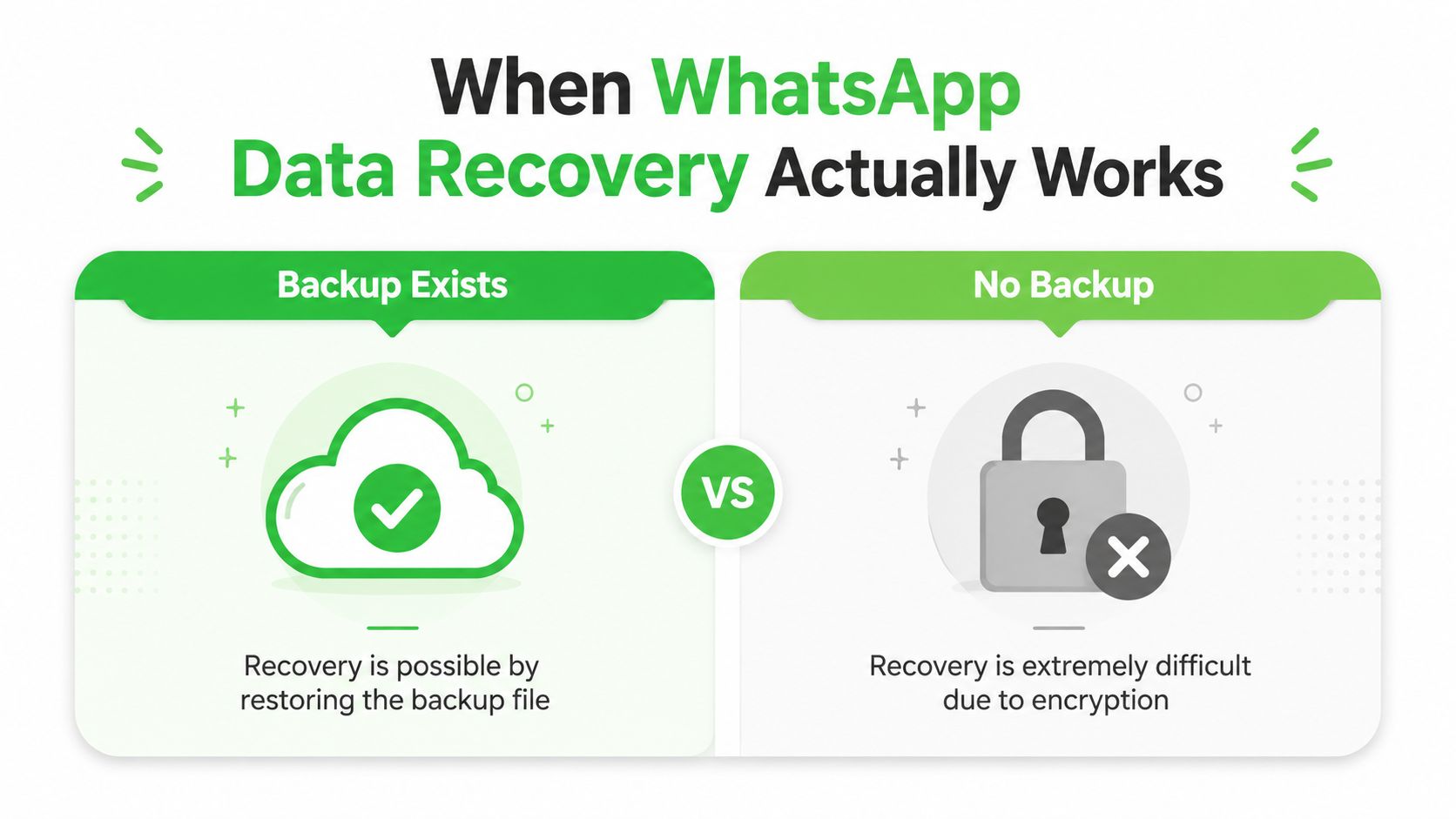
The cleanest way to think about WhatsApp data recovery is in three lanes. First, backup-based restore, which is the normal and most reliable path. Second, no-backup recovery on Android, which can work briefly if the phone has not been heavily used. Third, forensic reconstruction, which is a different job entirely because it is about preserving and interpreting artifacts, not just putting chats back on screen. The same reality also matters for people who need to detect cheating via Whatsapp messages, because old chats are far easier to review when a backup exists than when the device has already moved on.
The backup lane is where many users should stay. A recovery guide from Gbyte reports strong results for Google Drive and iCloud restores, and also notes that Android local backups are usually the easiest manual fallback when the files are still present Gbyte recovery guide. That matches the practical reality I see. When the backup exists, the job is mostly about using the right account, the right phone number, and the right restore prompt.
The no-backup lane is much harsher. Independent recovery guides describe a steep drop after the “golden 72-hour” window, and one guide says no-backup recovery becomes highly unlikely once messages are overwritten A2C recovery guide. Those warnings are not optimism in disguise. If the phone has been in active use since the deletion, every new message, app install, or media download makes the old data harder to reclaim.
For readers trying to decide quickly, the triage question is simple. Do you have a usable backup timestamp, or are you already in a no-backup path? If the answer is backup, restore immediately. If the answer is no backup, stop using the phone and move with urgency. That is why disciplined backup habits beat any recovery tool, and why the difference between easy and difficult recovery is often visible in the backup state itself.
Restoring from Google Drive and iCloud Backups
A backup restore is the path that works most often, and it is the one many people rush past because they expect WhatsApp to sort itself out. It does not. If the backup is present and the account details match, restore from that copy first, because that is usually the cleanest route back to your chats on Android or iPhone.
On Android, the backup may be in Google Drive on a daily, weekly, or monthly schedule. On iPhone, WhatsApp uses iCloud. The difference matters because the restore only works when the phone number, account, and backup source line up correctly. If you are already choosing a replacement phone, it can make sense to browse refurbished iPhone choices before you start the restore, especially if you want a clean target for the transfer.
Check the backup before you reinstall
Open WhatsApp and look at the backup timestamp in Settings > Chats > Chat backup. On Android, confirm the Google account shown there is the one tied to the backup. On iPhone, make sure iCloud is signed in and available on the device before you uninstall anything.
Treat that timestamp as the recovery point. Restores pull from the last saved backup, not from live server storage, so a missing chat may already have been excluded before the deletion you noticed. That is why people sometimes restore successfully and still lose the conversation they were trying to save.
Restore cleanly on the same number
The clean restore flow is simple. Uninstall WhatsApp, reinstall it, verify the same phone number, then follow the in-app prompt to restore from the cloud backup. WhatsApp usually shows the restore option during setup, but people miss it when they move too quickly through verification and account prompts.
There is one practical risk here. A restore replaces the current chat history on that device, so export anything you still need before you start. That matters if you are preserving a partial inbox, or if the phone already holds new messages you do not want overwritten.
Changing phones at the same time adds another layer. The Google account or Apple ID used for the backup must match the one on the new device, and if the number changed as well, line up those details before you begin. Mismatches are one of the main reasons a restore stalls or fails.
If the backup is valid, do not overcomplicate it. Reinstall, verify the same number, and let WhatsApp pull the last saved copy. The hard part is usually not the button presses, it is making sure the account, number, and timestamp still match the backup you want.
A short timing note matters here. Backup-based recovery still gets harder once more chats are written after the deletion, and success drops fast when the device keeps getting normal use. That is why disciplined backup habits do more for recovery than any repair tool can, especially once the 72-hour window starts to close.
Here is the video walkthrough for the restore flow.
Using Android Local Backups for Manual Recovery
Android gives you a second chance that iPhone usually doesn't, local backup files. WhatsApp keeps local database copies on the device, and that matters when Google Drive is stale, missing, or tied to the wrong account. In practice, this is the path people overlook because they focus on cloud restore first and never check the file system.
Copy the backup before you touch the app
Open a file manager and look for the WhatsApp database backup files in the local storage folder shown in the screenshot below. Copy the backup off the phone before you try any restore, because a restore can overwrite the file you are trying to save.
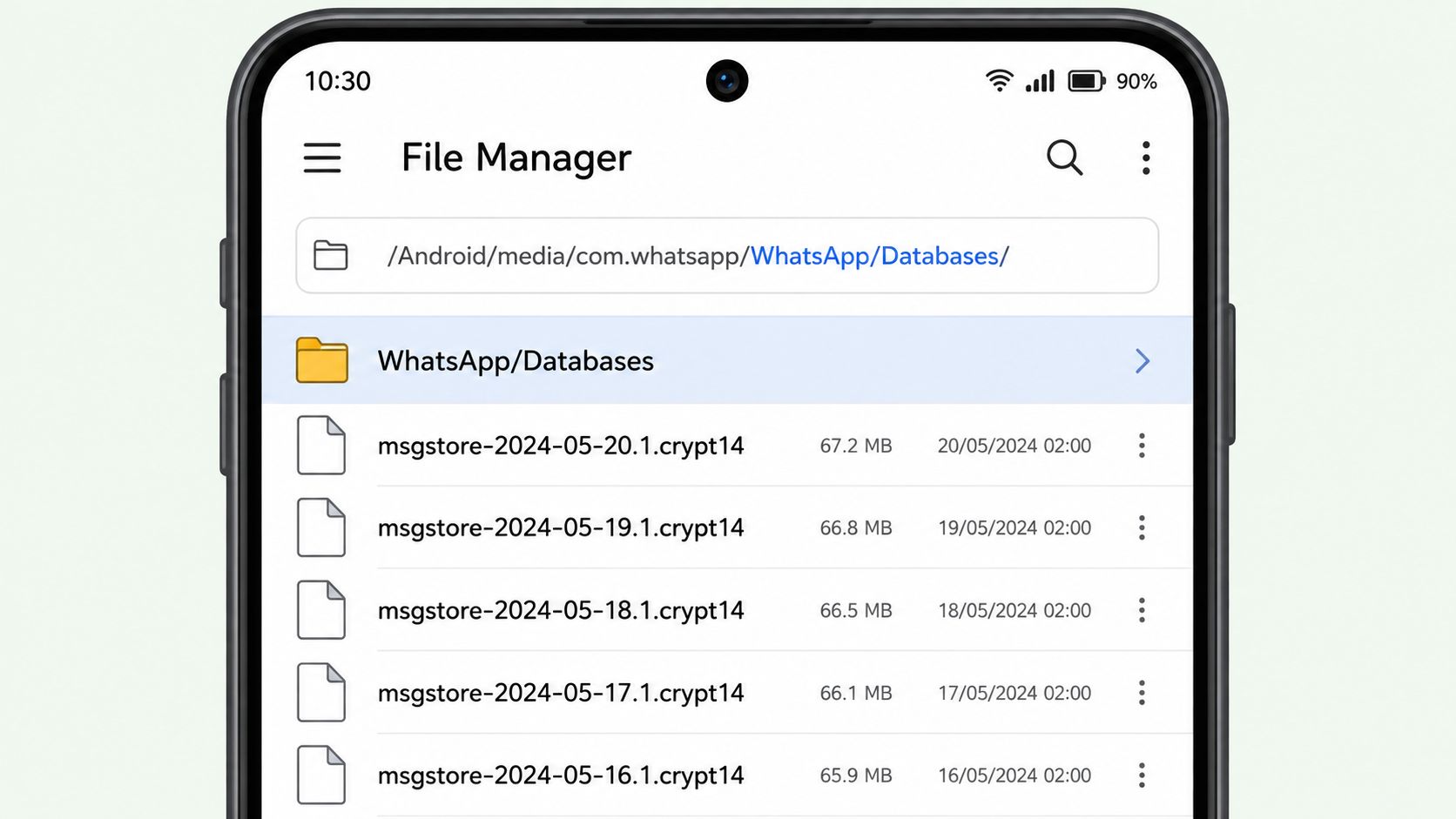
The practical window is short. Local backup recovery is most useful soon after deletion, before normal use, app updates, or cleanup tools have a chance to replace the old database blocks. That is why Android local files are worth checking before you give up or start installing tools that promise more than they can deliver.
Transfer the file without overwriting it
If you are moving the backup to another Android device, keep the file name intact and place it in the correct WhatsApp database location before you launch the app. If the device uses newer Android encryption features, expect the system to challenge access to protected data, and do not assume a generic app can read the file just because it can see the folder.
Consumer tools often stop there. They can detect that a WhatsApp database exists, but on modern Android they may not be able to decrypt what is inside without the right key material. The recovery result that matters is the one tied to the correct file, not the one shown in a tool banner.
If you are trying manual recovery, keep the process simple.
- Back up the folder first: Copy the local WhatsApp database file to a safe location before you uninstall or reinstall anything.
- Keep the same number in mind: WhatsApp will not restore cleanly if the account identity changes.
- Avoid app cleanup tools: Storage cleaners can delete the exact files you still need.
- Move fast: Local files help most early, before normal use pushes old records out of reach.
The local file only helps if it still exists when you check it. Waiting turns a recoverable file into a missing one.
Recovering WhatsApp Chats With No Backup
No backup is where most recovery promises get dishonest. On Android, there may still be a chance if you act fast and the device hasn't been heavily used. On iPhone, the no-backup path is much tighter because iOS sandboxing and encryption make consumer-level extraction much harder, and a lot of apps that advertise magic recovery are just surfacing partial artifacts or old previews.
Stop using the phone immediately
If you want any shot at no-backup whatsapp data recovery, stop creating new data on the device right away. Don't send more messages, don't install recovery apps randomly, and don't run a cleanup tool that might overwrite the same storage blocks you're hoping to read. Every normal action makes the old database harder to carve back out.
On Android, the better no-backup approach on non-encrypted, non-FBE devices is forensic-style extraction. One recovery guide reports success of more than 85% within 24 to 48 hours on those older device states, but also says success drops more than 90% after 48 hours of normal use and that forensic carving fails beyond 48 hours in 94% of cases Alibaba recovery guide. That's why timing, not tool choice, is the dominant variable.
Use the least destructive path first
If the device is still accessible, the usual sequence is ADB-based database extraction or root-based local database recovery before anything else changes the storage state. On the technical side, that means pulling the internal database file and trying to read what remains. On the practical side, it means preserving the phone, not “testing” five different apps in a row.
If the phone still powers on, treat it like evidence until you've copied what you can.
On iPhone, consumer no-backup recovery is much weaker. Apple's data protection model and app sandboxing mean you're usually dealing with backups, device state, or forensic access rather than a simple undelete path. That's why most “scan your iPhone for deleted WhatsApp messages” apps overpromise, especially when they can't explain where the data is coming from or why it would still be readable.
Use this checklist before you do anything else.
- Preserve the device state: Keep the phone powered on and untouched if possible.
- Avoid sync actions: Don't trigger backups, restores, or account re-logins until you know what's already on the device.
- Skip random recovery apps: Many only show cached fragments or stale metadata.
- Escalate early if time has passed: Once you're outside the short window, professional help becomes more realistic than DIY.
The honest cutoff is this. If there's no backup and the phone has been used normally for a while, the odds fall fast. At that point, you're no longer doing routine recovery, you're attempting reconstruction under pressure.
Third-Party Tools and Forensic Recovery Services
Consumer recovery tools and forensic recovery services are not the same thing, even when they both claim to “recover WhatsApp messages.” A desktop app may parse a local database, extract readable text from a backup already on your computer, or show you fragments from an old iPhone backup. That can be useful. It just doesn't mean it can bypass modern encryption or restore data that was never captured.
What tools can help with
Good tools work from data they can access. On Android, that may mean a local database file. On iPhone, that may mean an iTunes backup or other backup artifact already available on the machine. These tools are strongest when the underlying backup is intact and weakest when they're asked to do the impossible.
The line between helpful and deceptive is usually obvious in the demo. If the app shows a full message history instantly but won't explain whether it's reading a backup file, a local database, or a cached export, be skeptical. Scammy tools often create the illusion of recovery first and reveal export limitations later.
When forensic services make sense
The forensic side is different because the goal isn't just to read chats. It's about chain of custody, export integrity, and whether the recovered material can stand up in court, an internal investigation, or a compliance review. A forensic recovery case study shows deleted WhatsApp chats being recovered for a legal matter, and the broader forensic workflow depends on controlled access, OS version, app version, backups, and encryption artifacts rather than generic consumer steps Werecoverdata legal case.
That distinction matters for agencies, legal teams, and employers. A readable screenshot isn't the same as a defensible extraction. If the use case is evidence, you need preservation, documentation, and a process that won't get challenged later.
If you're comparing local help options and want a general sense of what a hands-on recovery workflow looks like outside the messaging context, DIY data recovery steps Edmonton is a useful local example of how structured recovery services frame triage and preservation.
For evidence work, the question isn't “can someone see the messages.” It's “can someone prove where they came from and what happened to them.”
WhatsApp Business, Agency Workflows, and Prevention Habits
WhatsApp Business changes the recovery conversation because it usually sits inside a workflow, not just a phone. Shared inboxes, lead handling, and client conversations all depend on someone remembering to back up, export, and document what matters. If one person loses a phone, the operational cost can be bigger than the device itself.
For agencies and operators, the best habit is boring but effective. Turn on backups on a schedule, verify the timestamp monthly, and export threads that carry legal, sales, or customer value. If you run a workspace with multiple people touching the same number, the restore plan should be written down before anything breaks.
Common restore errors usually have plain causes.
- Stuck on restoring: Keep the phone on Wi-Fi, on power, and don't interrupt the process.
- Backup not detected: Check the phone number and the cloud account that owns the backup.
- Media missing: The text may have restored, but the media portion wasn't present in the backup set.
- Encrypted local database prompt: You're dealing with protected Android storage, so a generic app won't be enough by itself.
The prevention rule is simple. Treat WhatsApp recovery as a habit, not an emergency. If the backup is fresh, the same number is available, and exports are part of the routine, the next restore is likely to work the way it should. If you wait until the phone is gone or the thread is deleted, you're back in the low-probability path.
If you're trying to make WhatsApp a recoverable part of your lead flow, client support, or shared inbox process, Double My Leads can help you build a white-labeled WhatsApp setup with real workspace controls and predictable backup habits around the way your team works. Visit Double My Leads to see how agencies and SaaS teams turn WhatsApp into something they can operate, resell, and recover with less chaos.


