
A lead fills out your form, clicks a WhatsApp link, and waits. Your client assumes the inquiry is being handled. Your team assumes someone else picked it up. By the time a human replies, the prospect has already booked a call with a faster competitor.
That's the fundamental reason agencies look for ways to automate WhatsApp messages. It isn't about adding another channel. It's about protecting response speed, qualifying demand while intent is still high, and building a system you can resell without adding headcount every time a client wants “instant replies.”
Many organizations get stuck on the same fork in the road. They assume WhatsApp automation means a long Meta API project, developer tickets, template approvals, and operational drag before the first message ever goes out. Sometimes that path is right. A lot of the time, it isn't. If you're an agency or SaaS team trying to launch quickly, a QR-based setup can get a client live far faster and with much less friction.
Table of Contents
- Why Your Agency Must Automate WhatsApp Messages
- Choosing Your Path QR Scan vs Cloud API
- Building Your First Automated Welcome Flows
- Scaling With Broadcasts and Scheduled Campaigns
- Syncing With Your CRM and Proving ROI
- Optimization Compliance and Best Practices
Why Your Agency Must Automate WhatsApp Messages
If your agency still treats WhatsApp like a side channel, you're leaving money in the gap between inquiry and reply. Buyers don't care whether your client's team was in Slack, in a meeting, or buried in email. They care that they asked a question and nobody answered fast enough.
That's why this matters commercially. WhatsApp runs at a scale that made manual handling unrealistic a long time ago. One 2026 industry estimate says the platform processes over 100 billion messages every day, and another notes 6.3 billion total downloads across app stores by 2024, according to WhatsApp usage statistics compiled by Jesty. When a channel operates at that level, automation stops being a nice add-on and becomes basic infrastructure.
For agencies, the opportunity is simple. You can automate WhatsApp messages for lead capture, greetings, follow-ups, appointment reminders, qualification, reactivation, and support triage. The value isn't just speed. It's consistency. Every lead gets an answer. Every conversation starts in the right lane. Every client sees a workflow instead of inbox chaos.
Practical rule: If a client says WhatsApp is “important” but nobody owns first response, automation should be the first fix, not the last.
There's also a positioning angle here. Clients increasingly expect agencies to think in systems, not campaigns. That's part of the broader shift toward AI in marketing, where execution quality depends on how fast you can route, respond, and personalize without increasing labor on every account.
What agencies gain from automation
- Faster lead handling: New inquiries don't sit idle while the team is offline or distracted.
- Better qualification: You can filter buyers by service interest, location, urgency, or budget fit before a salesperson steps in.
- Cleaner delivery: Account managers stop answering the same opening questions all day.
- More retainable services: Once you build one working playbook, you can reuse the model across clients with different scripts and offers.
What doesn't work is bolting random auto-replies onto a messy process. If the handoff is weak, the automation just creates the appearance of speed. The lead still feels ignored. Good WhatsApp automation fixes operations first, then adds scale.
Choosing Your Path QR Scan vs Cloud API
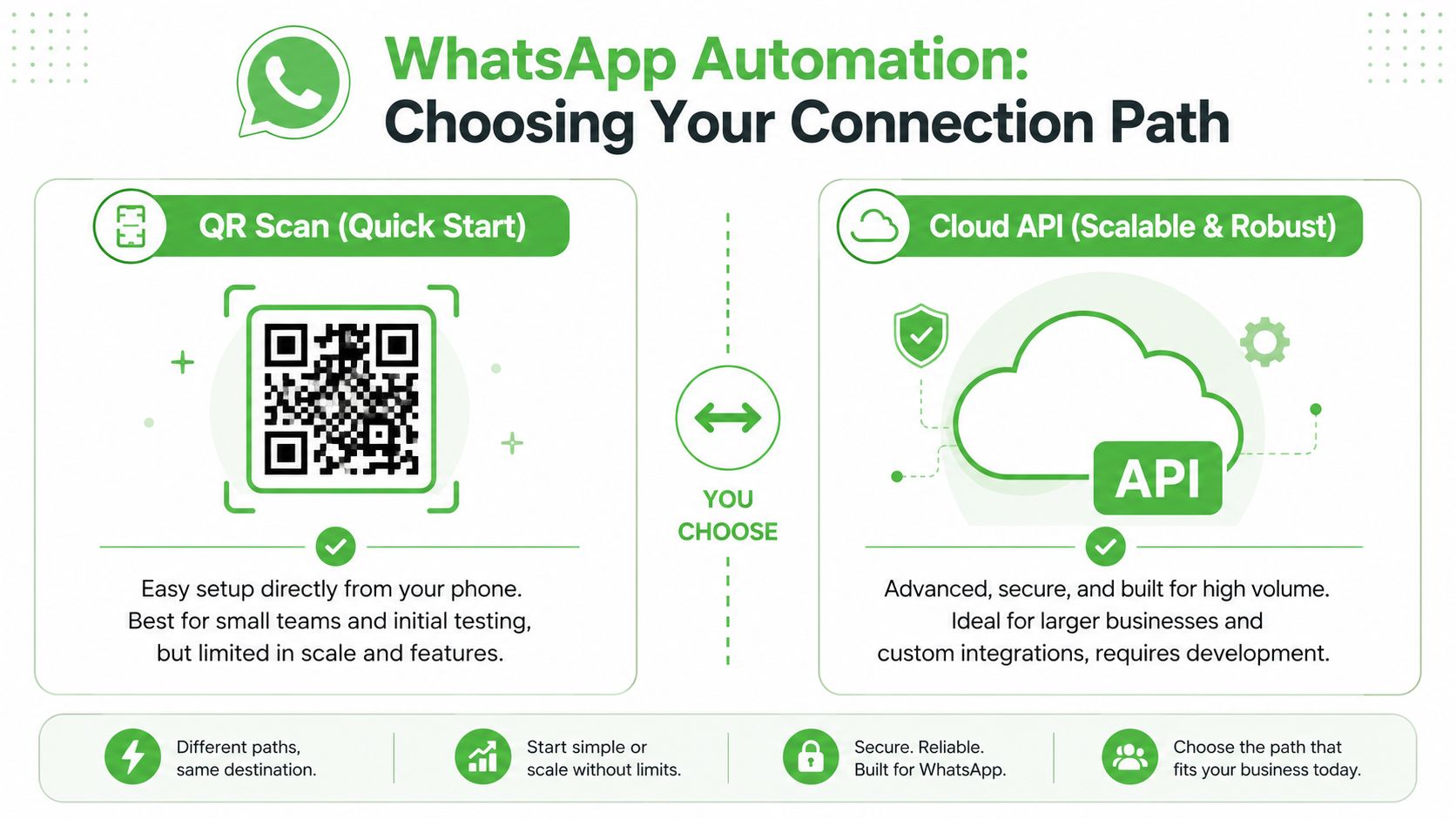
A client signs today and wants WhatsApp running this week. That moment forces a practical decision fast. Do you use a QR-based connection that gets the number live with minimal setup, or do you put the account through the Cloud API path and accept the extra process up front?
Both paths can work. The better choice depends on what you are selling, how fast you need proof, and whether your team can support technical setup without slowing delivery.
QR scan is the faster commercial launch
For agencies and service teams, QR scan usually wins on speed. The client connects the number by scanning a code, then your team configures inbox routing, auto-replies, tags, assignments, and simple campaign logic inside the platform. No long implementation cycle. No waiting on engineering before you can test the offer on a real account.
That matters because early-stage client delivery is rarely blocked by missing features. It is blocked by setup friction.
| Criteria | QR scan | Cloud API |
|---|---|---|
| Launch speed | Fast to onboard and test | Slower, with more moving parts |
| Technical lift | Usually low | Higher, often involving technical setup |
| Best fit | Agencies, pilots, quick client rollout | Larger systems, custom product workflows |
QR scan is a strong fit when you are validating a new WhatsApp service, onboarding smaller clients, replacing manual replies, or standing up a white-label offer that your operations team can repeat account after account. If the goal is to get a managed service live and billable fast, this route usually gets there first.
Cloud API fits teams building deeper systems
Cloud API makes more sense when WhatsApp is one part of a larger product or data architecture. SaaS teams often choose it because they need tighter control over events, custom logic, user permissions, template management, or integration behavior across multiple systems.
The trade-off is time and coordination. Setup tends to involve more approvals, more technical dependencies, and more points where a client asks, "Why is this not live yet?" Agencies feel that pain first because the sale may close before the implementation details are fully understood.
A delayed launch is expensive. It slows client results, adds support work, and makes a strong sales promise harder to defend.
Choose based on delivery model, not technical ego
The cleanest way to decide is to match the setup method to the service you are selling.
- Choose QR scan if you need fast onboarding, a repeatable service package, low technical overhead, or a way to prove demand before investing more time.
- Choose Cloud API if you are embedding WhatsApp into a software product, need custom integration logic, or already have engineering resources assigned.
- Use both if needed. Many agencies start with QR scan for speed, then move select accounts to the API path when the use case justifies the extra work.
The common mistake is choosing the more complex route because it sounds more official. Clients do not pay for architecture diagrams. They pay for faster response times, cleaner handoffs, and a system their team can use without constant fixes. If QR scan gets those outcomes faster, it is often the better first move.
Building Your First Automated Welcome Flows
Most first-time setups fail because they try to do too much. The opening flow should have one job. Not five. If you're trying to greet, qualify, educate, pitch, book, and support all in one sequence, the conversation will feel robotic fast.
The highest-performing WhatsApp funnels are usually tightly scoped, multi-step flows. The core sequence is to define one goal, segment the audience, create templates for each stage, configure the agent or rules, and test every trigger, link, and human handoff before launch. Operationally, there's another detail teams miss. Proactive templates require approval, and one guide notes review typically takes 24–48 hours, so submit them early through your process planning with guidance from TextYess on automated WhatsApp funnels.
A simple dashboard helps teams see the flow before they overbuild it.
Start with one commercial outcome
For an agency, the easiest first automation is a welcome and qualify flow for inbound leads.
A prospect clicks a tracked WhatsApp link from a landing page or ad. They message the business. The system responds immediately with a short welcome, confirms what they're asking about, and gives a simple path forward.
A clean opening looks like this:
- Welcome: Thank them and set expectation.
- Route: Ask one question that determines intent.
- Qualify: Ask only what the sales team needs.
- Hand off or book: Move the lead to a human or booking step.
That's enough. You don't need a chatbot novella.
Keep the first message single-purpose. The more jobs you assign to it, the less useful it becomes.
Use a short qualification sequence
Here's a real-world pattern that works for agencies handling demo or service inquiries:
- Message one: “Thanks for reaching out. Are you looking for lead generation, CRM setup, or WhatsApp automation?”
- Message two: Based on the reply, send the next relevant question.
- Message three: Ask one fit question such as timeline or business type.
- Final step: Route to the right person, send a calendar link, or mark the lead for follow-up.
The key is segmentation. If a prospect wants support and your flow pushes them into a sales script, the automation has already failed. If a new lead wants pricing and your bot asks six generic questions first, they'll drop.
Build the flow on paper first
Before you create anything in software, map the path manually.
- Define the trigger: New inbound message, smart link click, keyword, or campaign response.
- Write the exits: Human handoff, booking, tagged lead, or closed loop.
- Mark dead ends: Any path where the user can get stuck without a useful next action.
- Test edge cases: Wrong reply, no reply, repeated reply, or request for a human.
That testing matters more than clever copy. Most broken WhatsApp automations fail in the branches, not in the welcome text.
A walkthrough can make this easier when you're setting up the first sequence for a client team:
If you want to automate WhatsApp messages effectively, keep the first flow narrow, measurable, and easy for a human to rescue. That's what gets results early.
Scaling With Broadcasts and Scheduled Campaigns
Once one-to-one automation is stable, many teams want to broadcast. At this point, agencies either build a useful owned channel or create inbox fatigue and support complaints.
The safer operating model is to treat broadcasts like programming, not blasting. People stay subscribed when messages are relevant, expected, and easy to act on. They tune out when every send feels like a generic promotion.
What to send at scale
Broadcasts work best when the message already fits the relationship. Good examples include:
- Event reminders: Webinar starts, live Q&A sessions, limited-time registration windows.
- Client updates: Product release notes, appointment changes, onboarding prompts.
- Community announcements: Newsletter drops, content releases, or weekly highlights.
- Offer reactivation: Relevant follow-ups to users who already showed interest.
For agencies serving creators, coaches, and local businesses, scheduled campaigns are often the easiest entry point. Plan sends around actual moments in the customer journey. Before an event. After a lead magnet opt-in. On the day a waitlist opens. When a buyer needs a reminder, not when the team feels like sending.
How to keep broadcasts useful
The structure matters more than volume. A short message with a clear next step will outperform a bloated announcement full of context nobody asked for.
Use this checklist before every send:
- Check audience fit: Don't send the same campaign to every contact just because they're reachable.
- State the point early: The first line should tell people what changed or what to do.
- Give one action: Reply, click, confirm, join, or book. Not all of them.
- Respect attention: If the update doesn't matter to that segment, don't send it.
A broadcast should feel like a service message with commercial value, not a copied email stuffed into WhatsApp.
For larger audience communication, many teams use Community Announcement Groups as the structured one-to-many layer. That's often a cleaner strategy than relying on risky, unofficial blasting habits that ignore how users experience the channel.
The big mistake is thinking scheduled campaigns are separate from your automation system. They're not. Broadcasts should feed tags, trigger follow-ups, and route responses back into the same inbox process your team already uses. If a campaign drives replies but nobody handles them well, the send did its job and the operation still failed.
Syncing With Your CRM and Proving ROI
A WhatsApp workflow that doesn't sync with your CRM creates a reporting problem fast. The messages are happening. The team feels busy. Conversations look active. But when a client asks which campaign produced pipeline, everyone starts guessing.
That's why attribution matters more than automation volume. If the contact record, conversation history, source, and owner aren't connected, you can't prove what the channel is doing for revenue.
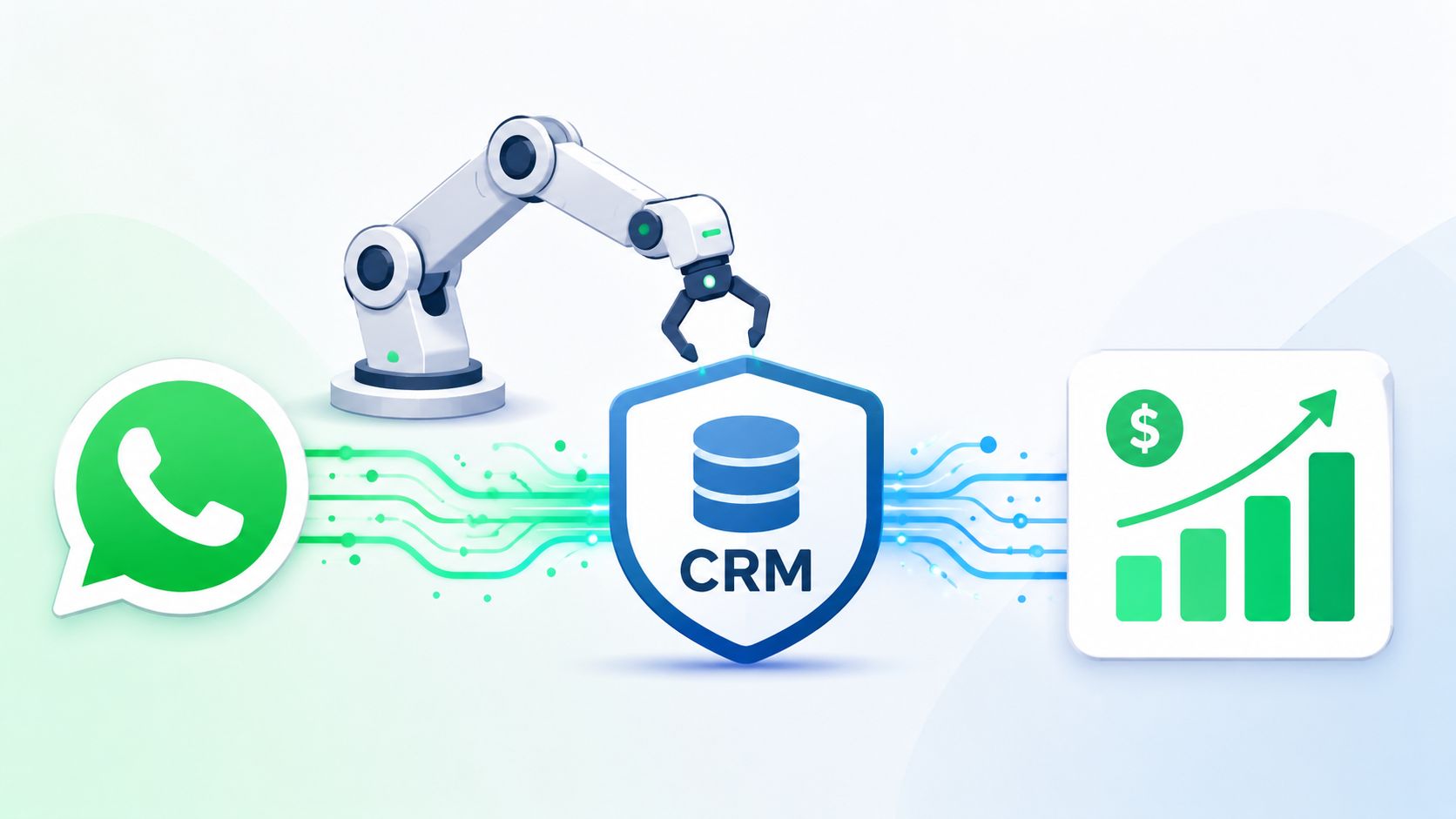
Make the CRM the system of record
Whether you use Go High Level, Pipedrive, HubSpot, or another CRM, the operating principle is the same. WhatsApp should feed the contact record, not live in its own silo.
At minimum, sync these fields and events:
| CRM element | Why it matters |
|---|---|
| Contact identity | Prevents duplicate records and messy ownership |
| Lead source | Shows which campaign or asset started the chat |
| Tags or pipeline stage | Lets sales and service teams act on intent |
| Conversation notes | Gives the next human context before they reply |
Agencies distinguish themselves from freelancers selling “chatbot setup.” Clients don't keep paying for messages. They keep paying for visibility into what those messages produced.
Track source before the chat starts
The cleanest attribution starts upstream. Use tracked smart links, campaign-specific QR codes, and distinct entry points for different offers. That way, the lead source is attached before the first human reply.
A practical setup might look like this:
- Paid ads: One tracked WhatsApp link per campaign or ad set theme
- Organic social: A separate smart link for Instagram bio or creator posts
- Offline assets: QR codes assigned to events, signage, or packaging
- Email campaigns: Dedicated WhatsApp CTA links for each promotion
When a lead enters through one of those paths, the CRM should inherit that source automatically. Then your dashboard can answer useful client questions. Which campaigns start conversations. Which sources produce qualified replies. Which teams convert WhatsApp leads better once a human steps in.
If you can't trace a conversation back to an acquisition source, you can't defend budget when the client starts cutting channels.
That's also why I don't recommend running WhatsApp as a side experiment outside the core stack. Agencies need one place to measure first touch, handoff quality, stage movement, and close outcome. Otherwise, WhatsApp becomes “the thing that got replies,” which sounds good until the CFO asks what that did for sales.
The teams that win here don't just automate WhatsApp messages. They connect the channel to the CRM, define ownership, and make attribution part of the service from day one.
Optimization Compliance and Best Practices
A WhatsApp automation setup can look strong in week one and still lose money by month two.
The drop usually comes from small failures that stack up. Replies feel scripted. A sales question gets trapped in a qualification branch. A handoff sits too long in the inbox. The system still sends messages, but conversion quality slips because the conversation no longer feels useful.
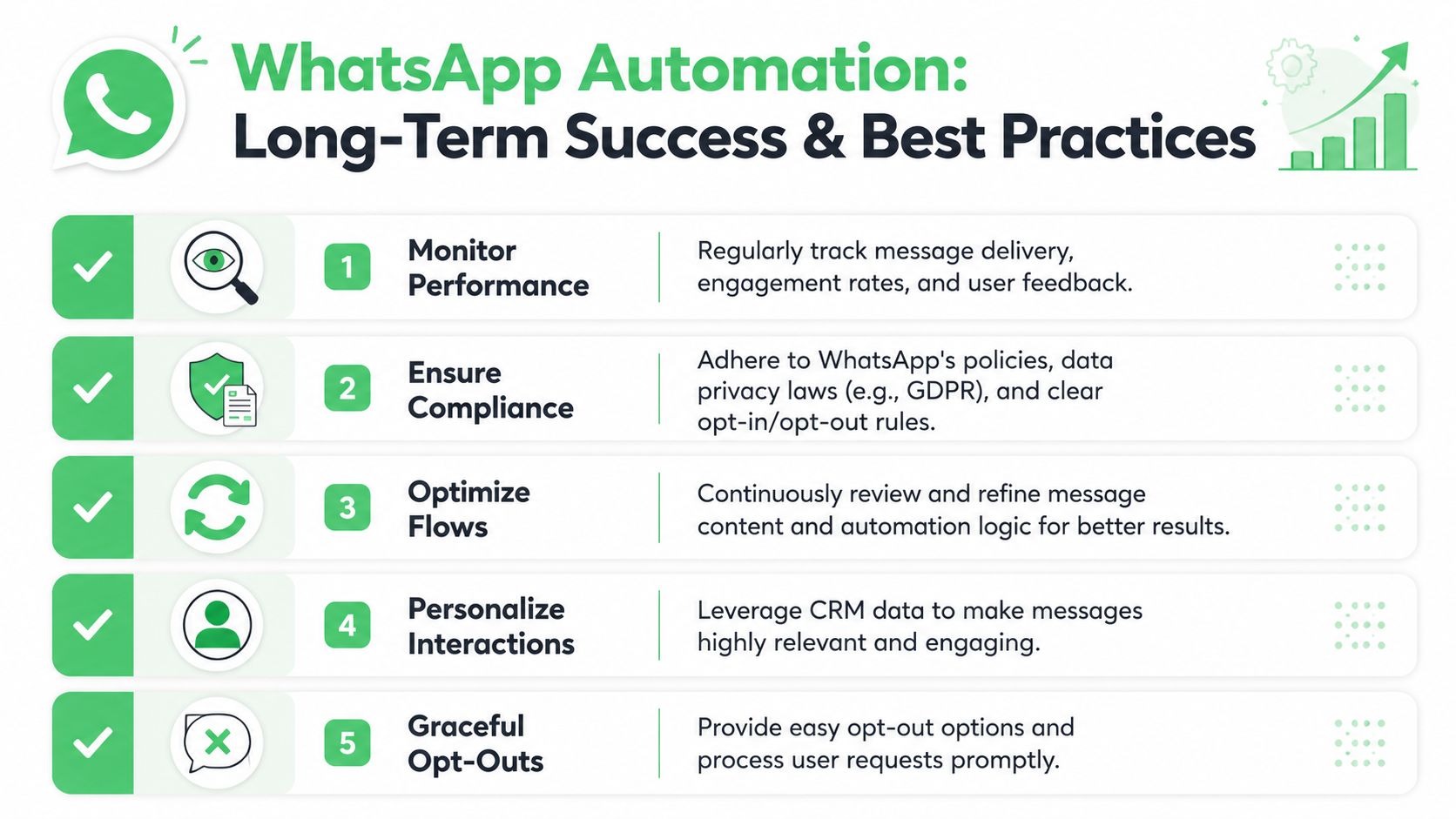
Guidance on WhatsApp automation often covers greetings, away messages, and short flows, while warning against over-automation and stressing the need for human takeover at the right moment, as discussed in GreenAds' guide to automating WhatsApp messages. Agencies miss that trade-off all the time. They keep adding steps because the tool allows it, not because the client gets better outcomes.
Where automation should stop
Automation works best for structure. Humans handle judgment.
Use it for the opening layer:
- Basic greetings
- After-hours replies
- Lead routing
- Simple qualification
- Status updates and reminders
Hand the conversation to a person when intent gets serious or context starts to matter. That includes pricing questions with nuance, edge-case support issues, objections, urgency, or any reply that does not fit the scripted path cleanly.
The operating rule is simple:
When the next reply depends on context instead of a preset category, route to a human.
That protects conversion rate. Short flows reduce response time and keep the conversation moving. Long bot sequences create friction, especially on a channel people use for fast, personal communication.
A practical operating checklist
Optimization comes from routine review, not clever copy alone.
- Read conversations, not just delivery reports: A delivered message can still confuse the lead or send them into the wrong branch.
- Find dead ends fast: If free-text replies break the flow, add recovery paths or send the chat to a person.
- Measure handoff speed: Promising a human reply only works when someone owns the queue and responds on time.
- Keep opt-outs visible: People should be able to stop messages quickly, and your team should honor that immediately.
- Refresh scripts regularly: Offers change, objections change, and language that worked last quarter can start sounding stale.
Compliance sits inside daily operations. Get clear consent before sending messages. Identify the business clearly. Give people a real way out. Do not force them through a bot loop just to protect response time metrics.
The practices that hold up over time
The setups that last usually share the same traits:
- Short flows with clear exits
- Segmented messaging instead of generic blasts
- Named ownership for inboxes and handoffs
- CRM-connected context for the next human
- Regular reviews of failed or awkward conversations
The teams that get results over time treat WhatsApp like a revenue channel, not a side automation project. They review live chats, tighten flows, and fix operational gaps before those gaps turn into missed deals.
If you want to launch faster, especially for agency clients who do not want the delay and cost of a full Meta API build, Double My Leads supports QR-code onboarding, shared inboxes, automation flows, broadcasts, scheduling, and CRM sync without turning each rollout into a custom development job.


