
Website visitors make fast decisions. If they have a question and your client's site makes them wait, many of them leave, compare options, or switch to a competitor with an easier path to conversation.
For agencies and SaaS resellers, that matters because chat is no longer just a support feature. It affects lead capture, sales speed, attribution, and service revenue. A widget that starts more qualified conversations can justify its cost. A widget that creates manual work, fragmented inboxes, or unpredictable billing will erode margin even if the demo looked good.
That is the agency view too few software comparisons cover. The core buying decision is not only about features. It is about whether your team can standardize deployment, control support load, and resell the service across multiple client accounts without custom work swallowing profit.
WhatsApp deserves special attention here. For many local service brands, multi-location businesses, and sales-led SMBs, it produces higher-intent conversations than standard live chat because prospects continue the thread on a channel they already use daily. That makes white-label WhatsApp widgets especially relevant for firms building recurring revenue around lead response and appointment setting. Double My Leads is a strong example of that model.
If your clients run on WordPress, the technical side is usually straightforward. This guide to WordPress widgets gives useful background on how widget placement works. The harder part is commercial discipline. Choose a tool your team can price cleanly, launch quickly, and manage from one operating model. That is how website chat becomes a revenue asset instead of another low-fee add-on.
Table of Contents
- Why Chat Widgets Are Standard Practice in 2026
- From Simple Support Tool to Conversion Engine
- Comparing the Main Types of Website Chat Widgets
- Essential Features for Agencies and SaaS Resellers
- A Practical Checklist for Selecting Your Chat Tool
- Implementation and Optimization for Peak Performance
- The DML Advantage White-Label WhatsApp Widgets
Why Chat Widgets Are Standard Practice in 2026
Web teams are spending more to earn attention, and visitors are less willing to wait once they arrive. That changes the job of a chat widget. It is no longer a nice add-on for support. It is part of the revenue path.
As noted earlier, buyers who start a chat tend to convert at a higher rate and purchase with stronger intent. For agencies and SaaS resellers, that matters because every click already has a cost attached to it. If a prospect reaches a pricing page, service page, or demo page and has no fast way to ask a question, the gap between interest and action gets wider.
That gap gets expensive.
Agency operators feel this more sharply than in-house teams because they are responsible for both performance and delivery. They are asked to increase lead volume, improve response times, prove attribution, and protect margin at the same time. A chat widget helps with all four, but only if it is treated as a client acquisition system instead of a floating icon installed at the end of a project.
What changed for agencies and resellers
The practical shift is not just that visitors want answers faster. The channel mix changed. Email forms create delay. Standard live chat often traps the conversation on-site. Messaging apps, especially WhatsApp, keep the conversation alive after the session ends, which is why many agencies now center their chat strategy around messaging-first flows.
That creates a business model advantage. A reseller can package setup, routing, lead qualification, reporting, and channel management into a recurring service. A basic live chat tool can still play a role, but WhatsApp-based widgets are often easier to justify to clients because they connect the website visit to an ongoing sales conversation.
If you're working with WordPress sites, this guide to WordPress widgets is a useful refresher on how widgets fit into the broader site structure, especially for teams that inherit client builds with inconsistent admin setups.
The operating rule
If a page is meant to generate revenue, it needs a fast conversation path that matches buyer intent.
For agencies, that usually means the widget should do at least three jobs:
- Catch high-intent questions before the visitor leaves
- Move the conversation into a channel the sales team will follow up in
- Support a repeatable service model with pricing clients can understand
That third point gets missed. Many chat tools look affordable until usage spikes, seat counts grow, or each client needs separate setup and reporting. For agencies and SaaS resellers, the right widget is not only about conversation quality. It is also about predictable margins, low implementation friction, and a channel clients will keep paying for after launch.
That is why chat widgets are now standard practice. They protect paid traffic, convert more of the demand clients already have, and create a packaged service that can scale without turning support overhead into a margin problem.
From Simple Support Tool to Conversion Engine
The old version of website chat was reactive. Someone had a problem, clicked a bubble, and waited for support. That model still exists, but it's no longer the strategic center of chat.
Today the presence of a widget itself affects buyer behavior. Heyy.io's 2026 review says 63% of customers are more likely to return to a website and make a purchase if it offers a chat widget (Heyy.io chat widgets review). That's a useful signal for agencies because it reframes chat from service overhead into funnel design.
Presence changes intent
A good widget does something before the first conversation even starts. It reduces hesitation. It tells the visitor there's a human or automated path available if they get stuck. On high-intent pages, that reassurance matters.
That's why basic “contact us” thinking underuses the channel. A well-placed widget can:
- Qualify inbound interest: Ask what the visitor needs before handing off.
- Route by intent: Send support questions one way and sales conversations another.
- Continue the conversation elsewhere: Move to messaging, email, or a rep handoff if needed.
The real difference between a box and a system
A simple chat box waits. A conversion system guides.
That distinction shows up in execution. Agencies that get results don't just install chat widgets for websites and leave default greetings in place. They map the widget to page intent. Product pages need objection handling. Service pages need qualification. Demo pages need scheduling or rep routing. Support pages need deflection and triage.
The highest-performing widgets usually answer one immediate question: “What should happen next for this visitor?”
That shift also changes staffing. If your client's team can't answer every conversation live, the widget still needs to collect context, preserve the thread, and hand off cleanly. Otherwise chat creates friction instead of removing it.
Chat belongs inside the funnel
The practical upgrade is simple. Stop evaluating chat as a support plugin and start evaluating it as part of the acquisition stack.
That means the widget should connect to:
- Lead capture workflows
- Sales qualification logic
- Channel handoff rules
- Client reporting
Once you see chat this way, tool comparison becomes less about “which bubble looks nice” and more about “which system helps us monetize intent without adding operational drag.”
Comparing the Main Types of Website Chat Widgets
Most agencies don't need one universal chat tool. They need the right chat model for the client, the offer, and the operating team behind it.
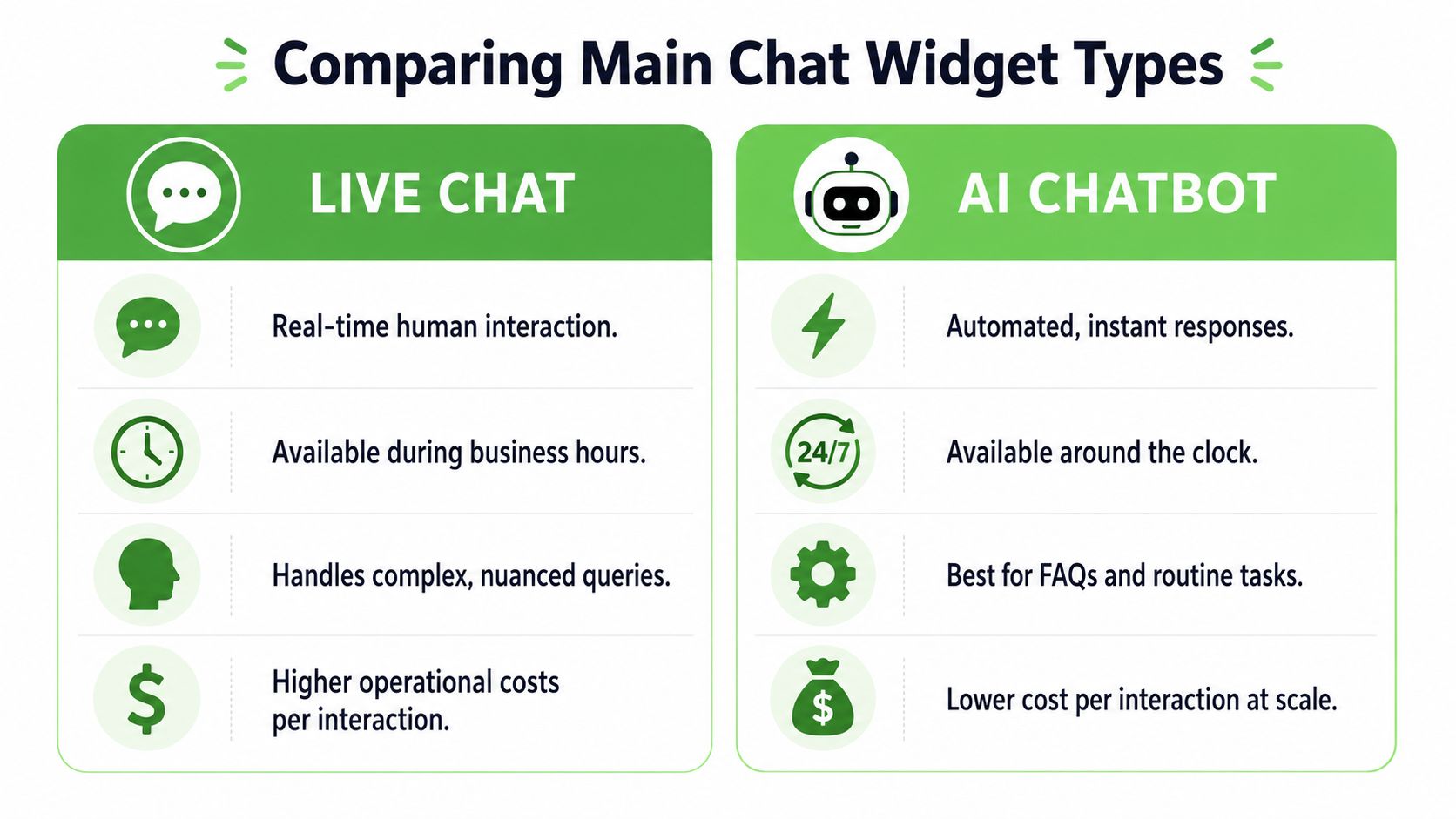
Three categories matter most in practice: live chat, AI chatbots, and messaging app widgets. The most capable platforms also support omnichannel routing across web chat, WhatsApp, Messenger, Telegram, email, and SMS while keeping the same conversation thread intact (Elfsight all-in-one chat widget overview). That matters because fragmented inboxes usually kill speed and context.
Live chat
Live chat is still the cleanest option when the buyer needs a real person.
It works best for higher-consideration services, sales-assisted SaaS, and support cases where nuance matters. If the client has trained reps and defined coverage windows, live chat can convert extremely well because it handles objections in real time.
Its weakness is operational cost. Someone has to answer. If coverage slips, response quality drops fast and the widget starts teaching visitors not to use it.
AI chatbots
AI chatbots are useful when the traffic pattern is broad, repetitive, or after-hours.
They're strongest at handling FAQs, gathering lead details, qualifying by use case, and routing the conversation without making a visitor wait. They're weaker when a conversation needs judgment, negotiation, or complex troubleshooting.
For agencies, the biggest benefit is scale. Bots make it easier to serve more clients without staffing every site with human agents.
A useful complement here is this enterprise social operations playbook, which helps teams think beyond scripted replies and into workflow design, routing, and governance.
Here's a short demo worth watching if you're comparing approaches in the field:
Messaging app widgets
Messaging app widgets, especially WhatsApp and Messenger entry points, are different from classic website chat. They don't just create a website conversation. They move the visitor into a channel they already use.
That matters for lead generation because the conversation can continue after the session ends. For many agencies, this is the most practical route when the goal is follow-up, nurture, or appointment setting rather than instant support resolution.
The trade-off is fit. If the client's team isn't set up to manage messaging workflows, a messaging-first widget can create inbox clutter instead of pipeline.
Chat Widget Types At a Glance
| Widget Type | Primary Use Case | Cost Model | Key Advantage |
|---|---|---|---|
| Live Chat | Sales assistance and nuanced support | Team or agent-driven operations | Human answers for complex questions |
| AI Chatbot | FAQ handling, qualification, routing | Software-led automation | Scales without requiring constant live coverage |
| Messaging App Widget | Lead capture and ongoing follow-up | Depends on messaging workflow and platform | Continues the conversation beyond the website |
Essential Features for Agencies and SaaS Resellers
If you're reselling chat, the feature list has to do more than satisfy one marketing manager. It has to support repeatable delivery across many accounts.
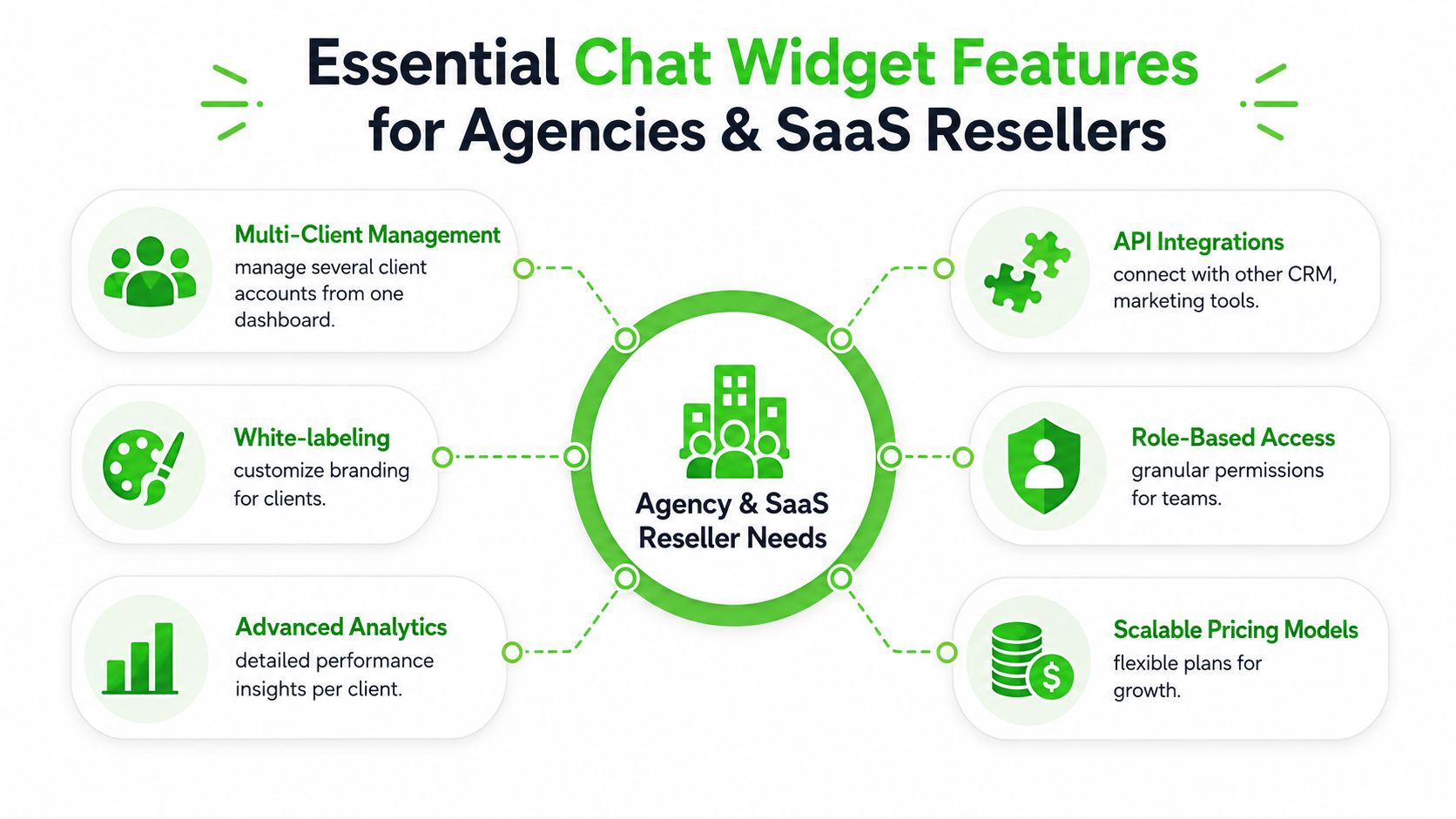
The wrong platform can still work for one client. It breaks when you try to scale it to ten, twenty, or a reseller channel where branding, billing, access, and handoff all need structure.
Features that protect margin
Start with the features that keep your service profitable.
- White-labeling: If clients log into a vendor-branded tool, you're reinforcing the software company's brand instead of your own service.
- Multi-client management: One dashboard matters. Agencies lose time when each client lives in a separate operational silo.
- Predictable pricing: Variable fees are hard to package. Flat or clearly bounded pricing is easier to mark up and easier to explain.
- Role-based access: Sales reps, account managers, and client admins shouldn't all have the same permissions.
Without these, chat becomes one more custom delivery headache.
Features that improve delivery
The next layer is what helps your team produce better outcomes.
A serious platform should give you analytics per client, usable integrations with CRM and marketing systems, and enough flexibility to customize behavior by site, page, and campaign. You also want a clean path to handoff. That could mean routing to a rep, syncing a lead, or moving the conversation into a messaging workflow.
For agencies selling WhatsApp-led engagement, the operational question isn't just whether the widget works. It's whether the setup fits the client's buying motion. Some clients need support deflection. Others need lead capture first. Others need omnichannel continuity because the same prospect might start on-site and continue elsewhere.
A feature only matters if it reduces labor, improves handoff, or creates a cleaner offer you can sell repeatedly.
What to screen for in demos
When vendors show product tours, push past cosmetics and ask practical questions.
- Can one team manage many client workspaces?
- Can the widget capture lead details before handoff?
- Can branding, domain, and client-facing experience be customized?
- Can the system support both support and sales workflows without turning messy?
- Can your team extend it through API access if a client needs custom workflow logic?
Agencies make money on repeatability. The feature set should make repeatability easier, not harder.
A Practical Checklist for Selecting Your Chat Tool
Most buying guides stop at setup instructions and generic feature lists. That's useful for a solo operator. It's not enough for an agency that has to govern multiple deployments, align sales and support outcomes, and avoid hidden delivery cost.
A recent content analysis makes this gap clear. Most guidance covers basic embed steps, but often misses agency concerns like governance at scale, multi-client management, and the trade-offs between support deflection and lead capture (content analysis summary).
Operational questions to ask before you buy
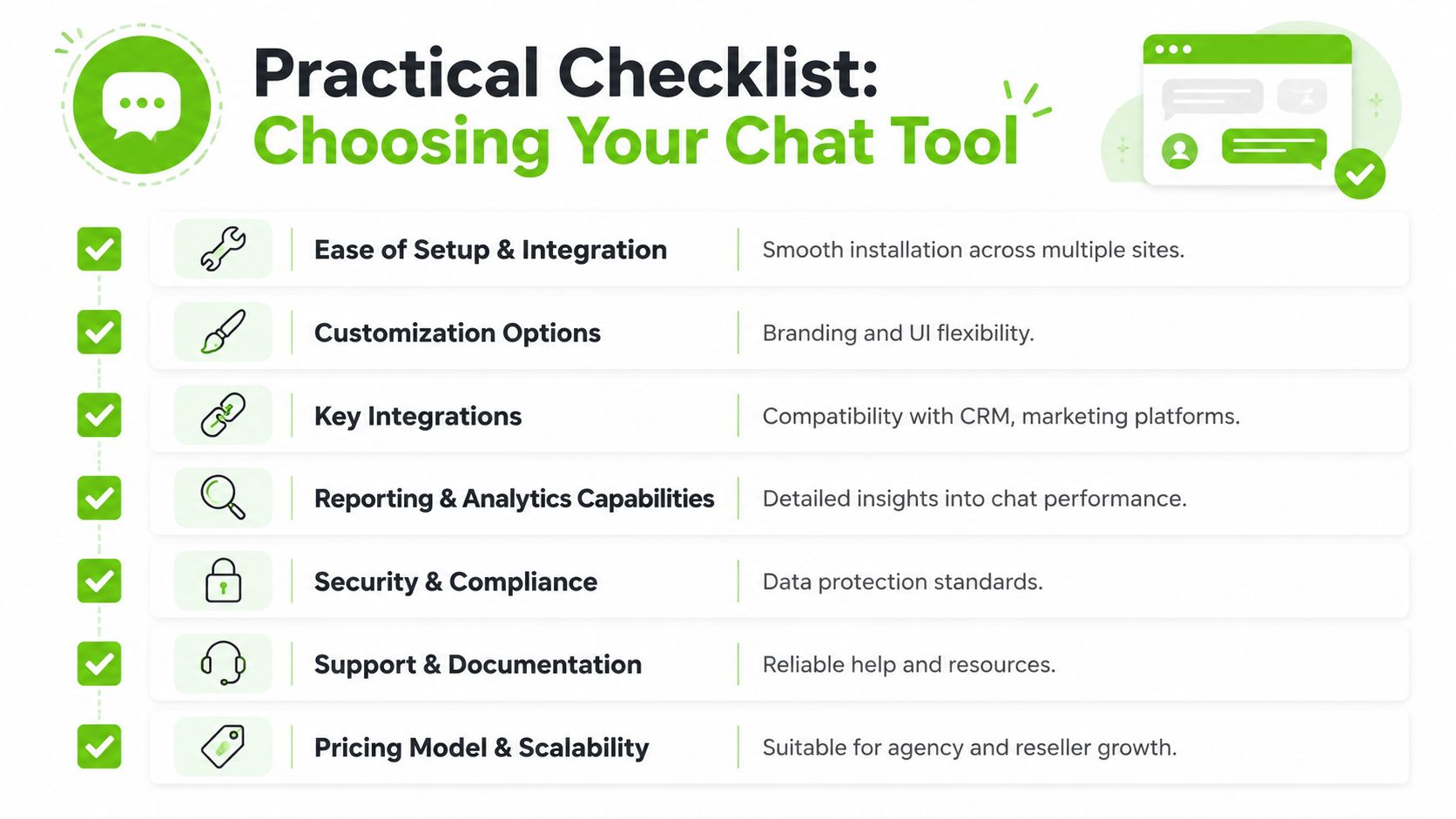
Use this checklist before you commit to any tool.
- Setup burden: Can your team install it quickly across WordPress, Shopify, custom sites, and client-owned CMS setups?
- Governance: Can you control multiple widgets, users, and brands without logging into a different environment every time?
- Security model: Does the platform support serious access controls when the client needs them?
- Workflow fit: Is the main goal lead capture, support deflection, or cross-channel handoff?
- Reporting: Will the client get reporting they can understand, and will your team get reporting detailed enough to optimize?
- Pricing logic: Can you price your service with confidence, or will usage volatility erode margin?
Decision rules that keep deployments sane
A few rules prevent expensive mistakes.
If the client wants live support but has no one available to answer, don't sell them a live-first experience. Use qualification, automation, or messaging handoff.
If the client operates multiple brands or locations, don't choose a tool built for single-site simplicity. It won't stay simple once you add governance, permissions, and reporting requirements.
If the agency plans to resell under its own offer, avoid tools that make the vendor more visible than your service. That weakens retention.
Buy for the operating model you need six months from now, not the demo that looks easiest today.
The best chat widgets for websites aren't the ones with the longest feature page. They're the ones your team can deploy consistently, support without friction, and package into a service clients understand.
Implementation and Optimization for Peak Performance
Launching the widget is the easy part. Making it useful takes tighter execution.
Installation basics and enterprise controls
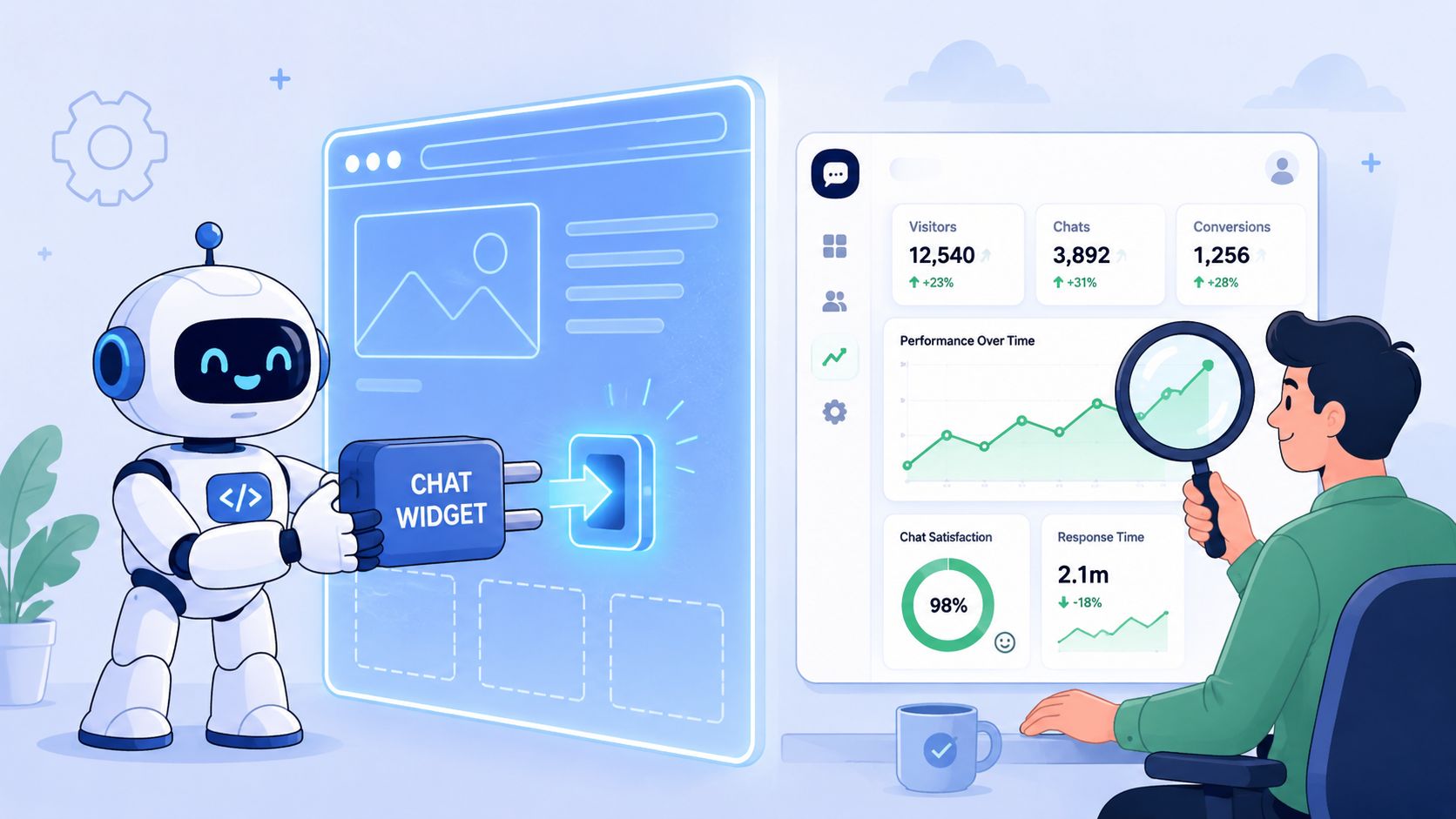
A standard website chat widget is usually added by embedding the provider's JavaScript snippet into the site's HTML. In enterprise setups, teams often add domain allowlisting and JWT-based authentication so only approved origins can render the widget and initiate chats (AWS chat setup guidance).
For agencies, that detail matters because “easy to install” and “safe to govern” aren't the same thing. A lightweight snippet works for launch. Security controls matter once the widget is deployed across client properties, staging sites, and branded environments.
Use this install sequence:
- Define placement first: Product pages, pricing pages, service pages, and support pages shouldn't all use the same greeting or flow.
- Standardize deployment: Keep one internal SOP for script placement, naming conventions, and testing.
- Lock down approved domains: This matters more as your client count grows.
- Confirm ownership of handoff paths: Decide where conversations go when no one is online.
If you're collecting lead details in the widget, anti-spam and form hygiene matter too. This resource on optimizing Cloudflare Turnstile is useful when you're hardening lead capture steps around chat-triggered forms and multi-step inquiry flows.
Optimization that actually moves results
The widget shouldn't behave the same way on every page.
A homepage visitor may need orientation. A pricing-page visitor may need an objection answered. A blog reader may only warrant a softer prompt. Good optimization starts by matching the prompt, timing, and handoff to the page's commercial role.
A practical optimization routine looks like this:
- Test welcome messages: Short, specific prompts usually outperform generic “How can we help?” copy.
- Use trigger logic carefully: Fire prompts based on page type or behavior, not instantly on every visit.
- Define online and offline modes: If human coverage is limited, the widget should shift cleanly into lead capture or async routing.
- Review transcripts weekly: You'll find repeated objections, broken flows, and missed qualification opportunities fast.
Don't optimize for more chats. Optimize for better conversations and cleaner handoffs.
The agencies that get ROI from chat widgets for websites treat them like landing pages. They test copy, control flow, and refine based on what real buyers ask.
The DML Advantage White-Label WhatsApp Widgets
For agencies and SaaS resellers, WhatsApp is often the most commercially useful destination once a website visitor raises a hand. The conversation doesn't disappear when the browser session ends, and the channel fits how many buyers already communicate.
That's why messaging-first widgets deserve serious consideration when the goal is lead generation, qualification, or follow-up rather than classic help-desk support. The challenge is that many tools create pricing uncertainty, API friction, or a branded experience that doesn't support resale well.
Double My Leads fits this reseller model with a white-label WhatsApp workflow that agencies can package under their own branding. According to the publisher information provided, teams can connect numbers by QR code, manage conversations in a real-time inbox, use white-label workspaces and Stripe billing, and avoid per-message pricing through a flat monthly model. It also includes free chat widgets and tracked smart links that can capture lead details before the conversation starts.
That combination matters because it addresses the problems agencies experience:
- Unpredictable pricing makes packaging difficult.
- Technical setup friction slows deployment.
- Weak branding control makes retention harder.
- Disconnected lead capture reduces attribution quality.
If your operating model centers on WhatsApp engagement, a white-label setup is usually easier to sell and easier to keep profitable than a patchwork of single-purpose chat tools.
If you want to turn website chat into a service you can resell, take a look at Double My Leads. It gives agencies and SaaS teams a way to launch white-label WhatsApp widgets, connect numbers by QR code, capture leads before the conversation starts, and package the whole system under their own brand with more predictable margins.


