
Your team is probably handling the same conversations all day. “What do you charge?” “Can I book a call?” “Do you work with local businesses?” “Can you send details?” The problem isn't just message volume. It's the drag that comes from inconsistent replies, slow handoffs, and leads that lose momentum while someone on the team types the same answer again.
That's why quick replies matter. Most agencies treat them like a small inbox convenience. They're not. Used well, they become a conversion layer inside messaging. They steer choices, standardize qualification, and reduce the amount of human effort required to move a lead from first contact to next step. And while the phrase “quick replies Messenger” starts with Meta's interface, the primary opportunity for agencies sits across the broader messaging stack, especially on WhatsApp for business where speed and structure directly affect booked calls, qualified leads, and team capacity.
Table of Contents
- Why Quick Replies Are a Secret Weapon for Conversion
- The Anatomy of an Effective Quick Reply
- How to Set Up Quick Replies in Double My Leads
- 15+ Quick Reply Templates for Common Business Scenarios
- Best Practices for Optimizing Quick Reply Performance
- Integrating Quick Replies into Automated Workflows
Why Quick Replies Are a Secret Weapon for Conversion
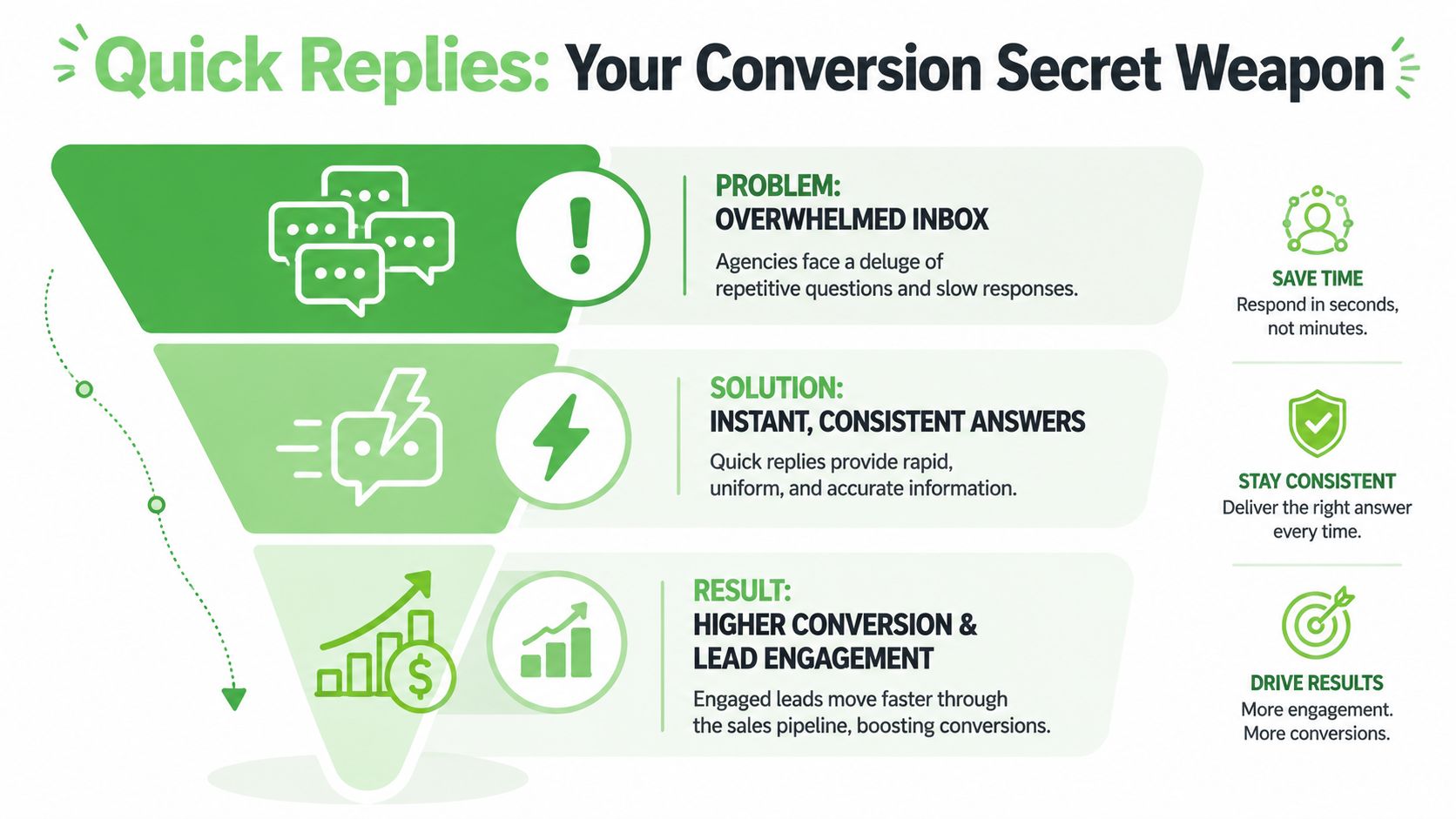
If your agency runs lead generation through chat, every extra step costs momentum. Asking someone to type a full answer when they could tap a choice sounds minor, but it creates hesitation. Structured replies reduce that friction. They give prospects a clear path, and they give your team cleaner inputs to work with.
Meta built Messenger quick replies for structured conversations, with support for up to 13 buttons that can include a title and optional image, according to the Messenger quick replies documentation. That matters because the format was never just about speed. It was designed to replace vague, open-ended chat with guided decision points.
Why conversion improves when choices are clear
A lead who taps “Pricing,” “Book a Call,” or “Need Support” is easier to route than a lead who sends “hey.” The first version gives your team intent. The second creates work.
That's the hidden advantage of quick replies messenger teams often miss. They don't just answer faster. They shape the conversation so the next action is obvious. For an agency, that can mean:
- Faster qualification: Prospects self-identify by service need, urgency, or budget category.
- Cleaner handoff: Sales gets context before joining the chat.
- Less inconsistency: Junior team members don't improvise important replies.
- Better channel discipline: WhatsApp and Messenger stop behaving like unmanaged personal inboxes.
Practical rule: If a conversation has three common next steps, turn those into buttons instead of asking an open question.
There's also a timing advantage. One industry article notes that Messenger messages often see 70% to 80% open rates within the first hour, which is why button-based responses can capture intent while the conversation is still active. The same article ties that activity to response rate, resolution rate, and customer satisfaction (CSAT) in customer-service workflows, as outlined in this Messenger automation discussion.
Why this matters beyond Messenger
The feature started in Messenger, but the operating model applies across business messaging. On WhatsApp, agencies face the same issues: repetitive questions, slow triage, and too much dependency on whoever is online. Quick replies solve a process problem, not just a platform problem.
If you already use a broader conversion rate framework for landing pages and funnels, apply the same thinking here. Reduce friction. Narrow choices. Move the user to one clear next action. Messaging deserves the same conversion discipline as your forms and ads.
The Anatomy of an Effective Quick Reply
A lead clicks your ad, opens WhatsApp, and asks a broad question like, "Can you help with local lead gen?" The next reply determines whether the conversation turns into a booked call or turns into a slow back-and-forth that eats team time. That is the standard to use for every quick reply.
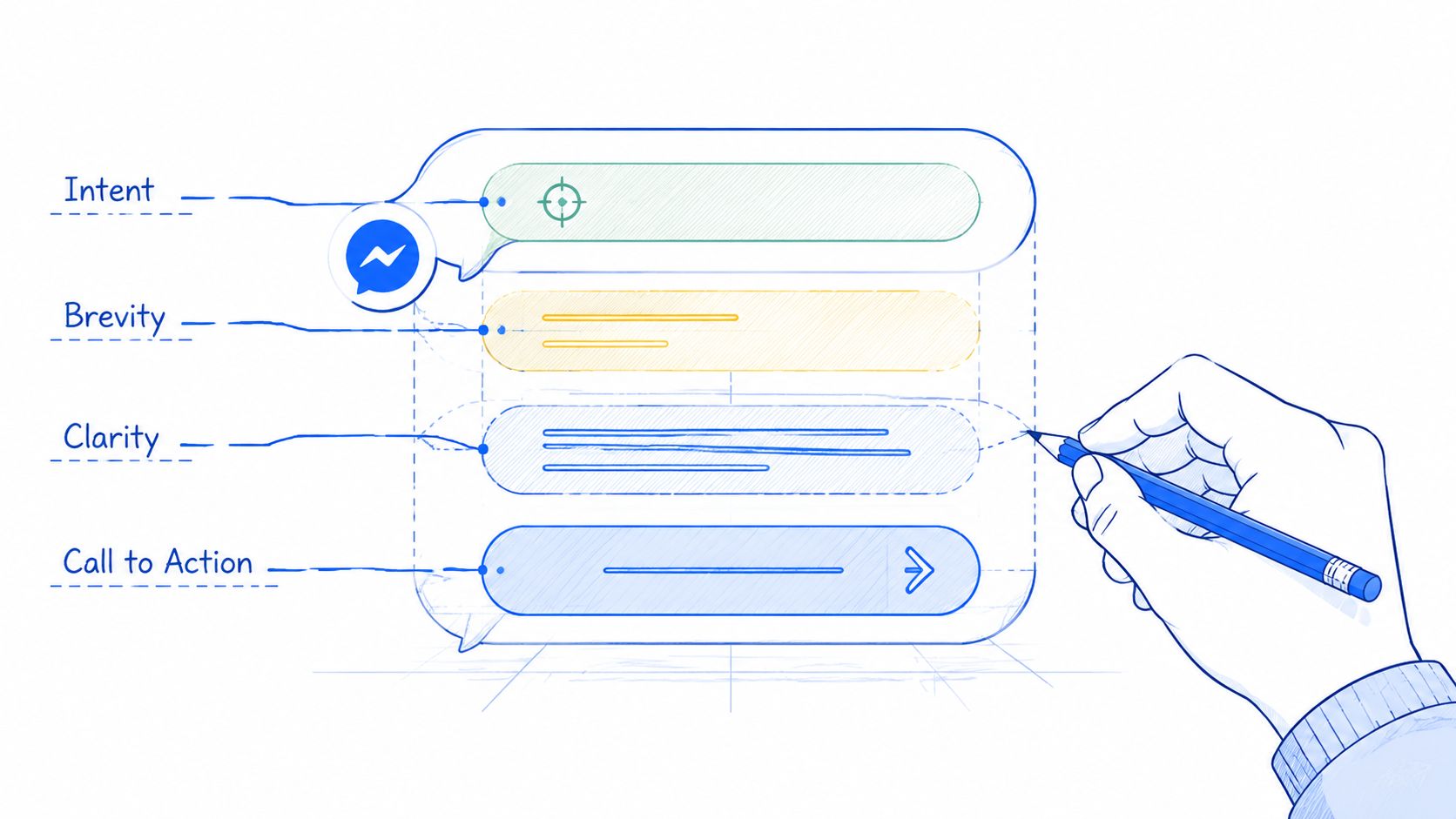
A strong quick reply has a job. It should route the conversation, capture a qualifying detail, or push the lead to a clear next action. If it does none of those, it belongs in a knowledge base, not in your reply library.
Start with the decision you want
Good quick replies are built from the decision point backward. Before writing copy, decide what the agent or system needs to know next.
For an agency, that usually means one of four things: what service the lead wants, whether they are qualified, how urgent the need is, or which action should happen next. In Double My Leads, that matters because the same reply can do more than speed up chat. It can standardize lead handling across WhatsApp, Messenger, and your team inbox so handoffs stay clean and follow-up stays consistent.
A simple way to pressure-test the reply:
| Goal | Weak quick reply | Effective quick reply |
|---|---|---|
| Route intent | “How can we help?” | “What do you need help with?” |
| Qualify lead | “Tell us about your business” | “Which service do you need?” |
| Set urgency | “Let us know your timeline” | “When do you want to start?” |
| Move to action | “Let us know if you want to proceed” | “Choose your next step” |
The pattern is simple. Ask for a decision, not a paragraph.
Keep the wording short and directional
Short labels perform better because they lower the effort required to respond. A prospect should understand each option in one quick scan.
Use labels that describe the action or category directly:
- Good: Pricing
- Good: Book a Call
- Good: Existing Client
- Good: Need Support
- Weak: I'd like to learn more about your service packages
- Weak: I am already a customer and need help with my account
The best quick replies read like buttons a buyer expects to see.
This is especially important on WhatsApp, where conversations often happen on mobile and in short bursts. Long labels slow people down. Short labels keep momentum.
Use closed choices when the next step needs structure
Open-ended prompts have a place, but they create work for the team. Reps have to interpret messy answers, tag intent manually, and decide what to send next. That is manageable at low volume. It breaks down once an agency is handling paid traffic, inbound referrals, support requests, and sales follow-up in the same inbox.
Closed choices create cleaner routing. They also make automation more reliable because the selected response maps to a known intent or workflow step.
For example, instead of asking, "Tell us about your project," use:
- Lead source: Google Ads, Facebook Ads, SEO, Not Sure
- Business size: Solo, 2 to 10 staff, 11 to 50, 50+
- Timeline: This week, This month, Just researching
- Next step: Get pricing, Book a call, Ask a question
That structure gives sales and account teams something they can act on right away.
Build for clarity first, then tone
Brand voice matters. Clear decisions matter more.
Quick replies should sound like your team, but they should never force the prospect to decode clever wording. Agency teams often overwrite buttons in an attempt to sound premium. In practice, "Pricing" outperforms softer phrasing like "Let's talk investment" because it is instantly understood.
A few rules keep replies usable:
- Use plain labels: “Book a Call” beats “Schedule Your Growth Session.”
- Avoid internal jargon: Prospects do not care about your pipeline terms.
- Make options mutually exclusive: “Support” and “Existing Client Support” create hesitation.
- Use emojis carefully: One can help scanning. More than that makes the reply look promotional.
One final test helps. If a new rep joined today, they should know exactly when to use the reply, what answer it is trying to get, and what action should follow after the click. If that is unclear, the quick reply needs another edit.
How to Set Up Quick Replies in Double My Leads
Agencies don't need another complicated setup project. Quick replies only help when the team can create, find, and send them without friction.
Start with the response library
Inside Double My Leads, the smart move is to treat quick replies like a shared operating asset, not a personal shortcut. Build a central library first. Then organize it by the conversations your team handles every day.
A practical setup usually starts with categories such as:
- New lead qualification
- Pricing and offer questions
- Call booking
- Follow-up nudges
- Support and post-sale
- Internal handoff notes
The first pass shouldn't be exhaustive. Start with the repetitive replies that burn the most time. If your team sends the same explanation ten times a day, that's a quick reply. If they keep rewriting call-booking instructions, that's another one.
Build for speed, not just storage
The platform is easiest to use when each saved reply has a clear shortcut. A short command like /pricing, /book, or /support makes retrieval fast, especially in live conversations where seconds matter.
That naming convention matters more than often realized. If shortcuts are inconsistent, people stop using the library and go back to typing. Keep them predictable. Keep them obvious.
A solid workflow looks like this:
- Create the reply text with a clear next step.
- Assign a shortcut your whole team will understand instantly.
- Tag it to a category so people can browse by use case.
- Review the wording for brand voice and legal accuracy.
- Share it team-wide so everyone uses the same approved version.
Here's the useful distinction. A saved response is just stored text. A strong quick reply system is a team behavior. The point isn't to save keystrokes. The point is to make your agency faster and more consistent under load.
Operations note: If two account managers answer the same question differently, you don't have a messaging strategy. You have inbox drift.
The platform walkthrough below shows the setup in motion:
Practical setup rules for agencies
Once the basics are live, refine the library around real campaign and client work.
- Separate by intent, not by client only: “Lead qualification” is more reusable than “Client A FAQ.”
- Write for the next action: Every reply should point to a button, answer, booking, or handoff.
- Keep ownership clear: One person should approve edits to shared templates.
- Retire stale replies: Old offers and outdated process notes create confusion fast.
Teams get the most value when quick replies are tied to messaging lanes they already manage on WhatsApp. That's where the broader quick replies messenger mindset becomes useful. The feature started in social messaging, but the operating discipline carries cleanly into WhatsApp business workflows where agency teams need speed, consistency, and control.
15+ Quick Reply Templates for Common Business Scenarios
A lead clicks your ad, opens WhatsApp, and wants an answer in under a minute. If your team has to type every response from scratch, speed drops, reply quality slips, and handoffs get messy. A solid quick reply library fixes that by turning common conversations into guided paths your team can use inside Double My Leads.
For agencies, the highest-volume moments usually cluster around the same jobs: qualify the lead, route the request, book the next step, or collect missing details. The goal is not to script the whole conversation. The goal is to get the next action faster.
Quick Reply Templates for Agencies
| Use Case | Quick Reply Button 1 | Quick Reply Button 2 | Quick Reply Button 3 |
|---|---|---|---|
| New inbound lead | Pricing | Services | Book a Call |
| Paid ad inquiry | I Need Help | I Want Pricing | I'm Ready to Start |
| Website chat handoff | Tell Me More | Show Packages | Talk to Sales |
| Local service lead | This Week | This Month | Just Researching |
| Agency prospecting reply | SEO | Paid Ads | Web Design |
| SaaS demo request | Demo | Pricing | Integrations |
| White-label inquiry | Features | Reseller Info | Book a Walkthrough |
| Appointment scheduling | Today | Tomorrow | Pick a Time |
| Missed call recovery | Call Me Back | Send Details | Not Interested |
| Pricing objection | Basic Option | Custom Quote | Need More Info |
| Existing customer support | Billing | Technical Help | Account Update |
| Onboarding flow | New Customer | Existing Customer | Need Setup Help |
| Testimonial request | Happy to Help | Need More Time | Have a Question |
| Event or webinar follow-up | Replay | Book a Call | Not Now |
| Community or newsletter join | Join Updates | Learn More | Ask a Question |
| Data capture prompt | Share Email | Share Phone | Share Location |
These buttons work better when the message above them does a real job. Generic prompts like “Choose one below” force the lead to guess what happens next. A stronger prompt frames the decision and reduces hesitation.
Use prompts like these instead:
- For new leads: “What are you looking for help with today?”
- For sales follow-up: “What would help you decide faster?”
- For support: “What do you need fixed first?”
- For scheduling: “When would you like to talk?”
The strongest quick replies usually do one of three things:
- Segment intent so the right person or workflow gets the conversation.
- Reduce typing for the lead on mobile.
- Capture structured inputs that feed your CRM, routing rules, or follow-up sequences.
That third use case matters more than teams expect. In a broader quick replies messenger strategy, the feature is not just about convenience inside Facebook Messenger. It is about collecting cleaner inputs across business messaging channels, especially WhatsApp, where fast qualification and accurate routing directly affect conversion speed. Inside Double My Leads, that means fewer vague replies, cleaner lead records, and less manual sorting for account managers.
Templates by business goal
A flat list helps at setup time. Grouping templates by outcome helps your team use them well in live conversations.
1. Lead qualification
Use these when the first job is to identify fit and urgency.
Prompt: “What best describes what you need right now?”
Buttons: Pricing | Services | Book a Call
Prompt: “How soon are you looking to start?”
Buttons: This Week | This Month | Just Researching
Prompt: “Which service are you interested in?”
Buttons: SEO | Paid Ads | Web Design
2. Booking and handoff
Use these when the lead is warm enough for a scheduled next step.
Prompt: “What would you like to do next?”
Buttons: Demo | Pricing | Integrations
Prompt: “When should we reach out?”
Buttons: Today | Tomorrow | Pick a Time
Prompt: “How should we follow up?”
Buttons: Call Me Back | Send Details | Not Interested
3. Support and account management
Use these to route existing customers without making them type paragraphs.
Prompt: “What do you need help with?”
Buttons: Billing | Technical Help | Account Update
Prompt: “Where are you in the process?”
Buttons: New Customer | Existing Customer | Need Setup Help
4. Nurture and re-engagement
Use these after webinars, events, newsletters, or delayed sales cycles.
Prompt: “What would you like from us?”
Buttons: Replay | Book a Call | Not Now
Prompt: “Want to stay in the loop?”
Buttons: Join Updates | Learn More | Ask a Question
5. Data capture
Use these when you need one missing piece to keep the workflow moving.
Prompt: “What can you share so we can follow up?”
Buttons: Share Email | Share Phone | Share Location
For WhatsApp-focused teams, quick replies become an operations tool, not just a messaging feature. A clean tap response can trigger the next owner, tag the contact, assign the right pipeline stage, or start an automated follow-up in Double My Leads.
How to use these without sounding robotic
Quick replies should handle the decision point, not replace judgment.
A simple structure works well:
- Start with context: acknowledge the message in plain language.
- Ask one focused question: make the next step obvious.
- Show up to three relevant options: enough choice to guide, not overwhelm.
Example:
Thanks for reaching out about your campaign. What do you want to sort out first?
Then show:
Pricing | Services | Book a Call
That reply feels human because the opening matches the situation. The buttons do the routing work. The rep still controls tone, follow-up, and escalation.
Skip quick replies in a few cases:
- Escalations or complaints. These need a custom response and clear ownership.
- Late-stage sales conversations. Once the buyer is asking detailed commercial questions, free text usually works better.
- Sensitive account issues. Billing disputes, contract concerns, and trust issues need judgment.
Use templates where repetition is high and the next step is predictable. Switch to a human response when the conversation needs nuance.
Best Practices for Optimizing Quick Reply Performance
Creating the library is easy. Keeping it useful takes discipline.
Quick replies are often built once, then forgotten. A month later, half the shortcuts are outdated, nobody agrees on when to use them, and agents keep free-typing because it feels faster. Optimization fixes that drift.
What to review every week
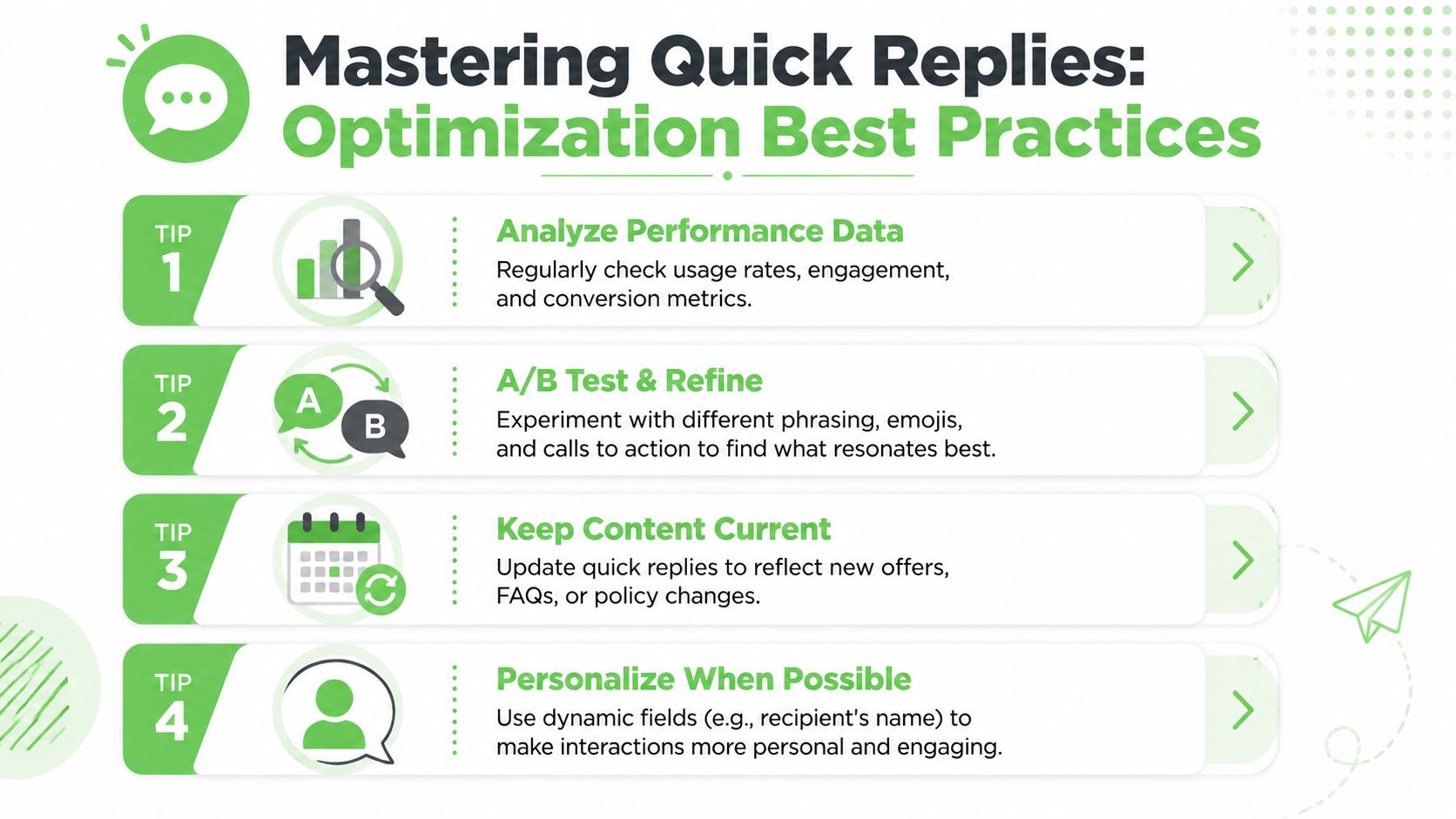
You don't need a complicated analytics stack to improve quick replies. Start by looking at actual usage and actual conversations.
Review patterns like these:
- Most-used replies: These reveal what your inbox is really handling.
- Rarely used replies: Usually a sign the shortcut is buried, unclear, or unnecessary.
- Manual rewrites: If agents keep editing the same template, the saved version is weak.
- Stalled conversations: If leads stop replying after a button set, the choices may be wrong.
“If a quick reply gets used often but followed by manual clarification, the template is incomplete.”
Run lightweight tests on wording. Compare “Book a Call” against “See Available Times.” Compare “Pricing” against “Get a Quote.” You don't need to force a scientific lab process. You need enough repetition to spot which phrasing moves conversations forward more cleanly.
Where teams usually get it wrong
The biggest mistake is over-automation. Quick replies should speed up human communication, not replace judgment.
Common failure points:
| Mistake | What happens | Better approach |
|---|---|---|
| Too many options | Users pause instead of choosing | Keep choices tight |
| Generic labels | The user doesn't know what happens next | Make the next step explicit |
| Stale content | Team sends outdated info | Review and prune regularly |
| Zero personalization | Messages feel cold | Add names or context where appropriate |
Personalization matters, but it needs restraint. Adding a first name or referring to the service they asked about can make a quick reply feel helpful instead of canned. Overdoing it usually makes the message feel forced.
A second issue is training. Agents need to know when to stop using shortcuts. If someone is upset, confused, or clearly high-intent, a custom message often outperforms the “perfect” saved reply.
The best-performing libraries are living systems. Shorter than you think, updated often, and tied to the conversations that drive revenue or reduce support load.
Integrating Quick Replies into Automated Workflows
Quick replies get more valuable when they stop being just text and start acting like triggers.
A button click can classify intent, assign ownership, or move someone into a follow-up path. That's a key operational leap. Instead of treating a reply as the end of the interaction, treat it as the start of a workflow.
Useful workflow triggers from simple choices
A few examples agencies can use immediately:
- “Book a Call” can tag the contact as sales-ready and route them to scheduling.
- “Need Pricing” can push the conversation to a quote flow.
- “Existing Customer” can assign the chat to support instead of sales.
- “Share Phone” can feed contact details into the CRM for follow-up.
- “New Customer” can trigger onboarding steps and internal assignment.
The point isn't complexity. It's clean branching. When the user picks from a controlled set of options, your downstream process gets cleaner too.
The operational payoff
The quick replies messenger concept becomes bigger than Messenger itself. In a modern agency stack, a simple choice inside chat should update tags, shape automations, and reduce manual admin work. That's especially useful in WhatsApp-led workflows, where the inbox often sits closest to real buying intent.
A strong setup connects three layers:
- Conversation layer: The user sees simple choices.
- Routing layer: The team gets context and ownership.
- Automation layer: The system updates records, triggers follow-up, or launches the next sequence.
When those layers work together, your messaging channel becomes easier to scale. Sales gets cleaner lead intent. Support gets fewer vague handoffs. Account managers spend less time cleaning up inbox chaos.
Quick replies aren't a cosmetic feature. They're one of the simplest ways to turn messaging into a structured growth channel.
If your agency wants to turn WhatsApp into a repeatable lead conversion and client communication system, Double My Leads is built for that workflow. You can launch fast, organize team inboxes, use quick replies at scale, and create a branded WhatsApp offering your clients will use.


