
You're probably trying to solve one of two problems right now. Either you need a personal reminder to go out at the right moment, or you're trying to run scheduled WhatsApp messages without babysitting every send from your phone. The hard part isn't finding a “schedule” button, it's deciding whether you need a native phone workflow, a workaround, or a proper broadcast system that won't fall apart when timing, scale, or team handoffs get messy.
Table of Contents
- Why Scheduling Messages Is an Operations Decision, Not Just a Button Tap
- Native Scheduling on iPhone and Android
- WhatsApp Business App Workarounds When There Is No Native Scheduler
- Scheduling at Scale With Double My Leads, Cloud API, and QR Connection
- Choosing the Right Scheduling Method for Your Use Case
- Best Practices for Timezones, Templates, Recurrence, and Compliance
- Troubleshooting Common Scheduling Failures
Why Scheduling Messages Is an Operations Decision, Not Just a Button Tap
A launch manager wants a WhatsApp broadcast to land at 9 a.m. sharp in three timezones. A coach wants the same lesson reminder to reach members every Sunday without manual reminders. An agency owner needs dozens of client sends to stay organized, auditable, and on time. Those are not the same job, even if all three start with the same phrase, how to schedule messages.
The native tools on iPhone and Android are excellent for one-off timing. They're fast, built in, and close to the person sending the message. But once there's a calendar, a queue, or multiple people touching the same contact list, the question changes from “Can I schedule this?” to “Who owns the workflow, what happens if the app doesn't support it, and how do I keep it reliable?”
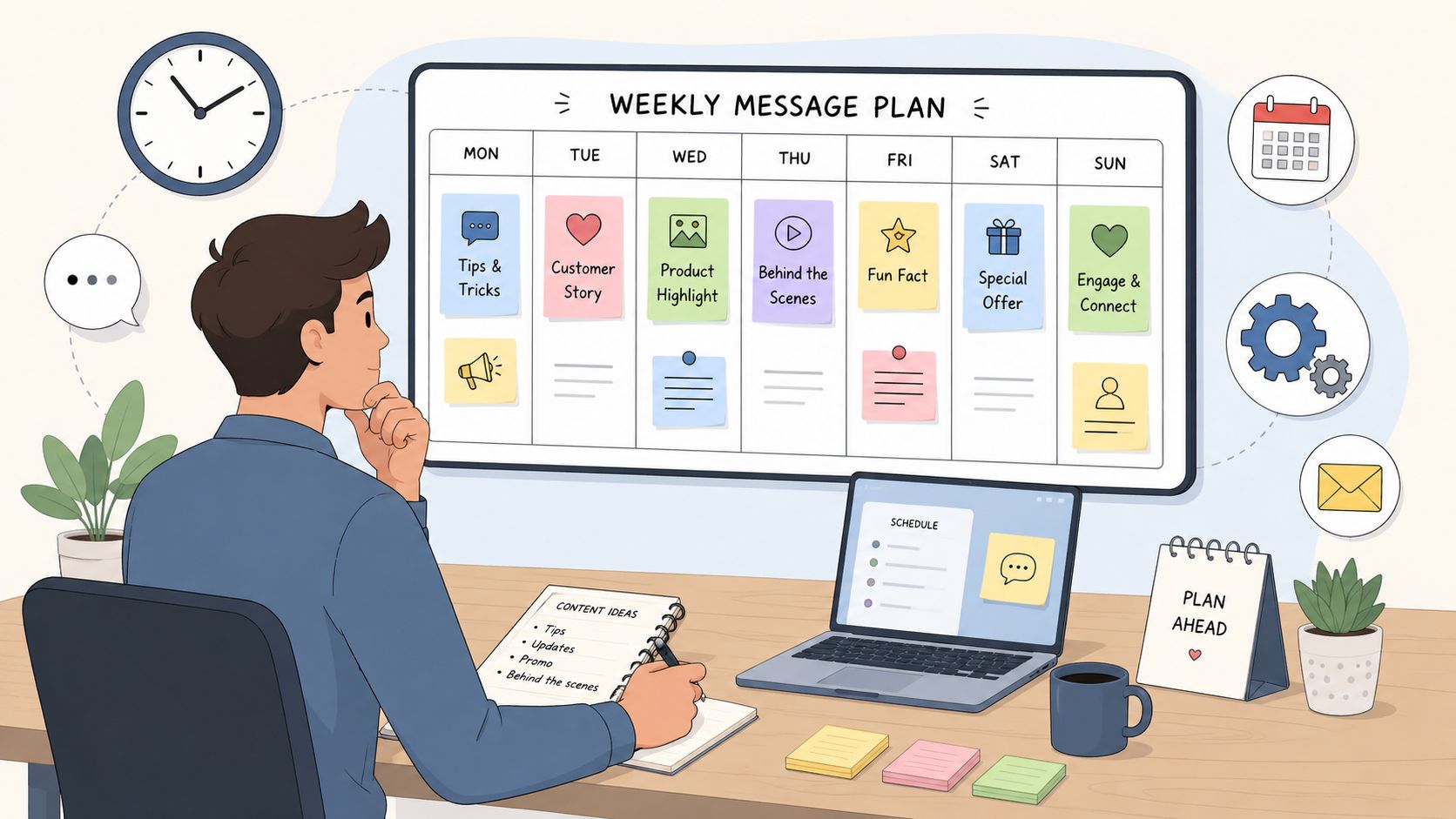
Personal scheduling and operational scheduling are different jobs
Personal scheduling is usually a single message to a single recipient. That could be a birthday note, a doctor appointment reminder, or a follow-up after a sales call. The risk is low, the volume is tiny, and if you miss the exact minute, nobody's campaign collapses.
Operational scheduling is about repeatable delivery. A broadcast has to go out on time, to the right segment, with the right content, and often with team visibility around who scheduled it and why. That's where native phone scheduling can become too shallow, especially when the platform only supports a short future window or the app itself doesn't expose a scheduler at all.
The platform choice decides what's possible
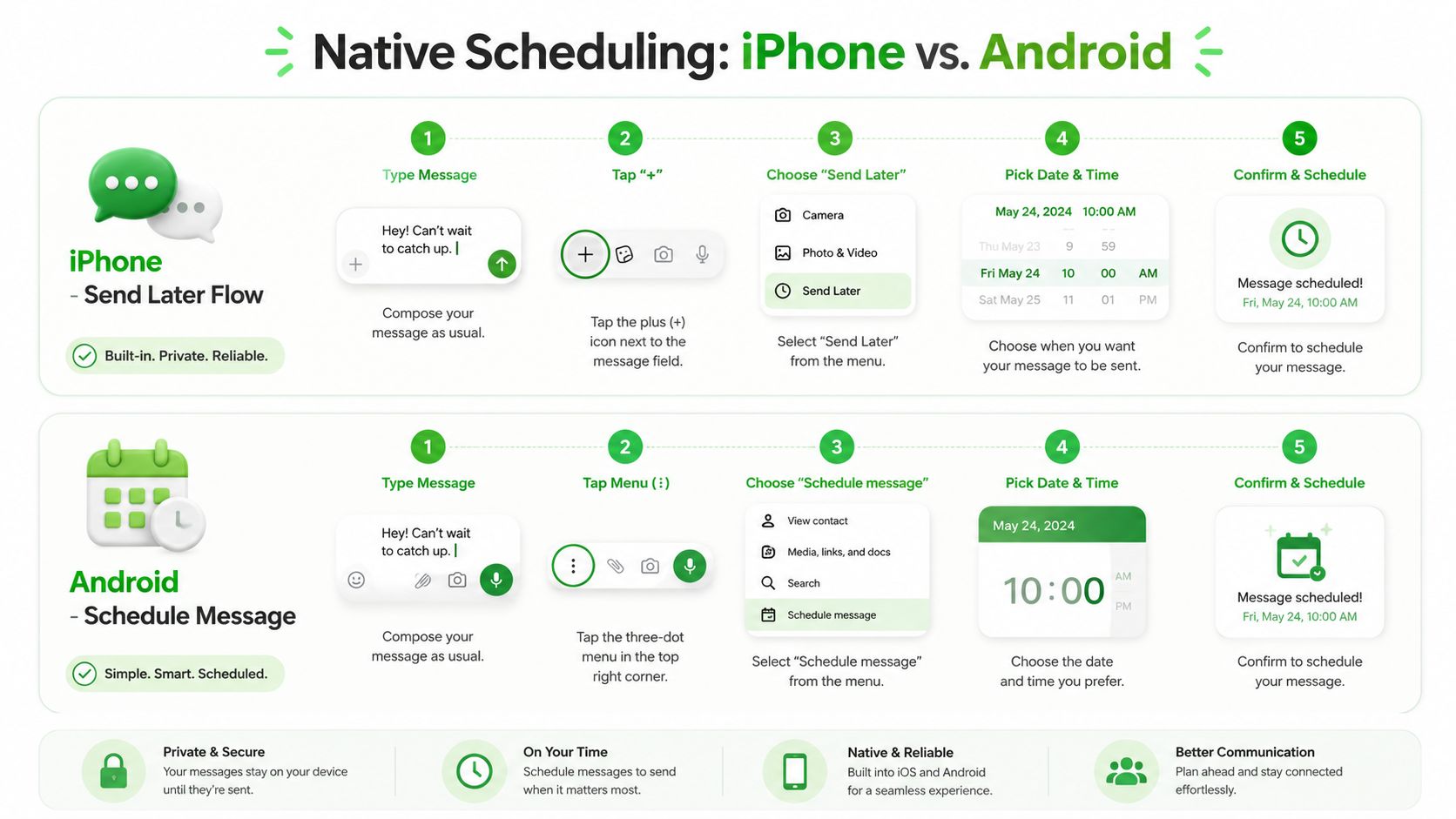
iPhone Messages now supports a native Send Later flow with a concrete scheduling limit of up to 14 days ahead in the current implementation described by Twilio's guide, which makes it useful for short-horizon planning but not for open-ended campaign queues (Twilio's scheduling guide). Android users can schedule in Google Messages with a long-press workflow, while Samsung Messages exposes a separate scheduling path from the + menu, so even “native” still means device-specific (Google Messages and Samsung Messages workflow).
For operators, that fragmentation matters more than the tap count. A method that works on one handset may fail on another, and a method that works for one reminder may collapse when you need recurring sends, message validation, or a fallback plan if the default app has no scheduler.
Native Scheduling on iPhone and Android
A client can have a polished message ready, then miss the send window because the device path changed between iPhone and Android. That is the part people overlook when they treat scheduling like a simple tap. The operating question is whether the app can send at the right time, on the right device, with enough visibility for the person or team running it.
On iPhone, the built-in route lives inside the Messages app. Open the conversation, tap the + icon next to the text field, choose Send Later, set the date and time, then tap the send arrow. Twilio's current guide says the message can be set up to 14 days ahead, which is the main limit to keep in mind before you rely on it for anything time-sensitive (Twilio's walkthrough).
That short horizon is fine for personal reminders. It works for a birthday message, a follow-up after a call, or a quick nudge the next day. It gets less useful when you need a queue that runs beyond two weeks or when another person on the team needs to see what was scheduled and when.
Android splits the experience by app
In Google Messages, the fastest path is to long-press the Send button, then pick a suggested time or tap Pick date and time. Samsung Messages is different, because it exposes a separate Schedule message option from the + menu, so the entry point changes depending on the brand and app on the device (Android scheduling workflow).
That is why the same task can feel routine on one handset and clumsy on another. A doctor appointment reminder or a same-day sales follow-up is easy enough to set up this way. A mixed-device team runs into friction fast, because the menu path changes from app to app and the shared process disappears as soon as someone uses a different messaging client.
Practical rule, native scheduling is best when the sender and the device are the same thing.
The limit is not just convenience. Native tools do not give much room for shared oversight, recurring sends, or a clear record of what was scheduled and why. If a coordinator needs a calendar of upcoming broadcasts or a fallback when the default app has no scheduler, a phone scheduler starts to look like a temporary patch rather than a system.
For a related mobile comparison, find mobile tweet scheduling steps and you will see the same pattern, the workflow depends heavily on the app and the device, not just the idea of scheduling itself.
WhatsApp Business App Workarounds When There Is No Native Scheduler
WhatsApp Business App users hit the same wall quickly, there isn't a true schedule-send button in the app itself. So the work is choosing the least-bad fallback for the message you're trying to send. If the goal is a one-time reminder, a manual broadcast at a chosen time can work. If the goal is a repeatable cadence, you need automation outside the app.
Use the tools the app already gives you
An away message is useful when you want a controlled response outside business hours. It doesn't schedule outbound campaigns, but it does reduce the chaos of inbound messages arriving when nobody is available. For a florist running a Valentine's Day push, that can keep expectations aligned while the primary send is handled manually at the right time.
Broadcast lists are the next practical workaround. They let you prepare the audience in advance, then trigger the send when you're ready. That's enough for a small team that wants to launch a promo, but it still requires someone to press send at the right moment, which means the workflow is manual, not scheduled.
Automation on the phone, not inside WhatsApp
iPhone Shortcuts and Android Tasker can fire a prewritten message from a clock trigger. That's handy for a fitness coach who wants the same Monday motivation text to go out each week, or for a solo operator who just wants a reminder to send a message on time. The trade-off is obvious, the automation lives around the app, not inside it.
If the message needs recurrence, human-free execution, or team handoff, a phone-level workaround is only a stopgap.
The other limitation is reliability. These tools can be elegant for a single workflow on one device, but they don't create queue management, they don't solve collaboration, and they don't give you a clean operational view of what's scheduled next. For personal use, that may be enough. For client work or community broadcasts, it usually isn't.
What these workarounds can't do
They don't give you true queueing. They don't give you shared ownership across a team. They don't turn WhatsApp into a broadcast platform. That's why operators eventually move from “Can I fake this on my phone?” to “Can I build a repeatable send system that survives scale?”
Scheduling at Scale With Double My Leads, Cloud API, and QR Connection
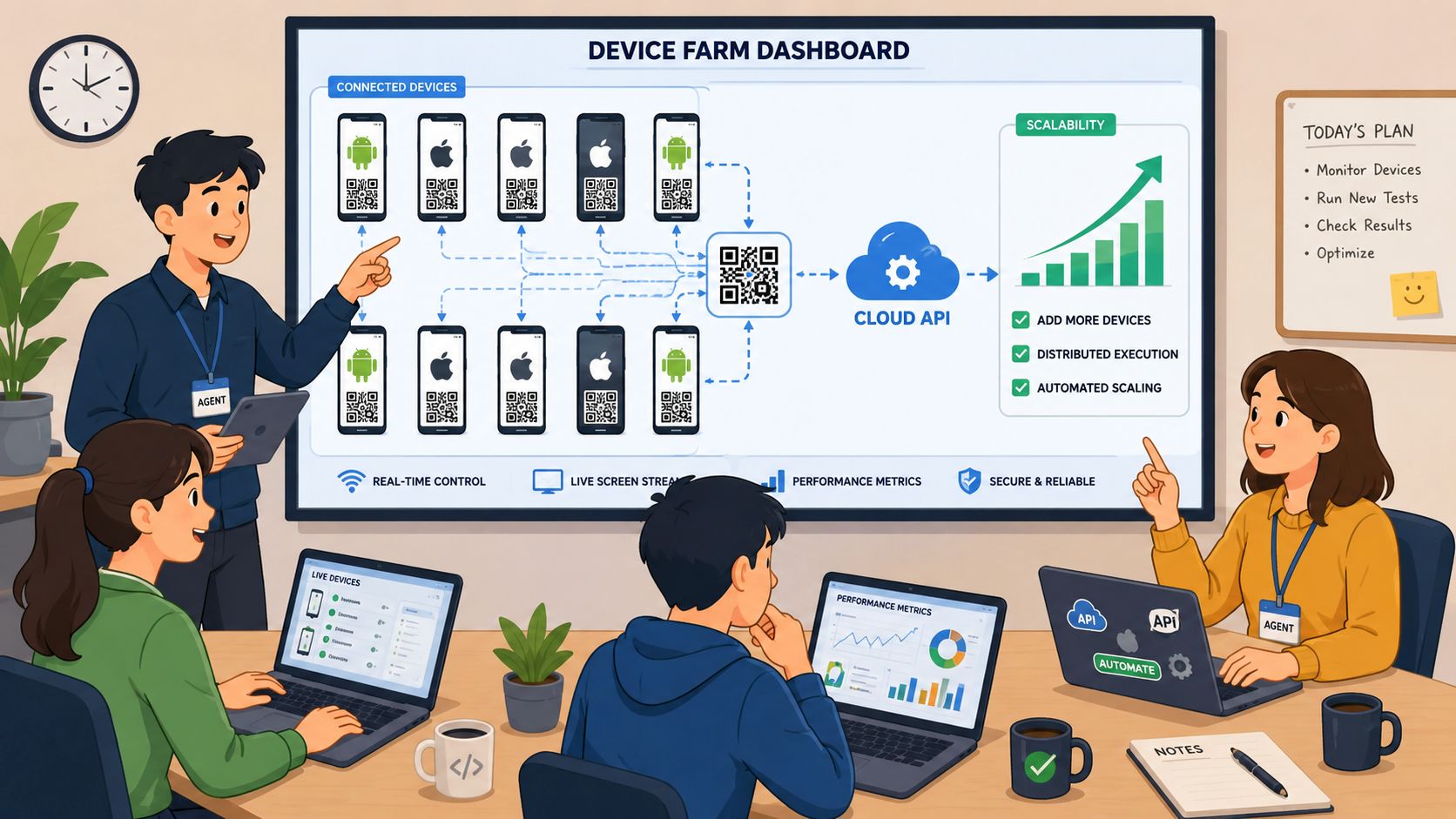
At agency scale, scheduling stops being a phone feature and becomes a delivery system. The practical options are the QR-connected white-label route and the WhatsApp Cloud API route, because both support scheduled sends as part of a broader operations stack rather than as a one-off trick. The difference is in setup speed, control, and the amount of technical overhead you want to own.
The QR-connected model is usually the fastest to stand up. A team connects numbers by scanning a QR code, then uses a scheduler UI to queue messages, drip campaigns, and Community Announcement Group broadcasts for a chosen datetime. That makes onboarding feel close to a normal app workflow, while still giving the operator a more powerful control surface than a personal phone.
Why QR connection changes the onboarding math
For agencies, the appeal is simple, fewer moving parts at setup. You're not asking a client to wait on a deep technical build, and you're not making the first day about API credentials or a verification project. That's useful when a new workspace needs to go live quickly and the account owner wants a branded, client-facing experience.
The Cloud API route is the more technical path. It's the right fit when the business wants template-based delivery, developer control, and a deeper integration into CRM logic or automation infrastructure. It also forces a different operational discipline, because templates need to be handled as assets, not as throwaway drafts.
Broadcast-grade scheduling is the real differentiator
The important distinction is not just that both paths can send later. It's that a scale setup can support repeatable broadcasts, audience segmentation, and operational consistency. A coach can map CRM participants into an announcement group and send a weekly lesson drop. A reseller can package the workflow as part of a white-labeled offering. A marketing team can schedule campaign sends without relying on whoever happens to be holding the phone that day.
If you're deciding between the two, ask one question, do you want speed and a packaged workspace, or do you want developer-grade control and template governance? The right answer depends on who owns the process after launch, not just who clicks send first.
Choosing the Right Scheduling Method for Your Use Case
The best choice is the one that fits the job with the fewest compromises. A personal reminder does not need the same stack as a client broadcast, and a solo creator does not need the same controls as a SaaS reseller.
| Use Case | Best Method | Setup Time | Cost Model |
|---|---|---|---|
| Personal one-off reminder | Native iPhone or Android scheduler | Fast | Built into the phone app |
| Small business follow-up | WhatsApp Business App workaround | Fast to moderate | Mostly manual effort |
| Recurring community broadcasts | QR-connected white-label platform | Moderate | Flat-fee style model |
| High-control automation and templates | WhatsApp Cloud API | Moderate to heavy | API-driven economics |
| Developer-triggered CRM sends | WhatsApp Cloud API | Moderate to heavy | API-driven economics |
Pick the lightest tool that won't break
If the send is personal, native scheduling is enough. If the send is simple but needs to happen on WhatsApp, a workaround may buy you time. If the send has to happen repeatedly, with team visibility and a repeatable process, the lighter tools start to cost more in missed timing than they save in setup.
A QR-connected white-label platform is usually the sweet spot for agencies that want client-ready workflows without turning every campaign into a development project. Cloud API becomes the better answer when the workflow needs stronger integration, tighter template governance, or more custom routing.
Match the tool to the margin profile
A solo operator can tolerate a manual step if the volume is tiny. An agency cannot, because every repeated manual touch creates invisible labor. That's why the cheapest-looking method often becomes the most expensive one once the schedule grows.
The right decision is less about features and more about operational ownership. If someone needs to manage the queue, check the timing, and explain failures, that person should choose the system that makes those tasks visible instead of burying them in a phone app.
Best Practices for Timezones, Templates, Recurrence, and Compliance
Scheduling only works when the workflow is clean before the send happens. The most common failure point is not the button tap, it's the planning layer around it. If the wrong timezone is saved, if the template is sloppy, or if the audience never opted in, the message may land late, get skipped, or fail entirely.
Lock the time before you lock the message
Store each contact's timezone and convert the send time before queueing. That matters most for campaigns that cross regions, because a single “9 a.m.” is not a universal moment. For personal reminders, the local device clock is usually enough. For broadcasts, the stored delivery time needs to reflect the recipient, not just the sender.
Schedule the message after the time is validated, not before.
Pre-approve WhatsApp message templates for outbound sends that fall outside the 24-hour customer service window. That keeps your workflow from stalling at the last minute and forces the copy to be reviewed before it becomes a dependency. For recurring campaigns, define clear start and end dates so the queue doesn't keep running longer than intended.
Build in checks that save you from expensive mistakes
- Test sends first: Send to an internal number before you queue the audience.
- Opt-out language: Make the unsubscribe path obvious in every broadcast.
- Source attribution: Use smart links when you need to know which scheduled campaign drove the response.
- Policy fit: Stay aligned with Meta's WhatsApp Commerce and Business Policy, especially around opt-in and user consent.
These are not cosmetic steps. They're the difference between a scheduled message that behaves like a controlled operation and one that behaves like a guess.
Keep recurrence simple enough to maintain
Recurring sends should be easy to explain to someone else on the team. Weekly is easier to maintain than vague “every so often” timing. Monthly is cleaner when the audience expects it. Campaign-based recurrence works best when it has a clear start, a clear stop, and a named owner.
Troubleshooting Common Scheduling Failures
When scheduled messages fail, the symptom usually shows up before the root cause does. A message doesn't deliver, lands at the wrong local time, skips a subset of contacts, or gets blocked by a template issue. The fastest fix is to trace the failure to the point where the workflow lost its assumptions.
Start with the usual suspects
If the message never arrived, check whether the recipient was opted in and whether the send method supports the channel you used. If it landed at the wrong time, compare the platform's stored timezone with the recipient's actual timezone. If some contacts were skipped, look for bad recipient data, invalid channel selection, or a list that includes numbers the system can't use.
If WhatsApp rejected the template, correct the variable formatting and resubmit it cleanly. If a QR-connected number went offline mid-send, refresh the session on the connected number and confirm the workspace is still active before re-running the queue.
Use a quick triage checklist
- Wrong timezone: Recheck both the sender setting and the recipient's local time.
- Message not delivered: Confirm opt-in and channel validity first.
- Broadcast skipped: Audit the audience list for bad entries or unsupported numbers.
- Template rejected: Fix the variable structure and resubmit.
- Connected number offline: Reconnect the session before scheduling again.
The best path forward is straightforward. Use the lightest method that fits the job, keep timezone handling explicit, treat templates like assets, and move to a platform that supports team workflows as soon as the work stops being personal and starts becoming operational.
If you're ready to stop improvising with one-off sends, Double My Leads gives agencies and resellers a way to schedule WhatsApp messages through a white-labeled workspace instead of a patchwork of phone hacks. It's built for teams that need broadcasts, recurring sends, and predictable margins without turning every campaign into a manual chore.


