
You're probably in one of two situations right now. Either you want to send a better WhatsApp voice note than the usual rushed, rambling recording, or you're running client communication and realizing voice is becoming its own channel, with its own rules, workflows, and resale potential.
Most articles stop at “tap the mic and talk.” That's fine for casual use. It's not enough if you manage leads, support conversations, community updates, or client campaigns. Knowing how to send voice messages matters. Knowing when to use them, how to keep them clear, and how to scale them across a team is where the advantage starts.
Table of Contents
- Why Voice Messages Are More Than Just Talk
- Sending Voice Messages on WhatsApp Mobile
- Using Voice Messages on WhatsApp Web and Desktop
- Scaling Up with WhatsApp Business and Automation Platforms
- Best Practices for Clear and Compliant Voice Messages
- Conclusion Your Voice Message Strategy for 2026
Why Voice Messages Are More Than Just Talk
Text is efficient until it isn't. A sentence that looks neutral to you can sound cold to a prospect, vague to a client, or dismissive to a teammate. Voice fixes that fast because tone carries intent in a way text often can't.
That's one reason voice notes have become normal behavior instead of a novelty. A 2023 Vox/YouGov survey found that about 62% of Americans had sent a voice message, 43% of adults ages 18 to 29 said they send one at least weekly, and about 30% of respondents used them weekly or more according to Northeastern's summary of the survey. If you're learning how to send voice messages well, you're not adapting to a fringe habit. You're adapting to a mainstream one.
For teams, that changes the strategic question. It's no longer “should we use voice?” It's “where does voice outperform text, and how do we build a repeatable process around it?”
Voice notes work best when the sender needs nuance, reassurance, or speed, and the recipient doesn't need a live call.
That's why agencies, community managers, and sales teams are paying closer attention to asynchronous audio. If you're thinking about broader async workflows, this practical take on voice dictation for async communication is worth reading because it shows how spoken communication fits into real operating habits, not just personal messaging.
Where voice gives you leverage
- Relationship-heavy communication: A renewal reminder, lead follow-up, or onboarding nudge feels more human in voice than in a sterile text block.
- Fast clarification: It's often easier to explain a pricing nuance, deadline shift, or campaign update by speaking naturally.
- Attention in noisy inboxes: A short voice note stands out because most business messaging still defaults to text.
The mistake is treating voice notes like unstructured mini podcasts. The teams getting results use them with intention. They know when a short recording creates momentum, and when a typed message is cleaner.
Sending Voice Messages on WhatsApp Mobile
On mobile, WhatsApp makes voice messaging simple enough for everyday use, but there are a few features that are commonly overlooked. Those features are what separate a quick casual note from something you'd feel comfortable sending to a client or lead.
The basic recording flow
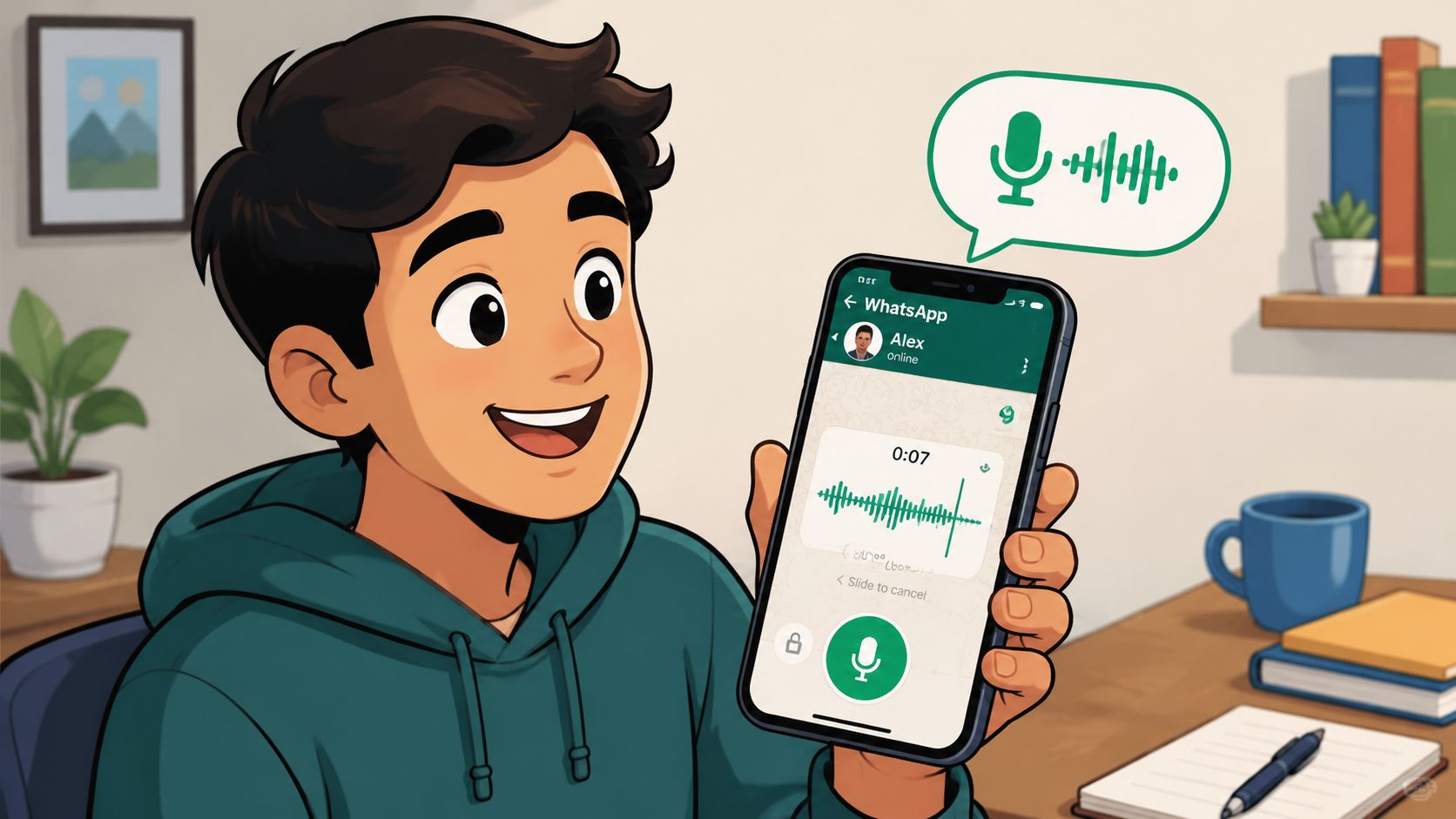
Open the chat, press the microphone, and start speaking. That's the part everyone knows. What matters more is how you handle the message while it's being recorded.
If you're sending something short, holding the mic works fine. For anything longer, use WhatsApp's lock gesture so you can record hands-free. That avoids the awkward grip change and keeps your voice steadier, which matters more than people think. A shaky hand often leads to inconsistent mic distance, and that makes audio sound uneven.
Sliding away to cancel is just as useful. Use it whenever you stumble in the first few seconds. Don't send a messy opening and hope the recipient is patient. Listeners decide whether a voice note is worth listening to almost immediately.
Practical rule: If you mess up the first line, cancel and restart. If you mess up near the end, pause and decide whether the mistake changes the meaning.
WhatsApp's newer flow is better than the old “record and pray” approach because it lets you pause and preview before sending. That's the difference between casual and deliberate. You can catch background noise, clipped words, or a tone that sounds too abrupt.
The features that make voice notes usable
The best mobile senders use three habits.
- Lock long recordings: This is for updates, explanations, and anything that takes more than a quick sentence.
- Preview before sending: If the note is important, listen back. You'll catch rushed phrasing and filler words.
- Adjust playback speed on received notes: This doesn't affect what you send, but it changes how efficiently you process incoming voice notes, especially in client-heavy threads.
If you also use iPhone Messages outside WhatsApp, Apple's supported flow is similar in spirit: open the conversation, tap the Add button, tap Audio, speak, tap Stop, then tap Send. Apple also notes you can tap Keep to save an incoming or outgoing audio message in its iPhone audio message guide. The takeaway isn't that the apps work identically. It's that major messaging platforms now treat audio as a standard in-thread format, not as a clunky file attachment.
A short walkthrough helps if you haven't used the newer WhatsApp recording flow in a while:
What works on mobile and what doesn't
Here's the trade-off.
| Approach | Works well for | Usually fails for |
|---|---|---|
| Quick tap-and-hold note | Casual replies, simple confirmations | Complex updates, sensitive tone |
| Locked hands-free recording | Longer explanations, thoughtful follow-up | Rambling without a plan |
| Preview before send | Client messages, lead follow-up, support clarifications | People who improvise too much and never edit |
| Immediate send without review | Fast personal chats | Anything you'd regret hearing back |
The simplest way to improve fast is to think in opening lines. Start with the point. “Quick update on your campaign.” “Wanted to answer your question about timing.” “Sending this instead of a long text.” That framing reduces confusion and makes the note feel intentional.
Using Voice Messages on WhatsApp Web and Desktop
If you spend your day at a computer, switching back to your phone every time you want to send a voice note gets old quickly. It also slows down response time, especially when you're juggling support threads, lead replies, and internal follow-up.
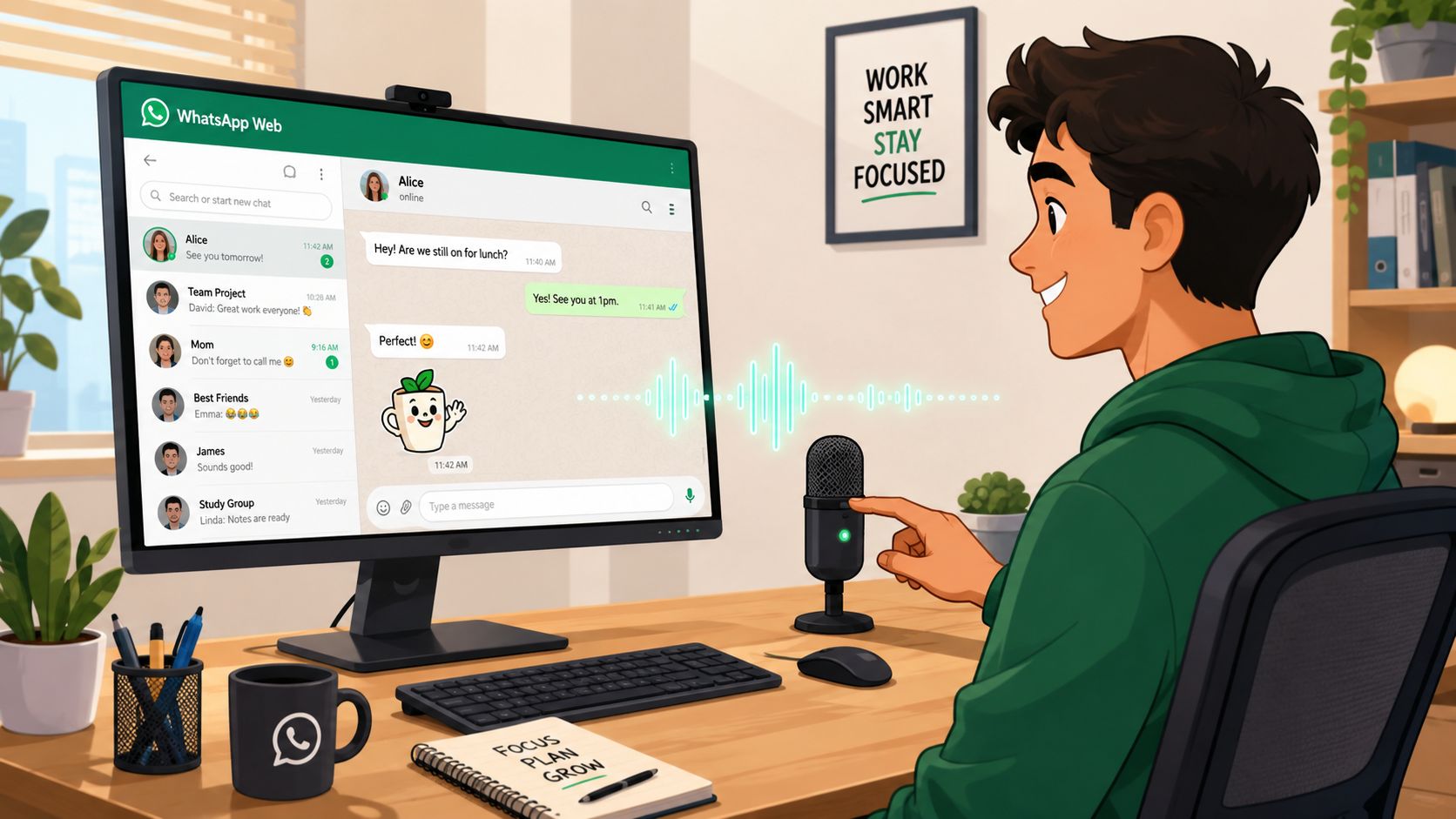
WhatsApp Web and the desktop app solve that. As long as your computer has a working microphone, you can record directly inside the conversation from your desk.
What you need at your desk
You don't need a studio setup. You need a microphone that's clear enough not to distract from the message. A laptop mic can work for internal team notes. For client communication, a decent USB mic or headset usually gives you more consistent results.
The actual workflow is straightforward. Open the chat in WhatsApp Web or the desktop app, click the microphone icon, allow microphone access if prompted, record, review if the interface allows it, and send. The main gain is continuity. You stay inside the same screen where you're reading context, checking links, and replying to other messages.
That matters because desktop voice notes fit a work rhythm better than mobile voice notes do. You're less likely to forget details when the CRM, campaign brief, and message thread are all in front of you.
When desktop voice notes beat mobile
Desktop is usually better in these situations:
- Support clarification: An agent can explain a next step without typing a long paragraph.
- Sales follow-up: A rep can reply with tone and confidence while viewing lead context.
- Team handoff: One teammate can send a voice explanation inside the same thread another teammate will later review.
The desk setup changes voice notes from “something I send when walking around” into “a standard part of customer communication.”
There are trade-offs, though. Desktop can sound too formal if the sender reads a script word for word. And because you're in work mode, it's easy to overproduce a message that should have been a simple text.
A good rule is to match the medium to the task:
| Use case | Better on mobile | Better on desktop |
|---|---|---|
| Personal reply | Yes | Sometimes |
| Client update during the workday | Sometimes | Yes |
| Support explanation with account context | No | Yes |
| Quick emotional reassurance | Yes | Sometimes |
Common mistakes on desktop
The most common problem isn't technical. It's delivery.
- Reading instead of speaking: Recipients can hear when you're glued to a script.
- Overexplaining: The extra comfort of a desk setup can turn a short note into a lecture.
- Ignoring microphone placement: If the mic is too far away, the note sounds distant and low-trust.
Keep your notes conversational. Sit up, speak toward the mic, and keep your point tight. If you're using voice notes professionally, desktop often becomes your best environment for quality control.
Scaling Up with WhatsApp Business and Automation Platforms
A team can get good results with manual voice notes for a while. Then volume rises, more people touch the inbox, and the whole system starts depending on whoever happens to have the phone.
That is usually the point where WhatsApp stops being a messaging habit and starts becoming an operations problem.
An agency feels this fast. One account manager records updates in a great tone, but nobody else can see the context, track follow-up, or reuse the workflow across clients. Voice messaging still works. The delivery model does not.
Where the normal app breaks down
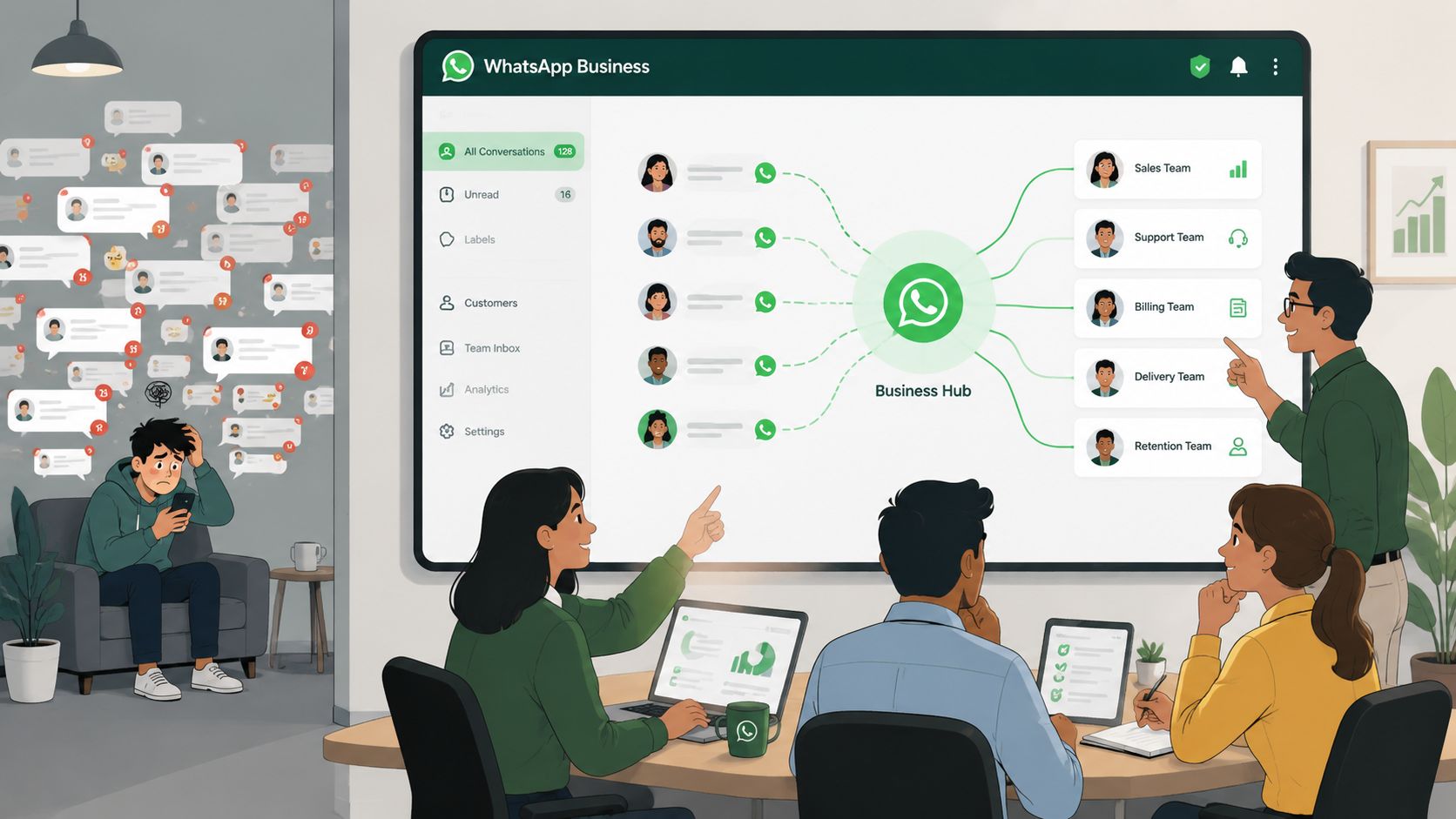
The consumer app handles direct conversations well. It does not handle shared ownership well.
In agency and client-service setups, three problems show up first. Ownership gets blurry, so two teammates answer the same lead or nobody follows up after a voice note. Quality becomes person-dependent, which means the founder sounds sharp and persuasive while the rest of the team sends uneven updates. Reporting is weak, so managers cannot easily review what was sent, how fast replies came in, or whether audio follow-ups are moving deals forward.
There is also a channel shift worth paying attention to. Buyers are increasingly comfortable with asynchronous audio. They may ignore a live call, then listen to a short message later when they have context and time. That makes voice notes useful far beyond casual one-to-one replies. Agencies can build them into onboarding, lead nurture, customer reactivation, appointment reminders, and support escalation.
What agencies can package and resell
Once you move into WhatsApp Business tooling or API-based platforms, voice messages stop being a personal tactic and become something you can sell as a managed service.
A workable setup usually includes:
- Shared inboxes so messages, voice notes, and follow-up live in one place
- Assignments and internal notes so one teammate records the message and another handles the reply
- Broadcast tools for approved one-to-many sends
- CRM sync so each conversation ties back to source, stage, and owner
- Supervision and QA so a manager can review delivery quality instead of guessing
This matters for margin. Clients rarely pay long term for "sending messages." They pay for response handling, routing, campaign execution, reporting, and accountability.
That creates a real resale opportunity. Double My Leads, for example, is a white-labeled WhatsApp business platform agencies can use to connect numbers, manage team inboxes for text and voice notes, run broadcasts, and resell client workspaces under their own brand. The value is not that it puts features in one dashboard. The value is that it gives an agency a repeatable service model.
Agencies get stronger retention from WhatsApp when they sell managed communication systems, not one-off message blasts.
The automation opportunity many agencies miss
The advanced play is controlled audio at scale.
That does not mean sending generic recordings to everyone on a list. It means setting rules for when voice works better than text, who can send it, how it gets approved, and what happens after the recipient listens.
A practical progression looks like this:
| Layer | What happens |
|---|---|
| Personal voice note | One rep sends one message to one contact |
| Team-managed voice workflow | Multiple staff handle inbound and outbound audio with shared visibility |
| Broadcast voice campaign | A short audio message goes to a segmented audience with a defined goal |
| White-labeled service | The agency sells the system, management, and reporting under its own brand |
The last stage is where agencies usually find the main advantage. If you already run paid acquisition, CRM automation, or lead handling, voice messaging can become the response layer that ties those services together. It sits closer to managed chat operations than traditional calling, which makes it easier to package into a retainer.
There is also a useful operational side benefit. Teams that rely on audio often need a clean archive outside the chat thread for review, handoff, or documentation. A solid voicemail to email guide helps frame that workflow, especially for agencies building processes that mix WhatsApp, phone outreach, and client reporting.
The competitive edge is not knowing how to press record. Everyone already knows that. The edge is turning voice into a documented, delegated, measurable service your clients can buy month after month.
Best Practices for Clear and Compliant Voice Messages
A voice message can feel personal and still be sloppy. It can feel efficient and still confuse the listener. And in business use, it can feel friendly while creating unnecessary compliance risk.
The fix isn't fancy equipment. It's discipline.
How to keep messages clear
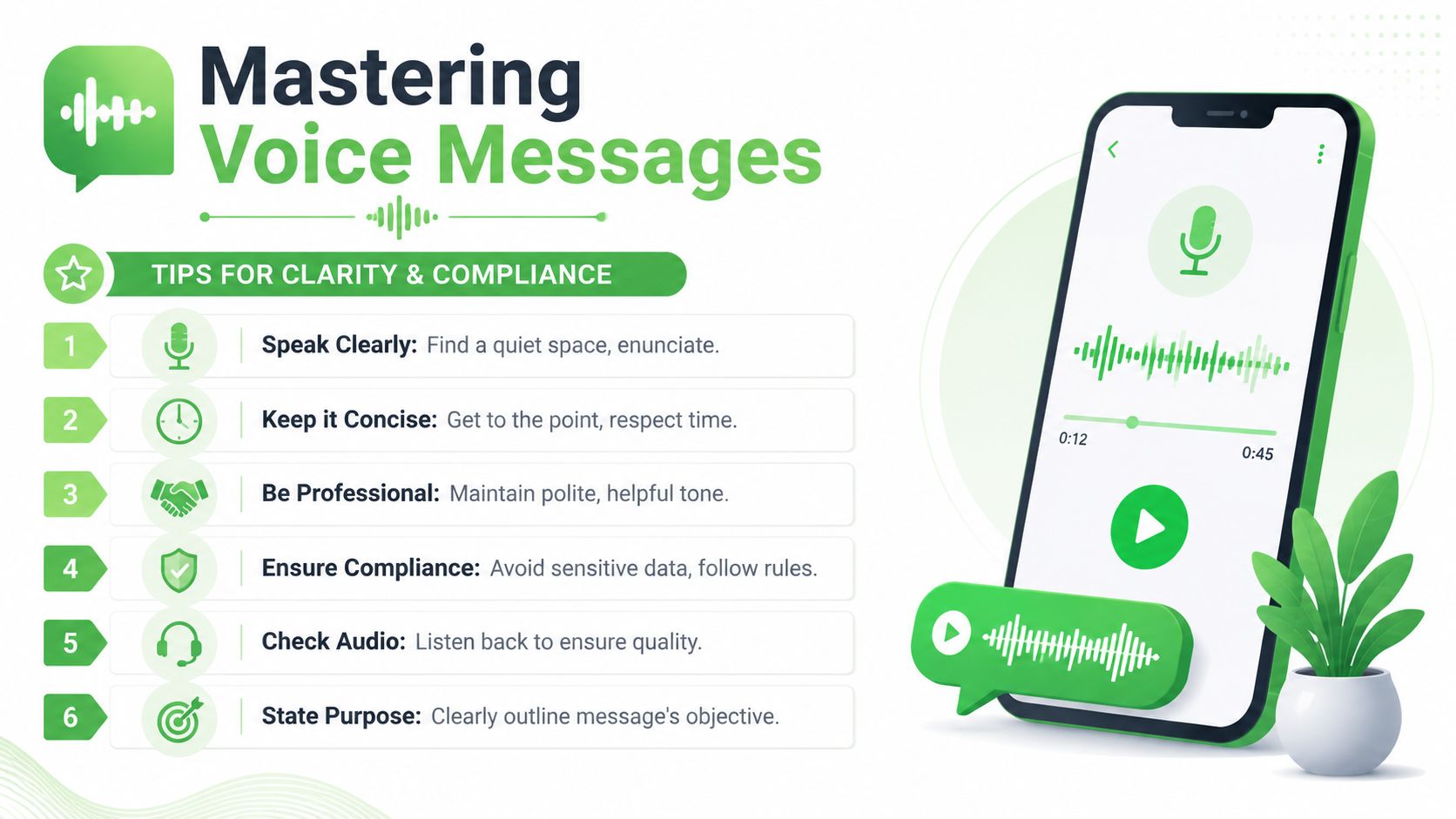
For broadcast-style voice messaging, a practical workflow is to define the goal, segment the audience, keep the script under 30 seconds, clean the contact list, and run a pilot test before launch, with delivery, listen-through behavior, and callback rates monitored after sending, according to this Call Loop guide on automatic voice messaging. Even if you're sending WhatsApp voice notes instead of traditional voice drops, the operating logic holds up.
That single recommendation, under 30 seconds, is one of the most effective constraints you can use. It forces clarity. It also respects the fact that recipients rarely want a monologue.
A simple structure works well:
- Opening purpose: “Quick update on your order.” “Short answer to your pricing question.”
- One core point: Don't bundle three topics into one recording.
- Next step: Tell the listener what to do, or what will happen next.
One useful test: If the recipient needs to replay the first half to understand the second half, the message wasn't clear enough.
You should also listen back before sending anything important. Many teams cut corners in this regard. Audio defects that seem minor to the sender can make the recipient lose trust fast. Background chatter, clipped intros, and uncertain delivery all reduce the effect of the message.
If your workflow extends beyond WhatsApp into voicemail and asynchronous follow-up, a practical voicemail to email guide can help you think through how recorded audio fits broader team communication and response handling.
How to keep broadcasts compliant
Broadcast voice is not casual voice. Once you move from one-to-one messaging into segmented outreach, consent, targeting, and list quality matter much more.
Here's the standard I'd use:
- Only message people who should reasonably receive that message: Relevance matters as much as permission.
- Segment before you record: Different audiences need different context, offers, and tone.
- Clean your list first: Bad list hygiene creates delivery problems and poor recipient experience.
- Pilot before full send: Test the audio, targeting logic, and listener experience on a small sample.
- Avoid sensitive details in casual recordings: If the information is private, regulated, or easy to mishear, move it to a more controlled format.
A short decision table makes this easier:
| Situation | Voice note | Text | Live call |
|---|---|---|---|
| Warm follow-up with context | Strong choice | Good | Sometimes excessive |
| Sensitive account detail | Risky | Better if documented carefully | Often better |
| Broad announcement to segmented audience | Useful if short and relevant | Also useful | Impractical |
| Complex negotiation | Limited | Limited | Best fit |
The strongest business voice messages sound natural, but they're rarely improvised. Someone decided the purpose, audience, timing, and follow-up path before pressing record.
Conclusion Your Voice Message Strategy for 2026
A prospect replies faster to a 22 second voice note than to a polished paragraph. A client hears tone, confidence, and urgency in a way text rarely carries. That is the practical reason voice messaging keeps gaining ground.
The basic use case is obvious. Record clearly, stay brief, and send with a purpose. The advantage in 2026 comes after that. Teams that treat voice as an operational channel, not a personal habit, can use it for follow-ups, support updates, appointment recovery, lead warming, and segmented outreach without forcing every conversation into a live call.
That shift matters for agencies.
A marketing agency can teach a client how to send a voice note in five minutes. A stronger offer is building the system behind it. That means shared access, approval rules, routing, segmentation, and reporting. It also means deciding where voice beats text, and where text still wins because it is easier to search, review, or document.
The resale opportunity is straightforward. Package WhatsApp voice messaging as a managed service with setup, templates, broadcast logic, QA, and monthly optimization. Clients get a channel that feels personal. The agency gets recurring revenue tied to a real communication workflow, not a one-time training session.
Double My Leads is one option to evaluate if you want to productize that service for clients. The platform is built for shared inboxes, broadcasts, CRM-connected workflows, and white-labeled delivery, which is usually what agencies need once manual WhatsApp work starts breaking under volume.
The teams that win here will not be the ones sending the most audio. They will be the ones using voice with clear rules, clean targeting, and a repeatable client offer.


