
Most guides on how to create WhatsApp broadcast list workflows treat the feature like a tiny convenience tool. That misses the point. The native broadcast list is WhatsApp's entry point into one-to-many messaging, and the free app still caps each list at 256 contacts according to WhatsApp's Help Center. That single limit tells you almost everything about how to use it well. It works fast, it works privately, and it works best when your audience already knows you.
For a local business, creator, coach, or agency managing a tight list of warm contacts, that's enough to start. For a team trying to run repeatable campaigns, reporting, scheduling, and segmented outreach across clients, it's only the beginning. The jump from “I sent one update” to “I run WhatsApp as a channel” is where many encounter difficulty.
That same pattern shows up in adjacent workflows too. If your team is already using essential AI for social media managers to speed up content production, approvals, and campaign planning, WhatsApp usually becomes the next channel that needs an actual operating system rather than ad hoc phone work.
Table of Contents
- Why WhatsApp Broadcasts Are a Powerful Marketing Tool
- Creating Your First Broadcast List on Mobile
- Broadcast Best Practices for Engagement and Compliance
- Troubleshooting Common Broadcast Deliverability Issues
- Scaling Beyond 256 Contacts with a Platform
- Conclusion Your Next Steps in WhatsApp Marketing
Why WhatsApp Broadcasts Are a Powerful Marketing Tool
A WhatsApp broadcast list solves a very specific problem. You need to send one message to multiple people, but you don't want a noisy group chat, exposed contact details, or a public thread where recipients reply to everyone. Broadcasts keep the interaction private. Each recipient sees the message as a direct chat, and their reply comes back privately.
That makes the format strong for updates, offers, reminders, launch notices, and community announcements sent to people who already expect to hear from you. In practical use, the feature feels closer to a lightweight private newsletter than a discussion space.
What makes it valuable for marketers
The appeal isn't complexity. It's speed and intimacy. You can send a campaign from the same app where your prospects, clients, and customers already talk to real people every day.
That changes the tone of the channel. Email often feels formal. Social posts compete for attention. A WhatsApp broadcast lands in the same conversational environment where people coordinate work, family, and purchases. Used well, that makes your message feel timely rather than promotional.
Broadcasts work best when the audience already recognizes your number and wants concise updates, not when you're trying to brute-force reach.
What it is not
A broadcast list is not a WhatsApp Group. It isn't built for community conversation, peer-to-peer interaction, or collaborative threads. It's also not a CRM, not a campaign dashboard, and not a serious automation layer.
That distinction matters because many businesses start with the right instinct and the wrong expectation. They learn how to create WhatsApp broadcast list campaigns on a phone, then assume they can scale the same habit indefinitely. They can't. The native feature is strong for one-to-many messaging at modest scale. Once you need team workflows, reporting, scheduling, attribution, and cleaner segmentation, you've outgrown the app-level tool.
Creating Your First Broadcast List on Mobile
A first broadcast list usually takes only a minute to set up. The key skill is setting it up in a way that stays useful once your contact base grows and your team starts sending campaigns regularly.

What you're creating on your phone
A broadcast list is a saved audience inside WhatsApp Business. You write one message, send it once, and each person receives it in a private chat with your business number. Replies come back to you individually, which keeps the experience personal and keeps the inbox manageable at small scale.
That setup is why so many businesses start here. It works well for appointment reminders, launch alerts, back-in-stock notices, and short updates for subscribers who already know your brand.
How to create the list in WhatsApp Business
Use this workflow on mobile:
- Open WhatsApp Business: Start from the main chat screen.
- Tap the menu: On Android, use the three-dot menu. On iPhone, go to your chat screen options and create a new broadcast list from there.
- Choose New broadcast: This opens your contact picker.
- Select recipients: Add the contacts you want in this segment.
- Confirm the list: WhatsApp creates the broadcast and opens the message thread.
At that point, stop and name it properly. A list called “Customers” becomes useless fast. A list called “Q3 renewal reminders” or “local VIP buyers” gives you a segment you can reuse without guessing who should be in it.
I also recommend treating list creation like list building, not just app setup. If your agency is collecting leads for a client, capture consent and context before anyone gets added to WhatsApp. Tools like VeeForm's lead capture templates help keep that intake clean so your team knows why each contact belongs in a given broadcast.
A quick walkthrough can help if you're setting it up for the first time:
Set it up like a marketer, not just a phone user
The list itself is easy. The structure behind it matters more.
Use naming that reflects intent, offer, or lifecycle stage. Keep each list narrow enough that one message clearly fits everyone in it. If you run a service business, split “past customers,” “quoted leads,” and “booked appointments” into separate lists. If you run campaigns for clients, document who owns each list and when it was last cleaned.
That discipline prevents the usual problems later. Mixed audiences reply less, unsubscribe more, and create confusion inside the team about what can be sent to whom.
What to maintain from day one
WhatsApp lets you edit the list after it's created, which is useful if you treat broadcasts as a repeatable channel instead of a one-off send.
Use a simple operating standard:
- Name by purpose: Tie the list to a clear campaign type or customer stage.
- Keep the segment tight: Smaller relevant lists usually outperform broad mixed ones.
- Remove stale contacts: Clean the list after sends so future campaigns stay relevant.
- Limit overlap: If the same contact sits in several active lists, message fatigue shows up quickly.
For a solo business, this is manageable inside the app.
For an agency or growth team, this is usually the moment the native feature starts showing its limits. You can create the list on a phone and prove the channel works. Scaling it into a repeatable acquisition or retention system, with team access, better segmentation, safer sending practices, and less risk of account trouble, usually requires a platform built for business use, such as Double My Leads.
Broadcast Best Practices for Engagement and Compliance
Creating the list takes less discipline than managing trust. The businesses that get value from WhatsApp broadcasts usually follow a few quiet rules: they get consent, they keep messages expected, and they send only to segments that make sense.
Start with permission, not volume
If someone didn't ask to hear from you, a broadcast message feels intrusive immediately. WhatsApp is a personal channel. People tolerate interruptions there far less than they do on crowded social feeds.
The right way to think about compliance is simple. You should be able to answer, for every recipient, “Why would this person expect this message from us?” If the answer is fuzzy, the list is wrong.
Good permission practices include:
- Explicit opt-in: Ask people to subscribe to updates, offers, reminders, or announcements.
- Clear scope: Tell them what kind of messages they'll receive.
- Easy expectation setting: If it's for launches only, don't start sending daily promos.
- Contact saving prompt: Ask subscribers to save your number when they join.
That last point often gets skipped, but it affects performance in a very practical way. If your audience doesn't save your number, your carefully written broadcast can underperform before the copy ever has a chance.
Segment by intent, not by convenience
A common mistake is using one list for every kind of message. That's where engagement drops and complaints start. Native WhatsApp Business gives you lightweight ways to organize contacts, including reusable lists and label-based sending guidance in the app ecosystem, as reflected in WhatsApp Business guidance on labels and broadcasts.
A better segmentation model looks like this:
| Segment | Best use |
|---|---|
| Recent leads | Follow-ups, booking nudges, next-step reminders |
| Existing customers | Product updates, support notices, renewal prompts |
| VIP clients | Priority access, concierge updates, early announcements |
| Community members | Event reminders, weekly recaps, curated news |
This approach keeps the channel relevant. Relevance matters more than frequency tricks.
Simple message patterns that work better
You don't need clever copy. You need clarity, timing, and a reason to reply.
Stronger examples:
- Offer message: “We've opened bookings for this week. Reply with your preferred time and I'll send available slots.”
- Content update: “New training is live. Reply ‘guide' if you want the link.”
- Customer notice: “Your next shipment window is open. Message me if you want to update the order.”
Weaker examples usually share the same flaws. They're too broad, too salesy, or too disconnected from what the recipient signed up for.
Do
Keep it specific: Send one clear update with one clear next action.
Write like a person: Short, direct language works better than ad copy.
Use segments carefully: Match the message to the reason the contact joined.
Leave room for reply: A good broadcast can start a private sales conversation.
Don't
Blast every contact: Large mixed lists create confusion and fatigue.
Hide the intent: If it's a promotion, say so plainly.
Over-send: Familiarity helps. Repetition without value hurts.
Treat WhatsApp like email: Long formatting and generic marketing language feel out of place.
Troubleshooting Common Broadcast Deliverability Issues
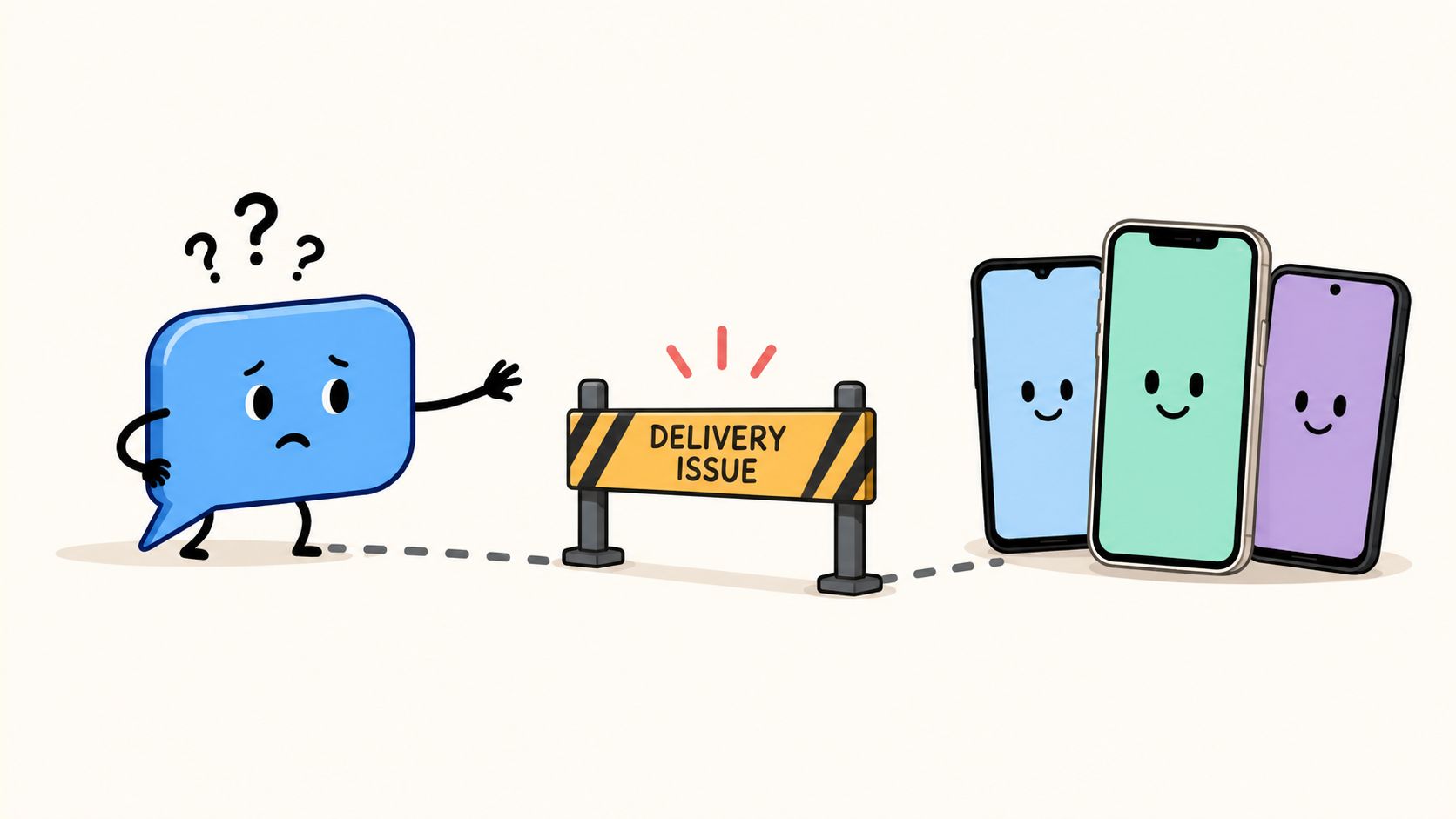
The most common complaint is simple: “I made the list. Why didn't everyone receive the message?” The answer is usually structural, not mysterious.
According to the WhatsApp-focused explanation in this broadcast troubleshooting video, a broadcast only reaches recipients who have saved your number in their address book. The same explanation also notes that native broadcast lists are not supported on Web, Windows, or Mac. If your workflow is desktop-first, that alone creates friction and confusion.
Why some contacts never receive the message
Broadcasts depend on a reciprocal contact relationship. You may have their number, but if they haven't saved yours, the message may not arrive through the native broadcast feature.
That's why some teams think the tool is unreliable when the actual issue is audience hygiene. The app is enforcing an anti-spam rule. If you built the list from warm, permissioned contacts who were told to save your number, delivery tends to be more predictable. If you built it from loosely collected numbers, results get patchy fast.
A broken broadcast list usually isn't a sending problem. It's an audience qualification problem.
Why desktop-first teams get confused
A lot of business workflows live on laptops. Campaign planning, copy review, client approvals, and reporting happen there. Native broadcasts don't fit that environment well because the feature is mobile-first.
This creates a subtle operational problem. The person responsible for messaging often can't manage the channel from the device where the rest of the team works. That turns a simple list into a bottleneck.
A fast diagnosis checklist
If a broadcast underperforms, check these first:
- Saved contact status: Did recipients save your number?
- List relevance: Are these people expecting this type of message?
- Mobile workflow: Was the list created and managed from the phone app?
- List quality: Did you mix cold, old, and active contacts into one send?
If you keep running into these issues, the lesson usually isn't “try harder.” It's that the native app has reached the edge of its intended use.
Scaling Beyond 256 Contacts with a Platform
The native feature is useful because it's light. It's limited for the same reason. Once an agency or growing business tries to run WhatsApp as an actual acquisition or retention channel, manual list management turns into the bottleneck.
Independent analysis of WhatsApp's business messaging evolution notes that the native app keeps the 256-contact ceiling, while the WhatsApp Business API introduces sending tiers of 1,000, 10,000, 100,000, and unlimited messages depending on tier in the scale path described by Qualimero's overview of WhatsApp broadcast and API capacity. That progression is the important part. WhatsApp itself effectively separates lightweight app broadcasting from business-grade messaging infrastructure.
Where the native workflow breaks
At small scale, the native app is manageable. At agency scale, the cracks show up quickly.
You start juggling segmented lists manually. Someone on the team has to remember which phone owns which audience. Scheduling becomes a human reminder system. Reporting lives in screenshots. If multiple clients want campaigns at the same time, operations get messy.
Some teams try to patch this by adding more devices or more accounts. If you're exploring the operational side of that setup, SMS Activate's guide to multiple WhatsApp is useful background on how businesses think about account separation. But account multiplication doesn't solve the core issue. It only spreads the work across more surfaces.
Native Broadcast vs. Platform Broadcast (Double My Leads)
| Feature | Native WhatsApp Broadcast | Double My Leads Platform |
|---|---|---|
| Contact scale | Limited to small, manually managed lists in the app | Built for larger broadcast operations with platform-level management |
| Sending model | Manual one-to-many messaging from mobile | Supports broader business messaging workflows, including large-scale broadcasts |
| Scheduling | Manual send timing | Scheduled campaigns supported |
| Team workflow | Personal device workflow | Shared operational workflow with inbox, assignments, notes, and tags |
| Segmentation | Basic list management | More structured segmentation and synced participant workflows |
| Analytics visibility | Limited native visibility | Delivery tracking per group and per message |
| Media handling | Basic app-based sending | Rich media campaigns and coordinated sending workflows |
| Reseller readiness | Not designed for agency resale | White-label setup for agencies and SaaS resellers |
The point isn't that one replaces the other in every scenario. The point is fit. Native broadcasts are for tightly curated, permissioned segments. Platform workflows are for repeatability, accountability, and service delivery.
What agencies need once WhatsApp becomes a service
When agencies productize WhatsApp, they usually need five things the native app doesn't handle cleanly:
- Shared control: More than one person needs visibility into conversations and sends.
- Operational consistency: Campaigns need naming, scheduling, ownership, and follow-up.
- Segmentation discipline: Contacts need to move through clearer buckets than ad hoc lists.
- Attribution context: Teams need to know where leads came from and what happened next.
- Client-ready delivery: The workflow has to be stable enough to sell as a service.
That's where a platform approach becomes practical. For example, Double My Leads supports WhatsApp broadcast operations with white-label workspaces, QR-based number connection, shared inbox features, scheduling, CRM participant sync, and WhatsApp Cloud API support when needed. That's a very different operating model from one person tapping through lists on a phone.
If you're teaching a client how to create WhatsApp broadcast list campaigns, that's the right starting point. If you're building a retained service around WhatsApp marketing, the starting point and the long-term system shouldn't be the same tool.
Conclusion Your Next Steps in WhatsApp Marketing
The native broadcast feature is worth learning because it teaches the core habit that matters on WhatsApp. Send relevant messages to people who know you, expect to hear from you, and can reply privately. For that use case, the feature is fast, simple, and useful.
It also has hard boundaries. The app-level workflow is mobile-first, manually managed, and meant for smaller, curated audiences. That's why the free broadcast list is a good starting point but a weak long-term operating system for agencies, multi-user teams, and businesses that want dependable campaign execution.
If you're just getting started, create one clean segment and use it well. Ask people to opt in. Ask them to save your number. Send concise messages with a clear reason to reply. That alone puts you ahead of most WhatsApp marketing attempts.
If you're already asking the bigger question, “How do I scale this for real business results without creating chaos?”, the answer is to stop treating WhatsApp like a phone trick and start treating it like a channel. That means platform workflow, better segmentation, shared visibility, and infrastructure built for client delivery.
If you're an agency, SaaS reseller, or operator building WhatsApp into a service line, Double My Leads gives you a practical way to move beyond manual broadcasts into white-label, scalable WhatsApp workflows without rebuilding your process around a single phone.


