
A click to WhatsApp link isn't a minor convenience anymore. It's one of the highest-intent handoffs in digital marketing. WhatsApp campaigns in 2025 are seeing click-through rates between 15% and 80%, with an industry average of 40% to 70%, while email typically sits at 2% to 5% according to this WhatsApp CTR benchmarks report. When a prospect taps a link and lands in a live chat instead of a static form, friction drops fast.
That's the upside. The downside is that many teams still use brittle links, weak tracking, and setups that get rejected by platforms when they try to deploy them at scale. The basic link is easy. The reliable, approved, attributable version is where serious lead generation takes place.
Table of Contents
- The Three Ways to Create a Click to WhatsApp Link
- Embedding Your Link on Websites and Social Media
- Driving Leads with Click to WhatsApp Ads
- The Attribution Problem with Standard Tracking Methods
- The Professional Solution Smart Links and Workflows
- Frequently Asked Questions About WhatsApp Links
The Three Ways to Create a Click to WhatsApp Link
A WhatsApp link can look simple and still fail in production. The failures usually show up after launch. A platform blocks the URL, desktop behavior breaks, or attribution disappears because the user edits the pre-filled text before sending.
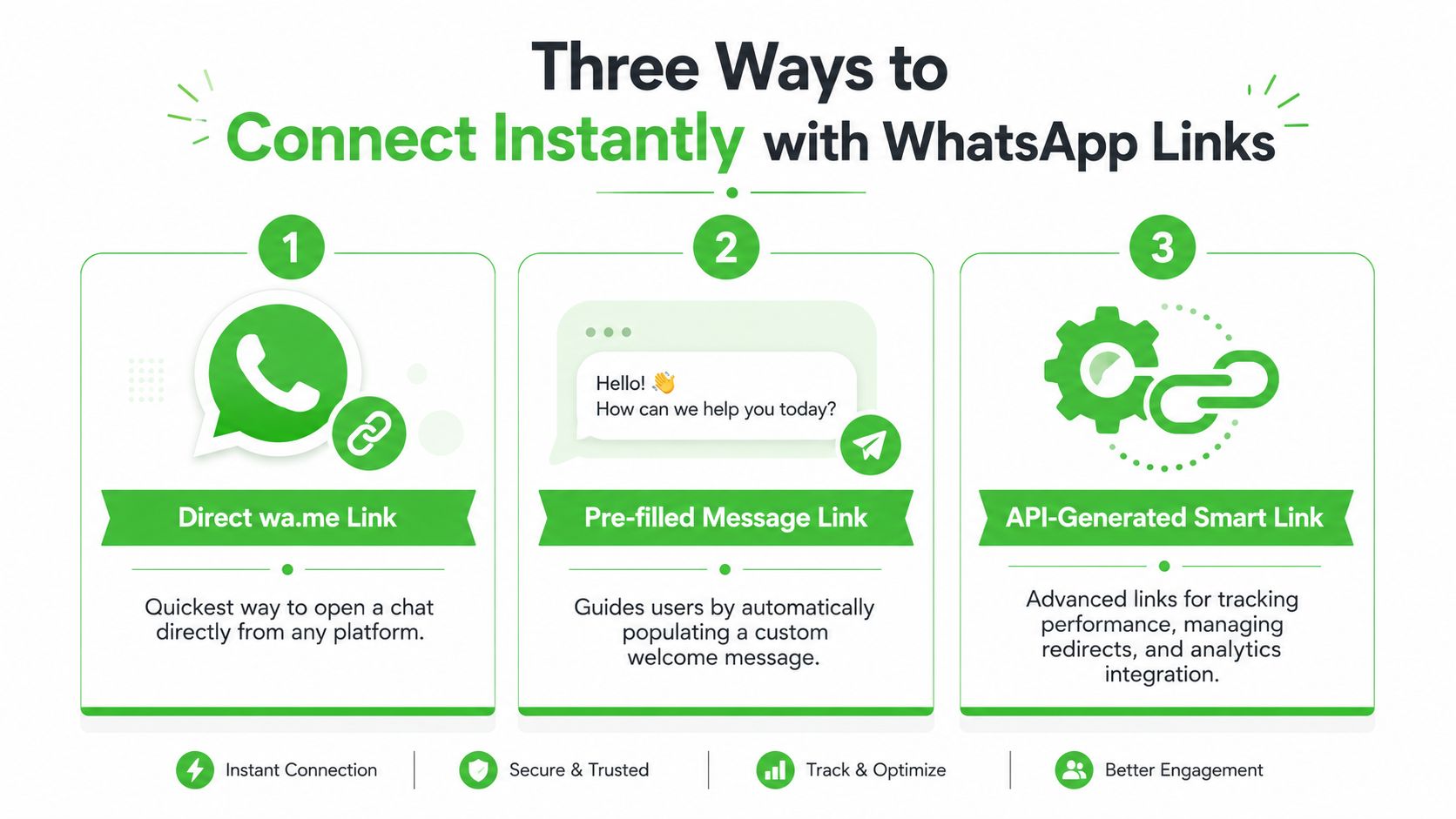
There are three practical ways to build a click to WhatsApp link. Each one fits a different level of marketing maturity.
Direct wa.me links
The basic format opens a chat with a specific number:
https://wa.me/<number>
The number must be entered in full international format without plus signs, spaces, dashes, brackets, or leading zeros. If your number is written as +1 (415) 555-0123, the link version becomes 14155550123.
Use this format when speed matters more than tracking depth. Good fits include:
- Website contact buttons: A fast route for high-intent visitors.
- Social bios: Useful when you want one clear action.
- Email signatures: A low-friction option for prospects already in conversation.
The limitation is control. A raw wa.me link opens chat, but it does not give serious marketers much room to manage routing, tracking, or recovery when a placement rejects the URL.
Pre-filled message links
The second format adds a starting message:
https://wa.me/<number>?text=<urlencodedtext>
This version reduces hesitation and gives the conversation a cleaner starting point. It also helps sales and support teams identify intent faster, at least when the user sends the message as written.
A few practical examples:
| Use case | Example message |
|---|---|
| Lead inquiry | Hi, I'm interested in your service |
| Support request | Hi, I need help with my order |
| Ad response | Hi, I saw your Instagram ad and want details |
Most broken links originate from the technical setup. The message has to be URL-encoded correctly. Spaces become %20, line breaks become %0A, and punctuation often needs encoding as well.
So this:
Hi! I want pricing
becomes this:
Hi%21%20I%20want%20pricing
Practical rule: Write the message first. Encode it second. Editing encoded text by hand is an easy way to publish a broken link.
Pre-filled links help with conversion, but they create a measurement problem. If the lead changes or deletes the text before sending, the campaign clues inside that message disappear with it. For one-off links, that may be acceptable. For paid acquisition, it is a weak foundation.
API-style and smart-link setups
The third option is the one serious teams end up using after basic links start breaking under real campaign conditions. Common triggers are simple. The platform rejects wa.me, the team needs redirect control, or attribution cannot depend on a user sending unedited pre-filled text.
In practice, marketers use either the api.whatsapp.com/send format or a smart-link layer that records the click before sending the visitor into WhatsApp. Here, agencies shift from thinking like “link creators” to thinking like funnel operators.
Use that setup when you need:
- Compliance flexibility: Some channels accept one WhatsApp format and reject another.
- Click-level tracking before chat opens: Better for lead source measurement than relying on message text alone.
- Centralized control: One managed link can be updated, redirected, and monitored without replacing every live asset.
- Stronger attribution: Smart links preserve source data outside the chat box, so user edits do not erase campaign visibility.
Desktop testing matters too. Mobile may open the native app, while desktop may route users to WhatsApp Web or the desktop app. If behavior is inconsistent, the problem is often formatting, redirect handling, or platform-specific link treatment rather than a server issue.
For lead generation, that is the optimal progression. Start with the correct number format. Add a pre-filled message when it helps conversion. Move to smart links when link rejection, redirect control, and attribution loss start costing you leads.
Embedding Your Link on Websites and Social Media
A working link isn't enough. Placement determines whether the link becomes a lead source or just another neglected asset.
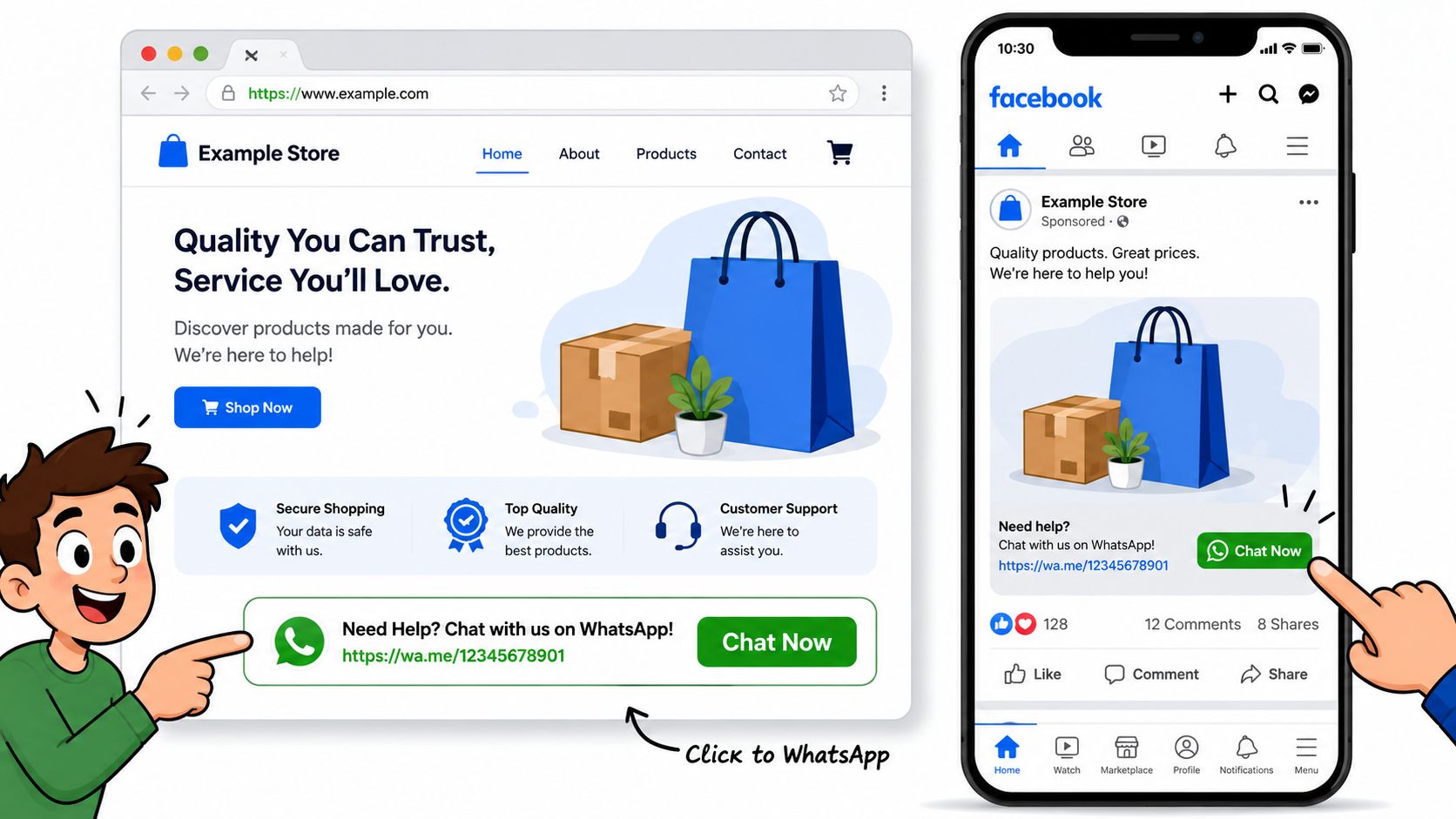
High-visibility placements that pull their weight
The highest-performing placements usually share one trait. They appear exactly where intent peaks.
On websites, the best spots are rarely complicated:
- Header contact button: Good for service businesses, local businesses, and agencies.
- Sticky mobile button: Useful when most visitors arrive from paid social or organic mobile traffic.
- Pricing and checkout support CTA: Strong for businesses that get pre-purchase objections.
- Contact page primary action: Better than hiding WhatsApp as a secondary option.
For social platforms, keep the path short. If your Instagram bio says “DM us for details” but your sales team closes inside WhatsApp, send people there directly. The same goes for TikTok bios, YouTube descriptions, pinned posts, and creator landing pages.
Email signatures work well when sales reps, account managers, or founders already have ongoing prospect conversations. Instead of writing “Let me know if you have questions,” add a direct WhatsApp CTA with a pre-filled message that matches the context of the relationship.
Put the link where hesitation shows up. Product pages, service detail pages, and proposal follow-ups usually outperform generic “contact us” placements.
Using QR codes without adding friction
A QR code is just a container for the link. If the link is bad, the QR code is bad too.
That matters for:
- Business cards
- Flyers
- Store signage
- Product inserts
- Event booths
- Direct mail
The practical move is to generate the click to WhatsApp link first, test it on a few devices, then convert that tested URL into a QR code. Don't build the print asset first and hope the chat destination works later.
A few operational tips help:
- Keep the first message specific. “Hi, I saw your flyer” is better than a blank open.
- Match the destination to the campaign. Don't send all offline traffic into the same generic chat if teams need context.
- Avoid burying the code. If users have to scan, crop, zoom, and guess what happens next, response drops.
There's also a design issue marketers miss. A QR code should sit beside a plain-language CTA that explains the outcome. “Scan to chat with our team on WhatsApp” works. A floating code with no instruction doesn't.
For local businesses, clinics, restaurants, coaches, and home-service providers, this physical-to-digital handoff is often where WhatsApp beats forms. The user scans, taps send, and the conversation starts with almost no cognitive load.
Driving Leads with Click to WhatsApp Ads
Click to WhatsApp ads can produce cheap conversations fast. The problem is that cheap conversations are not the same as attributable, sales-ready leads.
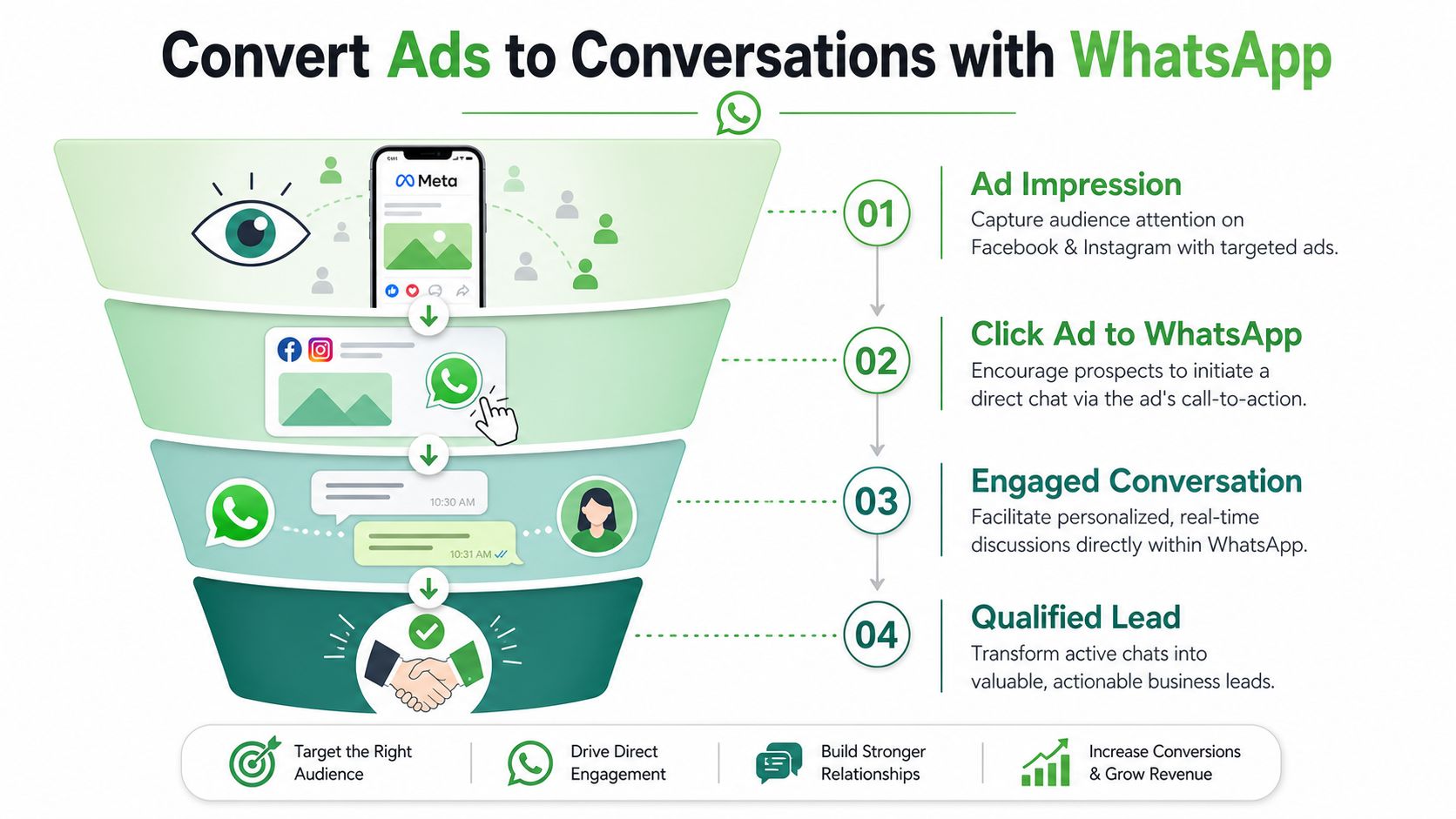
What works inside Meta Ads
Meta rewards the event you choose. If you optimize for traffic, Meta will find people who click. If you optimize for conversations, it will work harder to find people willing to open WhatsApp and start a chat.
That sounds obvious, but it is one of the most common setup mistakes in lead gen accounts. Teams launch click to WhatsApp ads under a traffic objective, see low CPCs, and assume the campaign is healthy. Then sales gets a pile of weak chats, low-intent openers, or no follow-up context at all.
A workable setup usually includes four things:
- A conversation-focused objective
- A connected and properly configured WhatsApp number
- Ad creative that matches the next step in chat
- A routing process for fast first response
The trade-off is speed versus control. Meta can send volume quickly, but if the ad promise, pre-filled message, and inbox workflow are misaligned, volume just creates cleanup work for the sales team.
Here's the embedded walkthrough:
How to shape the conversation after the click
The ad gets the tap. The first message determines lead quality.
For cold traffic, the opener should reduce friction and give the prospect an easy way to signal intent. For warmer audiences, the opener should push the conversation forward with enough specificity to help qualification.
A strong click to WhatsApp ad flow usually looks like this:
| Stage | What to do |
|---|---|
| Ad creative | Offer one clear reason to start the chat |
| CTA | Ask for one action only |
| Pre-filled opener | Give the user a natural message they can send as-is |
| Inbox workflow | Route, tag, or assign the chat fast |
A practical example is a consultation ad that opens WhatsApp with: “Hi, I want to book a consultation for [service].” That performs better than a blank thread because it reduces hesitation and gives the team immediate context.
But serious marketers run into a bigger problem after launch. Users can edit that draft text before sending it. That means the nice clean campaign context you added in the link often disappears, along with the source detail your CRM needed.
That is why basic click to WhatsApp links stop being enough once ad spend rises. Agencies and in-house teams need a link setup that survives platform review, preserves source data outside the editable message, and feeds the right workflow on the first touch. For teams tightening lead quality standards, this guide to finding customers is a useful reminder that a chat is only valuable if you can qualify, attribute, and act on it.
The Attribution Problem with Standard Tracking Methods
Many begin with a reasonable idea. Add source details to the pre-filled message, then read the message when the lead arrives. In theory, that sounds workable.
In practice, it breaks fast.
Why UTM logic breaks inside WhatsApp
The core issue is that the draft message is editable before the user sends it. Marketers often assume the lead will preserve the original text, including campaign clues. Many don't.
According to Dotdigital's explanation of WhatsApp click-to-chat tracking limitations, 68% of users modify or delete the draft message, which breaks source attribution. The same source notes that agencies relying only on the basic ?text= parameter lose 40% to 50% of funnel attribution accuracy.
That means the common setup fails at the exact moment attribution is supposed to happen.
A standard example looks like this:
- Ad click sends the user to WhatsApp
- Draft message includes campaign context
- User deletes the message and types “Hi”
- CRM receives a lead with no reliable source trail
This is why last-click thinking often collapses inside messaging environments. If you want a useful primer on how attribution models can mislead teams even before WhatsApp enters the picture, AdStellar AI insights on attribution provide a solid framing for the problem.
What bad attribution looks like in practice
The problem isn't abstract. It changes budget decisions.
When the source disappears, teams usually default to one of three bad habits:
- They credit the wrong channel. The lead gets lumped into direct or unknown.
- They overvalue visible campaigns. Channels with cleaner tracking seem stronger than they really are.
- They underinvest in WhatsApp. Not because it failed, but because the reporting failed.
A conversation without source data is operationally useful, but strategically weak. You can reply to it, but you can't trust it when reallocating budget.
There's also a team-level issue. In multi-agent inboxes, one rep may ask where the lead came from, another may guess, and nobody has a stable answer. Once that happens across multiple campaigns, the reporting layer stops being a decision tool and becomes a rough narrative.
The standard click to WhatsApp link is good at opening a chat. It's not good at preserving attribution when users control the text field.
The Professional Solution Smart Links and Workflows
Serious marketers eventually hit the same wall. The raw WhatsApp URL works fine until they need approval consistency, source tracking, and cleaner routing. That's where smart-link infrastructure becomes less of a nice-to-have and more of a requirement.
Why direct WhatsApp URLs fail in real campaigns
One of the least discussed problems is link approval. The format may be technically correct and still get rejected by a platform.
Support discussions around Google Business Profile show a recurring issue with WhatsApp click-to-chat URLs not being approved. The documented angle that matters here is the link approval paradox. wa.me can fail automated validation, and after one failed approval, 30% to 40% of businesses abandon the link, according to the discussion summarized in this Google Business Profile support thread.
That's not a formatting failure. It's a compliance and validation failure.
A few common symptoms show up:
- Google listing rejects the link
- Ad platform flags the destination
- Client onboarding stalls because the chat button can't go live
- Teams keep editing the same
wa.meURL without changing the actual cause
What smart links do differently
A smart link adds a control layer before WhatsApp opens. Instead of sending traffic straight to wa.me, it first captures intent and tracking data, then redirects the user into the chat.
That changes the economics of the setup in three ways:
| Problem | Standard link | Smart link workflow |
|---|---|---|
| Platform rejection | Depends on WhatsApp domain acceptance | Uses an intermediary domain that may pass validation more reliably |
| Attribution | Can be lost if the message is edited | Captures source before the chat opens |
| Operations | Hard to swap or manage at scale | Easier to update, redirect, and standardize |
The strongest use cases are agency environments, GHL builds, local lead generation funnels, and multi-channel campaigns where one WhatsApp number serves several traffic sources. In those setups, the link itself needs to do more than open a conversation. It needs to preserve context, support reporting, and avoid getting blocked by platforms that don't like the native WhatsApp format.
Teams that rely on WhatsApp as a revenue channel need infrastructure, not just syntax.
This is also where workflow design matters. A strong setup captures the click, tags the source, routes the user into the correct inbox path, and keeps the reporting layer intact even if the user rewrites the first message completely.
Frequently Asked Questions About WhatsApp Links
The mechanics are simple. The edge cases aren't. These are the questions that usually come up once teams start using a click to WhatsApp link across multiple campaigns.
Can I shorten a WhatsApp link
Yes, but use caution. A shortener can make the URL cleaner for bios, PDFs, and print materials, but it also adds another redirect layer. That can make troubleshooting harder when a link fails.
If you use a shortener, test the full click path on both mobile and desktop. If tracking matters, don't assume the shortener solves attribution by itself. It usually doesn't.
What if my business serves multiple countries
Use separate links for separate destinations when routing needs to change by market, language, or sales team. One universal link often creates inbox confusion.
A practical setup is to maintain distinct links for:
- Regional sales teams
- Different languages
- Separate offers or business units
- Country-specific campaigns
That way, the first human response is already aligned with the visitor's context.
Should I use the same link everywhere
Usually no. Reusing one link across your website, ads, bios, and print materials makes reporting muddy even before attribution problems show up.
A better approach is to create link variants by placement. Keep the message and destination aligned with the source. A homepage visitor and an ad clicker don't arrive with the same intent, so they shouldn't always enter the same conversation path.
Why does the link work on mobile but fail on desktop
This usually points to formatting, not WhatsApp being down. Number errors, unencoded characters, or malformed parameters tend to show up more clearly when desktop hands the click to WhatsApp Web or the desktop app.
Check these first:
- Number format: Remove plus signs, spaces, brackets, dashes, and leading zeros.
- Message encoding: Replace spaces and special characters correctly.
- Link cleanliness: Remove stray punctuation copied from docs, PDFs, or page builders.
- Environment testing: Try one mobile device and one desktop browser before launch.
A link that only works in one environment isn't production-ready.
Can I track campaign source with the pre-filled message alone
You can try, but it's fragile. If users change the text before sending, your tracking logic falls apart. That's why teams running serious WhatsApp acquisition usually move beyond basic message-based attribution.
Is wa.me always the best format
Not always. It's the standard starting point and often the fastest option to build. But when approval issues or tracking requirements show up, alternate WhatsApp formats or smart-link layers usually make more sense operationally.
If WhatsApp is becoming a serious lead channel for your team, basic links won't hold up for long. Double My Leads gives agencies and operators a cleaner way to run tracked smart links, capture lead data before the chat opens, manage inbox workflows, and deploy WhatsApp at scale without turning every campaign into a manual workaround.


