
A qualified lead lands on your agency client's site, reads the pricing page, pauses on a service detail, and wants to ask one small question before booking. There's no easy way to ask it. The contact form feels slow. Email feels like work. The visitor leaves.
That loss often goes unnoticed. Not because the offer was weak, but because the handoff from website visit to conversation had too much friction.
A WhatsApp Business widget solves that handoff. It gives visitors a fast, familiar way to start a chat from any page, often at the exact moment they're deciding whether to trust you. For agencies, that matters even more. You're not just adding a button. You're shaping how leads enter the pipeline, how fast teams respond, and whether attribution survives the jump from website to inbox.
That's also why the widget deserves a more strategic look than most setup guides give it. If you're reviewing insights on 2026 digital growth, one pattern stands out across channels: businesses keep moving toward direct, conversational touchpoints that shorten the gap between interest and action. WhatsApp fits that shift well.
The catch is simple. A basic widget is easy to install, but easy isn't always scalable. Agencies usually discover the limits only after leads start coming in.
Table of Contents
- Introduction
- Understanding the Key Concepts
- Benefits and Use Cases
- Technical Features and Options
- Implementation Best Practices
- Privacy and Analytics
- Accelerating Rollout with Double My Leads
- Conclusion
Introduction
Most agencies don't start by asking for a WhatsApp workflow. They start with a simpler request: “Can we add a chat button?”
That sounds minor until you watch what happens next. A real estate prospect wants to ask if a listing is still available. A clinic visitor wants to confirm appointment times. An ecommerce shopper wants to check shipping before buying. In all three cases, speed matters more than polish. If the question gets answered fast, the lead often stays alive.
A WhatsApp Business widget is one of the simplest ways to reduce that delay. Instead of forcing people into a form or hiding the phone number in the footer, it lets them click and move straight into a conversation on WhatsApp.
Practical rule: If your client's sales process depends on quick clarifications, a delayed contact form is often the wrong first step.
Agencies like the widget because it's lightweight, familiar, and easy to explain to clients. Visitors like it because they already know how WhatsApp works. That's the good news.
The less obvious part is what happens after the click. If one person handles every chat on a single phone, the setup may work for a while. Once a team needs assignment, source tracking, shared visibility, or offline coverage, that same simple widget can become a bottleneck.
Understanding the Key Concepts
What the widget actually is
A WhatsApp Business widget is usually a small website element, often a floating button, that starts a chat when someone clicks it. Under the hood, the basic version is not complicated. It's a client-side JavaScript embed that builds a click-to-chat link in this format: https://wa.me/<country_code><number>?text=<encoded_message>, which opens WhatsApp on mobile or WhatsApp Web on desktop with 0-second latency and without API authentication, according to Clientify's explanation of how the WhatsApp widget works.
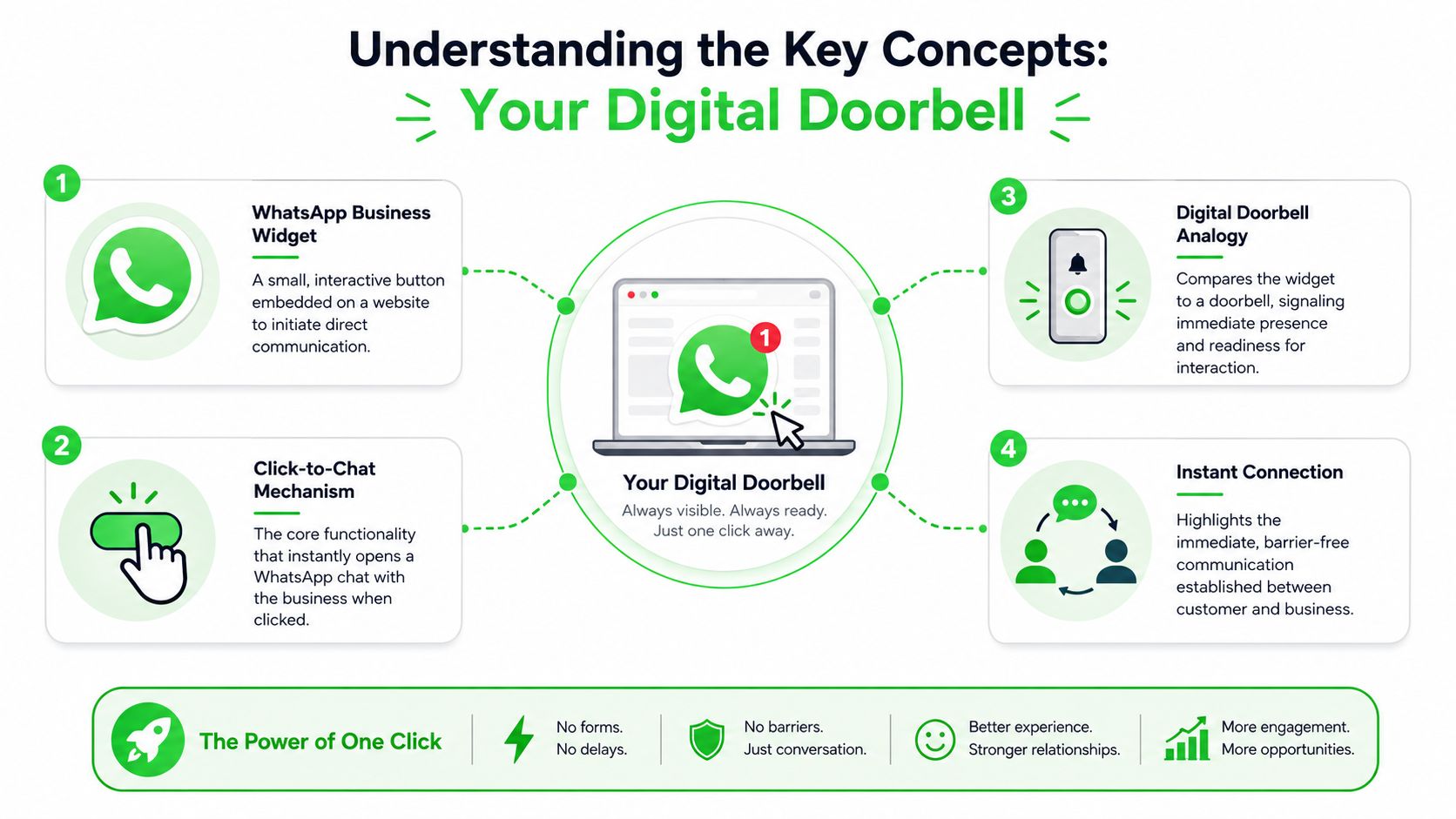
That matters because many readers assume “WhatsApp integration” automatically means API keys, Meta approval, and backend setup. For a basic widget, it doesn't. You can add a functional click-to-chat experience without going through the heavier WhatsApp Business API route.
Why the digital doorbell analogy works
The easiest way to understand the widget is to treat it like a digital doorbell.
A doorbell doesn't run the whole house. It creates an immediate signal between visitor and host. The widget does the same thing. It doesn't manage the whole customer journey by itself. It creates the fastest possible path from browsing to conversation.
Here's where people get confused:
- The widget is not the inbox. It starts the conversation, but doesn't automatically provide shared team access.
- The widget is not the CRM. It can open the chat, but it doesn't automatically tell you which campaign, page, or ad produced the lead.
- The widget is not the API. It can work without server-side authentication, but that simplicity comes with tradeoffs.
A basic widget is a front door. Agencies still need to decide what sits behind the door.
That distinction helps when clients say, “We already have the widget, why are leads still messy?” Usually the button isn't the problem. The routing, ownership, and attribution layer is missing.
Benefits and Use Cases
Why agencies care about this channel
The strongest argument for a WhatsApp Business widget is simple: people open and answer WhatsApp messages. According to WizMessage's WhatsApp Business statistics, WhatsApp Business messages achieve 95–98% open rates, compared with typical email open rates of 20–25%, and they outperform SMS at around 85%. The same source notes that API messages achieve a 90% open rate within three minutes, which explains why the channel feels immediate in practice.
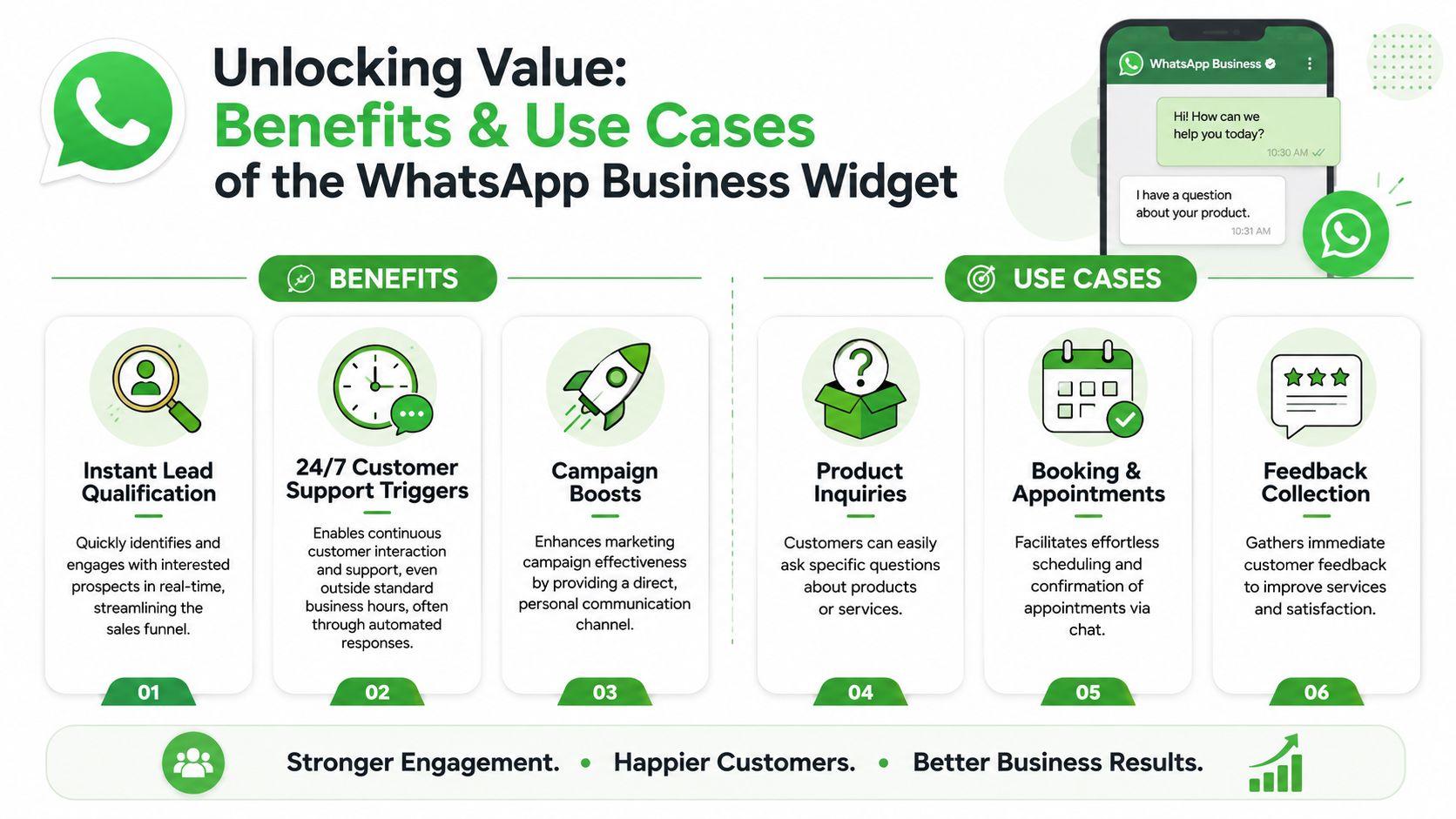
For agencies, that changes the value of a website chat entry point. You aren't pushing visitors into a channel they might ignore until tomorrow. You're moving them into one they often check almost immediately.
If you're deciding between chat systems, it helps to compare live chat options based on response workflow, not just design. That comparison matters because WhatsApp works differently from traditional site chat. The conversation often continues after the visitor leaves the website.
Where the widget works best
The widget is especially useful when buyers have short, practical questions that block conversion.
Common examples include:
- Service inquiries: A prospect asks whether a package includes reporting, onboarding, or support.
- Booking flows: A visitor wants to confirm available times before scheduling.
- Product questions: A shopper asks about sizing, availability, or delivery.
- Local businesses: Someone wants directions, opening hours, or same-day availability.
There's also a direct commerce angle. The same WizMessage source reports 8.3% average conversion rates for ecommerce conversations that include product recommendations or catalog shares.
That doesn't mean every business should replace forms with WhatsApp. It means WhatsApp is strongest when people need a quick answer before taking the next step.
When a prospect hesitates because of one unanswered question, the best widget is the one that gets them talking fast, not the one with the most design options.
Technical Features and Options
Three ways to implement it
Agencies usually have three implementation paths, and each solves a different problem.
The first is the basic click-to-chat widget. This is the simplest route. Add the script or HTML snippet, choose the number, set a prefilled message, and publish. It works well when a single person or very small team handles chats manually.
The second is a no-API enhanced widget setup. This still uses the basic chat-launch behavior, but adds agency-friendly controls around it. For example, W.app's technical notes on WhatsApp widgets describe key implementation details such as a 200-character max pre-filled message length, HTTPS enforcement to avoid mixed-content blocking, and dynamic snippet injection via REST API for scalable white-label deployments. That's useful for agencies managing multiple client sites without editing each one by hand.
The third is a full Cloud API setup. In this configuration, the conversation layer stops being just a click trigger and becomes part of a broader system. You gain capabilities like shared handling, automation, and better data flow, but you also accept more setup complexity.
Comparison of WhatsApp Widget Integration Options
| Option | Capabilities | Complexity |
|---|---|---|
| Basic click-to-chat | Opens WhatsApp instantly from the site with a prefilled message. Best for single-number, manual handling. | Low |
| No-API enhanced widget | Adds white-label deployment control, dynamic snippet management, and cleaner rollout across client sites. Still limited on deeper team workflows. | Medium |
| Cloud API setup | Supports advanced routing, automation, shared access, and stronger attribution when paired with the right system. | Higher |
A few practical technical constraints are easy to miss:
- HTTPS is required: Modern browsers can block non-HTTPS widget behavior.
- Prefilled text has limits: Keep the default message short and specific.
- Desktop and mobile differ: One opens WhatsApp Web, the other opens the app. Test both.
- Client-side simplicity has costs: If the setup never touches your backend, you won't automatically capture lead metadata.
Agencies get into trouble when they choose based only on installation speed. The smarter question is this: what needs to happen after the first click?
Implementation Best Practices
A widget can be technically installed and still underperform. Placement, message wording, and lead capture flow matter more than commonly realized.
Placement and message design
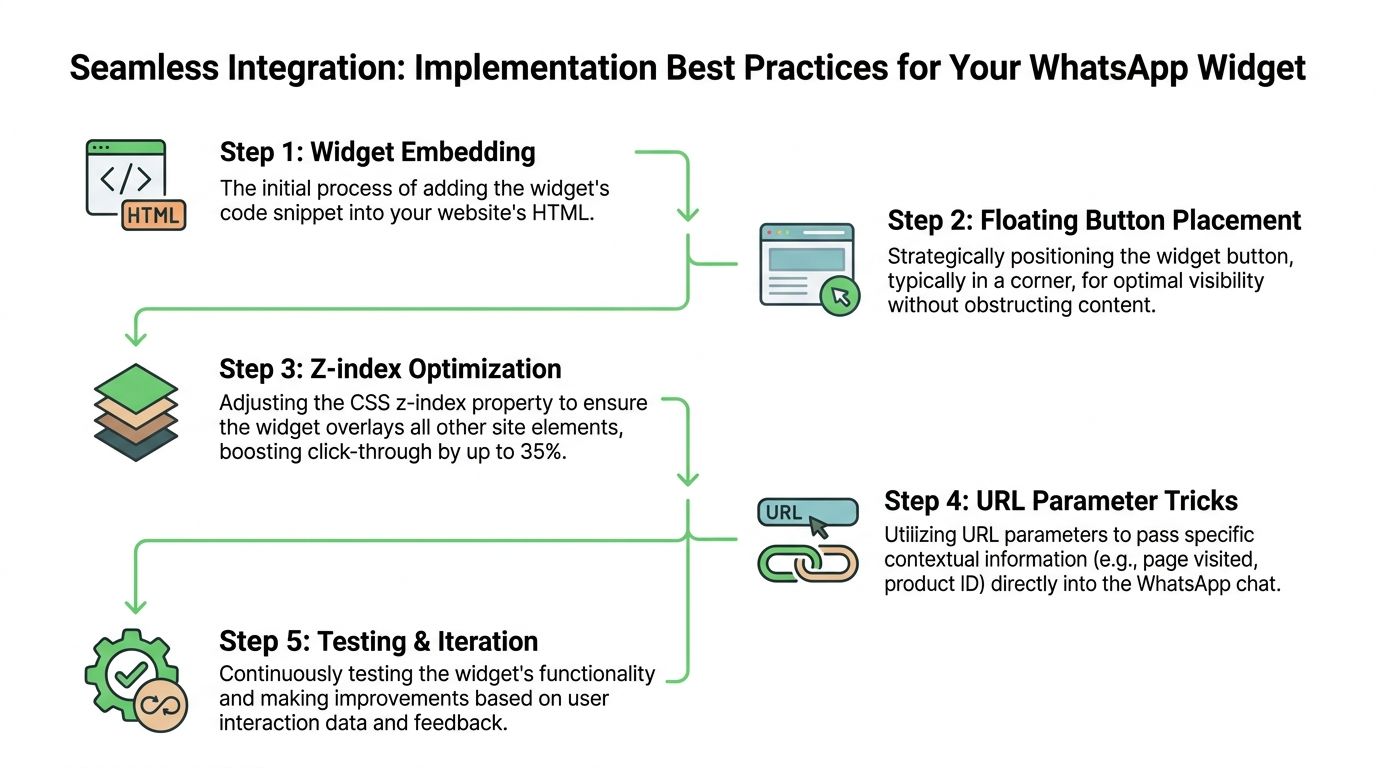
Botcake's widget implementation benchmarks report that a floating button in the bottom-right corner with fixed positioning and a high z-index can produce a 23–35% higher click-through rate than inline placement. The same source says context-specific prefilled messages can improve initiation completion rates by 40%.
That gives agencies two easy wins.
First, keep the widget visible without making it disruptive. Bottom-right placement is common because visitors expect support and chat triggers there. Second, don't use a lazy default message like “Hi.” Use something tied to page intent, such as “I'm interested in the audit package” or “Can you confirm pricing for this plan?”
A prefilled message should help the visitor start talking. It shouldn't make them rewrite the entire reason they clicked.
If you want a visual walkthrough, this short video is a useful companion before implementation:
A simple setup flow
For most agency sites, a clean rollout looks like this:
- Embed the widget code in the site template or tag manager.
- Place the button consistently across high-intent pages, not just the contact page.
- Set a page-aware prefilled message based on service, product, or campaign.
- Decide on lead capture order. Either send the visitor straight to WhatsApp, or add a small form-intercept layer if you need name, email, or qualification data first.
- Test on mobile and desktop before launch.
If you want a reference for the mechanics, FOMOchat has a practical guide that outlines steps to integrate the widget in a straightforward way.
One caution matters a lot for agencies. The moment you add a form-intercept layer, you're balancing two goals that pull in opposite directions. Less friction gets more chats. More fields get better qualification. There isn't a universal right answer. There's only the right tradeoff for that client's sales process.
Privacy and Analytics
Consent before convenience
A WhatsApp Business widget feels informal because it opens a chat. That can make teams sloppy about consent.
The safer approach is to separate conversation initiation from marketing permission. A visitor clicking the widget to ask a question doesn't automatically mean they've agreed to future promotional messaging. If your client wants ongoing outreach, put a clear opt-in step where it belongs, such as a form, checkout flow, or follow-up capture process.
For agencies, this is less about legal wording tricks and more about operational discipline. If the team can't show where consent came from, who collected it, and what the user agreed to, the system is too loose.
What to track for attribution
Attribution is where basic widget setups usually fall apart.
A raw click-to-chat flow can send a lead into WhatsApp with almost no useful context unless you deliberately pass and store that context. At minimum, agencies should think about:
- Page source: Which page triggered the click
- Campaign tags: UTM values or equivalent campaign markers
- Lead route: Which team, offer, or location the lead should map to
- Conversation owner: Who is responsible once the chat begins
A practical pattern is to attach context before the click and sync that context into the system that manages conversations. That might happen through hidden fields in an intercept form, a tracked smart link, or a CRM handoff layer.
Clean attribution rarely appears by accident. Someone has to design it before traffic starts.
If you skip that work, reporting gets fuzzy fast. The team sees chats happening, but can't answer basic questions like which landing page produced better leads or which ad campaign created conversations that turned into revenue.
Accelerating Rollout with Double My Leads
Why agencies outgrow the basic widget
The biggest blind spot in most widget tutorials is that they stop at the button.
That's fine for solo operators. It's a poor fit for agencies serving clients with multiple sales reps, support staff, or locations. The bottleneck appears quickly: one number, one chat stream, weak ownership, weak tracking, and no clean connection back to the CRM.
According to 9G Agency's discussion of website WhatsApp chat limits, basic widgets lack multi-agent access and CRM attribution, and 60–70% of small businesses end up abandoning them or manually re-entering leads because of that gap.
What an advanced setup changes
An advanced setup changes the job of the widget. It stops being just an opener and becomes a structured entry point into a team workflow.
That usually means the system behind the widget can do things a basic click-to-chat link can't do well on its own:
- route new conversations to the right person
- let multiple agents work from a shared inbox
- preserve source data for reporting
- trigger welcome flows when the team is unavailable
- keep chat history tied to the lead record
For agencies, this matters commercially too. A tool that only opens WhatsApp is easy to sell once and hard to retain around. A setup that supports routing, attribution, and shared handling becomes part of the client's operating system.
That's the practical difference between “we installed chat” and “we built a usable acquisition channel.”
Conclusion
A WhatsApp Business widget looks simple because the first layer is simple. Add a button. Open a chat. Let visitors ask questions without friction.
That first layer is useful. It can shorten the path from website visit to live conversation, especially when buyers need quick answers before they commit. It also fits how people already communicate, which is why agencies keep adding it to service sites, ecommerce stores, and lead generation funnels.
But the key technical decision isn't whether to install a widget. It's whether the workflow behind the widget matches the client's actual needs.
If one person can manage every inquiry manually, a lightweight click-to-chat setup may be enough. If the client needs team visibility, source attribution, CRM sync, and dependable follow-up, the basic version won't carry the load for long. That's where agencies need to think beyond the button and design the handoff properly.
The strongest setups usually share three traits:
- Fast entry: the visitor can start chatting with minimal friction
- Clear ownership: the team knows who handles each conversation
- Reliable attribution: marketing data survives the jump from page to chat
Get those three right, and the widget becomes more than a convenience feature. It becomes part of how leads are captured, routed, and converted.
If you want a faster way to move from a simple widget to a team-ready WhatsApp workflow, Double My Leads gives agencies a white-label setup with shared inboxes, source tracking, automation, and rollout options that are easier to operationalize across client accounts.


