
WhatsApp messages can reach open rates of approximately 98%, which is why WooCommerce merchants keep moving customer communication out of crowded inboxes and into chat (Automator Plugin's WooCommerce WhatsApp integration guide). That single number changes the conversation. WooCommerce WhatsApp isn't a novelty add-on anymore. It's becoming part of the store's sales flow, support stack, and retention engine.
The catch is that not all integrations are built the same. Some stores do fine with a simple floating chat button. Some need official Cloud API automation for transactional updates. Agencies and resellers usually need something else entirely: fast deployment, predictable margins, and a setup clients can survive. That's where the difference between the official WhatsApp Cloud API route and a QR gateway model becomes very practical.
Table of Contents
- Quick Wins Adding WhatsApp Chat to Your Store
- The Official Route Using the WhatsApp Cloud API
- The Flexible Alternative QR Gateway Integration
- Comparing API vs QR Gateway Integrations
- Advanced Automation and Reseller Workflows
- Testing Compliance and Best Practices
Quick Wins Adding WhatsApp Chat to Your Store
The fastest way to improve WooCommerce WhatsApp performance is to stop thinking about automation first. Start with visibility and access. A floating WhatsApp chat button gives every visitor an immediate path to ask a question, check stock, confirm sizing, or ask for delivery details before they leave.
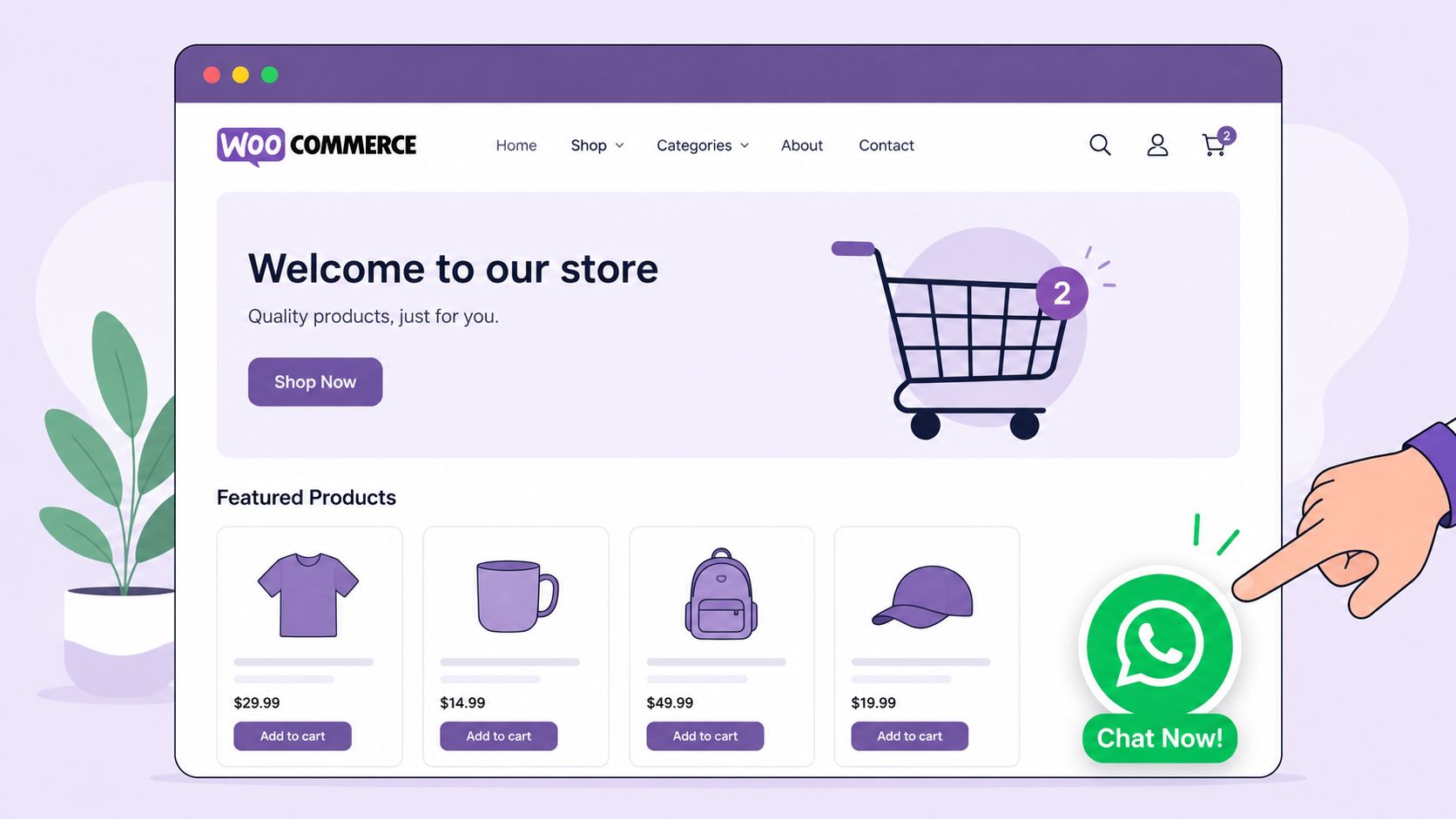
WooCommerce already has plugins built for this. The ecosystem includes tools for Order on WhatsApp flows, which let customers place orders through WhatsApp instead of the standard site checkout, and those same tools can also add a floating chat button directly on store pages (Order on WhatsApp for WooCommerce). That matters most on mobile, where reducing friction often matters more than adding another checkout field.
Start with the button people can actually see
A chat button only works if placement and expectations are clear.
- Put it where intent is highest. Product pages, cart pages, and shipping or returns pages usually generate the most valuable questions.
- Set a real welcome message. Don't use a vague “Hi.” Pre-fill context such as product interest, order help, or delivery questions.
- Show availability accurately. If your team replies during business hours only, say that. False immediacy hurts trust.
Practical rule: If support replies manually, write the button copy for the next step, not the click. “Ask about this product” works better than a generic “Chat now” because it frames what happens next.
A lot of stores bury WhatsApp in a contact page footer and then conclude it “doesn't convert.” The issue usually isn't the channel. It's the placement and the prompt.
Use Order on WhatsApp when your buyers need hand-holding
This isn't right for every catalog. It's useful when customers need confirmation before purchase, such as custom products, wholesale requests, local delivery coordination, or high-consideration items. Instead of forcing them through a rigid checkout, you let them move into conversation at the exact moment hesitation appears.
That also makes store design more important than most merchants realize. If you're refining the product page experience, CTA hierarchy, and mobile layout alongside chat entry points, this guide on designing an eCommerce site with Divi is worth reading because it helps align layout decisions with how people buy.
A simple rollout that works
Use this order:
- Add the floating button on product and cart pages.
- Create pre-filled messages for common intents like “I need help choosing” or “I want to order via WhatsApp.”
- Assign ownership so one person or one team answers.
- Turn on Order on WhatsApp only for product categories where friction is high or support is already part of the sale.
Stores usually get early wins from access, not complexity. If a visitor can ask one useful question at the moment of doubt, you often save the sale without adding another automation layer.
For many merchants, that's enough to justify deeper WooCommerce WhatsApp integration later. For agencies, it's also the cleanest low-risk starting offer because clients understand the value immediately.
The Official Route Using the WhatsApp Cloud API
The official method is the WhatsApp Cloud API. For WooCommerce, it gives stores a sanctioned way to send structured WhatsApp messages tied to events such as order confirmations, shipping updates, and delivery notifications. If a merchant needs auditability, approved templates, and an account that sits fully inside Meta's rules, this is the route.
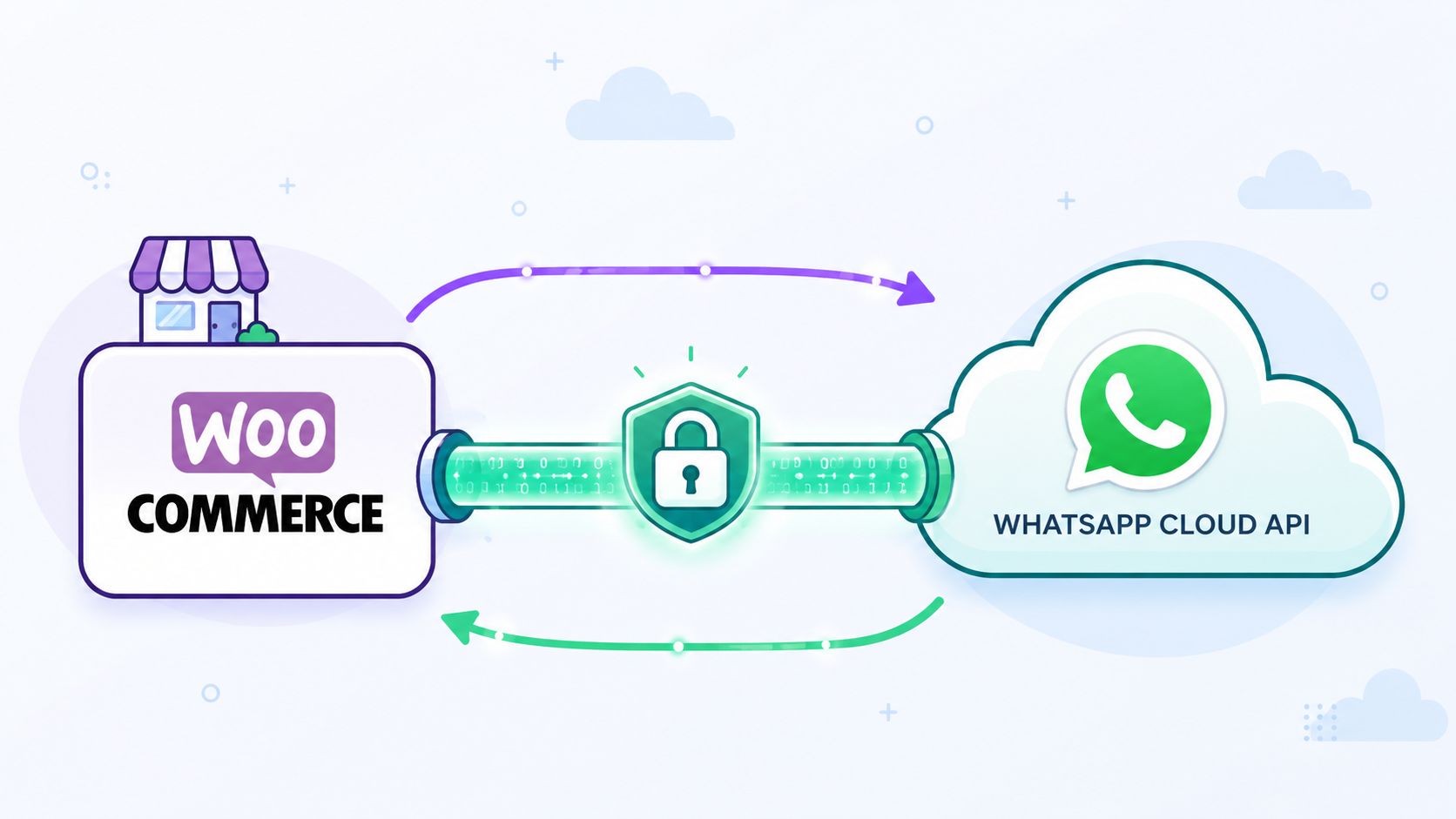
Used well, the Cloud API is strong at repeatable operational messaging. A store can connect WooCommerce triggers to approved templates, keep wording consistent across teams, and send customer-specific updates instead of generic broadcasts. That matters for brands that already run support and fulfillment with clear processes.
What the Cloud API is good at
The biggest advantage is control.
- Transactional updates: Order confirmations, shipment notices, and post-purchase status messages fit the model well.
- Template governance: Teams can standardize what gets sent, who approves it, and when it fires.
- Deeper integration options: Plugins, middleware, and webhooks can map WooCommerce events to WhatsApp delivery with more precision than a simple chat widget.
For larger merchants, those constraints are often the point. Agencies serving regulated clients or multi-location brands may also prefer the official route because it is easier to explain internally: verified business, approved templates, logged events, and a direct Meta-supported channel.
Where the official setup gets painful
The hard part is not the first demo. The hard part is getting every dependency aligned and keeping it stable after handoff.
To use the WhatsApp Cloud API with WooCommerce, the merchant usually needs business verification, Meta app credentials, a WhatsApp Business Account, a connected phone number, webhook configuration, and approved templates. Even technically capable teams get stuck here, especially when the client controls the Meta Business Manager and the developer controls the store. One wrong ID, one missing admin permission, or one rejected template can stall the project for days.
This setup failure pattern is common during client deployments.
The friction usually shows up in a few places:
- Business verification: The legal entity, website, privacy policy, and billing details need to match.
- Credential mapping: App ID, App Secret, WhatsApp Business Account ID, and Phone Number ID must all point to the right business and number.
- Webhook setup: Verification URLs, callback events, and tokens have to be entered exactly right.
- Template approval: Message wording and category selection have to fit Meta's allowed use cases.
For a single brand with in-house technical ownership, that can be manageable. For agencies and resellers, it becomes operationally expensive fast. You are no longer just installing a WooCommerce add-on. You are coordinating approvals, permissions, compliance assets, and client-side accounts that you often do not fully control.
That is the trade-off. The Cloud API gives structure, but it also gives you more points of failure.
A visual walkthrough helps if you're mapping the moving parts before building.
Who should still choose it
The Cloud API makes sense for stores that treat WhatsApp as infrastructure. That usually means higher order volume, a real operations team, and someone who can own Meta account access, template maintenance, and webhook troubleshooting long term.
It is also a fit when official approval matters more than launch speed or flexibility.
For smaller merchants, agencies, and reseller programs, the downside is straightforward. Every client account adds another verification workflow, another approval queue, and another support surface. If your business model depends on onboarding stores quickly and managing many numbers efficiently, API-only delivery can slow growth and raise support costs more than expected.
The Flexible Alternative QR Gateway Integration
A QR gateway changes the setup model completely. Instead of starting with credentials, webhooks, and approval flows, the store connects a WhatsApp number by scanning a QR code, much like linking WhatsApp Web on a new device.
For WooCommerce teams, that usually means less time spent in account setup and more time configuring the actual customer journey. Order alerts, support replies, cart recovery, and broadcast sends can move from idea to live workflow much faster.
The appeal is not novelty. It is a simpler operating model.
I have seen this matter most with agencies and resellers. They are not trying to optimize one brand's perfect Meta stack. They are trying to onboard many stores, keep support volume under control, and sell a service with margins that still make sense after month three. In that context, QR gateway setups are often easier to standardize.
The cost model is a big reason. A flat monthly plan is easier to price, easier to resell, and easier to explain than message-based billing that shifts with store activity. Support is simpler too. If a client wants another store connected, the team can usually work from the same playbook instead of opening another long verification trail.
This trade-off is often underestimated in initial planning. API-first builds can look clean on a diagram and still become expensive to operate once you add client handoffs, expired sessions, failed sends, and account-access delays.
What agencies and resellers actually need
Three requirements come up repeatedly.
First, predictable billing. Agencies need to know what they will pay before they decide what to charge. That is hard to do cleanly when message volume changes every month across multiple WooCommerce stores.
Second, fast onboarding. If connecting a client number takes hours instead of days, the business can close more accounts without growing implementation overhead at the same pace.
Third, repeatable delivery. Resellers do better with systems that work across many small and mid-sized merchants, including clients with limited technical ownership on their side.
If you sell WhatsApp as a service, margin comes from repeatable setup and low-friction support.
That does not make QR gateway the right answer for every store. It does make it a strong fit for WooCommerce businesses that want practical messaging operations without turning each client launch into a platform administration project.
For agencies, that difference shows up in profitability. For merchants, it shows up in speed and fewer setup delays.
Comparing API vs QR Gateway Integrations
Roughly speaking, the choice here affects three things more than anything else: launch time, cost control, and how much operational drag your team inherits after go-live.
Both methods can connect WooCommerce to WhatsApp. They do not create the same business model.
The official Cloud API fits stores that want Meta's approved path and are prepared for the related setup work, template handling, and account dependencies. QR gateway fits teams that care more about speed, repeatability, and packaging WhatsApp across multiple client stores without turning every rollout into a platform project.
WhatsApp Integration Methods Compared
| Feature | Cloud API | QR Gateway |
|---|---|---|
| Setup style | Multi-step configuration with business verification, credentials, webhooks, and templates | QR-code connection that is usually quicker to launch |
| Pricing model | Usage-based billing that can rise with message volume, as noted earlier | Flat-fee, unlimited-messaging model described earlier |
| Verification burden | Requires Meta-related business setup and approval steps | Avoids the same verification path in the QR-based model |
| Failure risk during onboarding | More exposed to setup errors, permission issues, and account dependencies | Lower administrative friction in many WooCommerce setups |
| Best use case | Formal transactional messaging in a tightly managed environment | Fast deployment, shared inbox use, reseller packaging, and predictable billing |
| Agency fit | Harder to standardize across many clients | Easier to templatize as a repeatable service |
The biggest gap is not technical elegance. It is operational predictability.
With Cloud API, a WooCommerce store may start with a clean integration plan and still hit delays around verification, template approval, number provisioning, or access to the right Meta assets. I have seen this slow down agency delivery more than the actual WooCommerce work. QR gateway has its own limits, but the setup path is usually easier to repeat across small and mid-sized merchants.
Cost behavior matters just as much. Usage-based pricing can work for high-control environments where finance and messaging policy are already in place. For agencies and resellers, variable billing is harder to package cleanly. Flat pricing makes margins easier to protect and client proposals easier to explain.
That also affects the rest of the stack. If the store needs customer follow-up, lead routing, and sales context after the message is sent, pairing WhatsApp with effective WordPress CRM solutions usually matters more than choosing the most official connection method on paper.
How to choose without overengineering it
Use the official route if these conditions are true:
- You need Meta's approved infrastructure for policy-sensitive transactional messaging.
- You have technical ownership in-house to handle setup, monitoring, and changes over time.
- You can accept slower onboarding because compliance and control matter more than launch speed.
Choose QR gateway if these conditions are closer to your day-to-day:
- You need stores live fast without waiting on a long approval chain.
- You want fixed costs instead of billing that shifts with message volume.
- You run an agency or reseller model and need a setup your team can repeat across many client accounts.
For a single enterprise store, Cloud API can be the right call. For agencies, freelancers managing client shops, and resellers selling WhatsApp as a service, QR gateway is often the more practical system because it reduces setup friction and keeps delivery easier to standardize.
Advanced Automation and Reseller Workflows
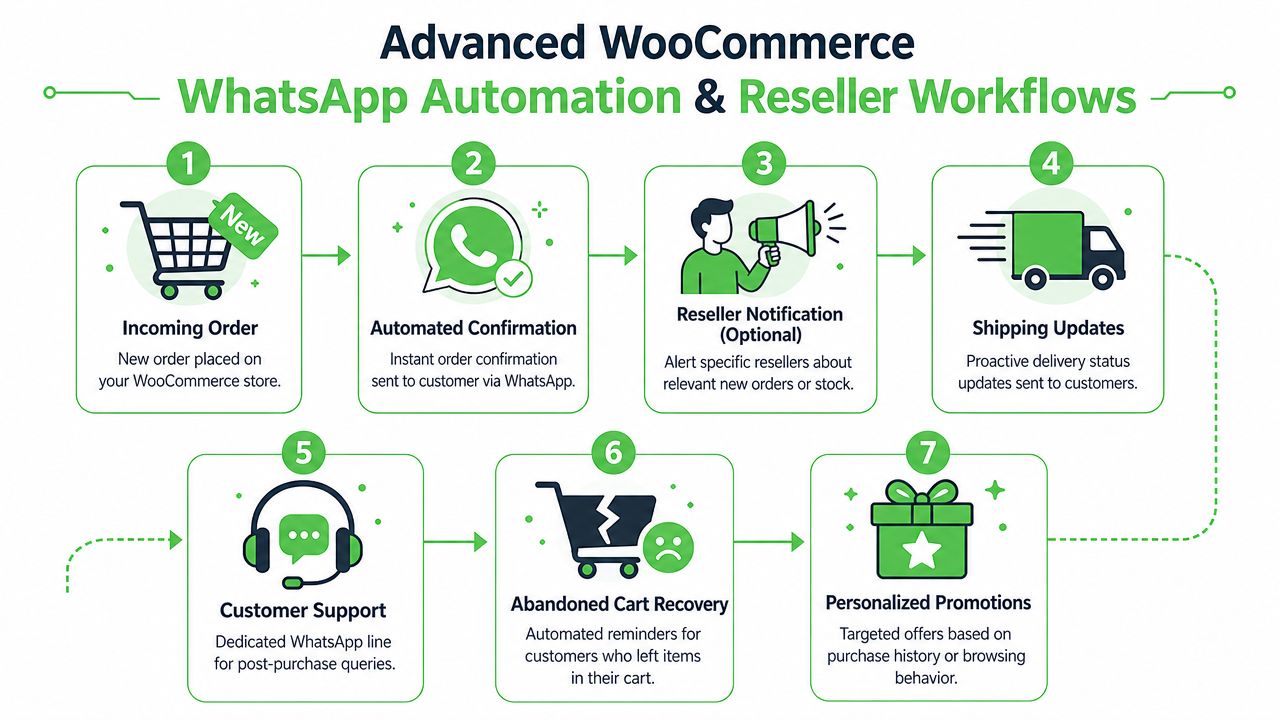
A WooCommerce WhatsApp setup starts paying off after the first message is delivered. The primary return comes from the workflows behind it, the handoff rules, and the way your team or clients manage replies at scale.
The workflows worth building first
Start with messages customers already expect, then add the ones that recover revenue.
Order confirmation, payment confirmation, shipping updates, and delivery follow-up usually deliver the fastest operational payoff because they cut repetitive support questions. After that, abandoned cart reminders and review requests are usually the next two workflows worth adding. Winback campaigns can work well too, but they need tighter audience filtering and better timing or they quickly become noise.
The method you choose affects how far you can take these automations. Cloud API gives you more formal structure and better fit for policy-sensitive messaging, but setup, template handling, and account management are harder to standardize across many small client stores. QR gateway is usually easier to roll out for agencies that need to launch repeatable post-purchase flows without turning every new client into a mini integration project.
A good rule is simple. Build operational flows first. Build promotional flows second.
Shared inbox and team operations
Automation gets attention, but team workflow is usually where WooCommerce WhatsApp projects succeed or fail.
If replies land on one staff member's phone, the setup breaks as soon as that person is off shift, on leave, or leaves the company. Agencies run into this problem constantly when a client says they "already use WhatsApp" but the whole channel depends on the store owner's personal device. That is manageable at low volume and painful once order questions, sales chats, and delivery issues start mixing together.
Set up shared ownership early:
- Use a team inbox instead of a personal number tied to one employee.
- Define reply rules for support, sales, returns, and wholesale enquiries.
- Attach order context so the person replying can see what the customer bought and what stage the order is in.
- Set escalation rules for refunds, failed deliveries, and payment disputes.
If you're pairing WooCommerce WhatsApp with sales pipelines, tagging, or customer lifecycle management, it helps to think beyond chat. This overview of effective WordPress CRM solutions is useful for mapping where WhatsApp conversations should land after the first response.
What changes for agencies and resellers
Resellers should package this as an ongoing service, not a one-time plugin install.
That means selling a working communication system with clear scope: connection setup, message templates, automation mapping, inbox rules, training, and monthly adjustments. Clients usually understand the value faster when you frame it around fewer support tickets, faster buyer replies, and tighter follow-up after checkout.
The integration method matters here. With Cloud API, each client account can bring extra setup steps, approval delays, template review cycles, and more support overhead when Meta policies or account status change. That overhead is acceptable for larger brands with in-house technical ownership. It is less attractive for agencies managing many SMB stores on fixed monthly retainers.
QR gateway fits reseller operations better in a lot of real-world cases because onboarding is faster, pricing is easier to package, and the service can be repeated across dozens of stores with fewer exceptions. The trade-off is that agencies still need clear operating rules, backup ownership, and regular checks on message flow. Easier setup does not remove the need for process.
A packaging model that holds margin
The agencies that make money with WooCommerce WhatsApp usually standardize three offers:
- Launch package with setup, button placement, and core order notifications
- Growth package with cart recovery, review requests, and shared inbox routing
- Managed service with reporting, workflow changes, staff training, and client support
That structure is easier to sell and easier to fulfil. It also gives clients a path to expand without rebuilding the whole setup every time they want one new automation.
For a single store, almost any working connection can look good in a demo. For agencies and resellers, the better option is the one your team can deploy, support, and bill for repeatedly without custom fixes on every account.
Testing Compliance and Best Practices
A WooCommerce WhatsApp setup is ready only after it survives testing in conditions that look like real store traffic. The connection can be active and still fail where it matters. Wrong triggers, broken field mapping, missed replies, and weak opt-in handling are the issues that create support tickets later.
This is also the point where the gap between the official Cloud API route and a QR gateway becomes obvious.
With the Cloud API, testing usually includes template approval status, business account permissions, webhook reliability, and edge cases around message categories. With a QR gateway, the friction is often lower, but the responsibility shifts to operational discipline. Session health, device availability, reply ownership, and backup procedures matter more. Agencies and resellers should care about that difference because the failure mode changes depending on the integration method.
A launch checklist that catches common failures
Test the full customer journey before going live.
- Trigger every order state you plan to use. Check new order, processing, completed, canceled, refunded, failed, and any custom statuses added by plugins.
- Review the message on an actual phone. Long product names, variables, coupon codes, and links often look fine in a builder and messy in chat.
- Confirm who owns replies. If a customer answers an order update, the message needs to land with the right person or team.
- Check failure handling. Decide what happens if the number disconnects, the API call fails, or the team is offline.
- Test with fresh orders, not old data. Replayed test data hides mapping and trigger problems.
For agencies, I also recommend testing one client store with another client-style setup. Different checkout plugins, multilingual fields, and custom statuses are where reusable workflows usually break.
Compliance habits that protect deliverability and trust
Compliance problems usually start with bad operating habits.
- Collect clear consent. Ask for WhatsApp updates in places that match the customer action, such as checkout, account settings, or post-purchase preferences.
- Send the message the customer expects next. Order confirmations and shipping updates are straightforward. Promotions need tighter controls and better timing.
- Keep frequency under control. A message for every minor event trains customers to mute the thread.
- Document opt-out handling. Staff should know what to do when a customer asks to stop messages.
- Keep policy pages and support ownership current. This matters for both methods, but it gets more scrutiny on the official route.
A simple rule works well here. If the message would feel intrusive without the order context, do not automate it yet.
Troubleshooting what usually breaks
The problems are rarely glamorous. They are usually configuration errors, ownership gaps, or poor testing.
| Issue | Likely cause | Practical fix |
|---|---|---|
| Messages do not fire | Wrong WooCommerce event, disabled trigger, or failed webhook | Recheck trigger conditions and run a new test order |
| Message content is wrong | Order fields or customer variables mapped incorrectly | Review field mapping and test with current checkout data |
| Customers reply and get no answer | No inbox ownership or no team coverage | Assign reply responsibility and set response hours |
| Click-to-chat gets traffic but weak conversion | Button placement or prefilled text does not match intent | Rewrite the prompt and place it closer to product or cart decisions |
| One client works, another breaks | Store-specific plugins or custom statuses were not accounted for | Build a standard QA checklist for every new client launch |
For reseller workflows, standardization matters more than clever automation. A setup that your team can test, document, hand off, and support across many stores will outperform a more complex build that only one specialist understands.
If you want a simpler way to launch and resell WhatsApp for WooCommerce clients, Double My Leads is built for that model. Agencies and SaaS teams can white-label the platform, connect numbers by QR code, run unlimited messaging on a flat monthly fee, and manage conversations in a real-time inbox without forcing every client through a heavy API setup.


