
A canonical URL is the preferred representative URL for duplicate or similar pages, and Google uses about 40 signals to choose it. rel="canonical" and 301 redirects are among the strongest signals, while sitemap inclusion is weaker.
If you've ever opened a client's site and found the same product page living at half a dozen URLs, you already know why this matters. An agency can do solid content work, run ads, and earn links, then watch those signals get scattered across versions of the same page. Canonical URLs are the clean-up tool that tells search engines which version should carry the weight.
Table of Contents
- The Duplicate Page Problem Agencies Face
- What a Canonical URL Actually Is
- Why Canonicalization Protects Search Performance
- How to Implement Rel Canonical Correctly
- Canonical Tags vs Redirects and Hreflang
- Common Canonical Mistakes and Debugging
- Practical Canonical Recommendations for Agencies
The Duplicate Page Problem Agencies Face
A common agency mess starts with a page that looks harmless on the surface. A client's product page is live on HTTPS, but the old HTTP version still resolves, the CMS adds tracking parameters, and a campaign appends session IDs. To a human, it's one page. To Google, it can look like several.
That's where rankings get muddy. Backlinks might point to one version, internal links might point to another, and a parameterized URL might be the one that gets crawled most often. The result isn't usually a dramatic penalty, it's a splitting problem, where signals spread across copies instead of concentrating on one page.
For agencies, this shows up constantly in resold platforms, white-labeled dashboards, and client sites with multiple templates. You've likely seen a content page indexed under both the clean URL and a filtered version, or a category page that competes with its own paginated copy. In that situation, the issue isn't that the page is “bad,” it's that the search engine has too many candidates for the same job.
A good way to explain it to clients is with a filing cabinet analogy. If every team member stores the same brief in a different folder, no one knows which one is official, and updates get missed. A canonical URL gives Google the folder label that says, “This is the version to trust.”
If you're building an agency process around duplicate-page cleanup, resources like SEO for growing companies can help frame the broader strategy, especially when multiple teams are touching the same site. The point is not just to tidy URLs. The point is to stop authority from leaking into copies.
Practical rule: if two URLs show the same or nearly the same content, treat the problem as signal consolidation first, not content rewriting first.
What a Canonical URL Actually Is
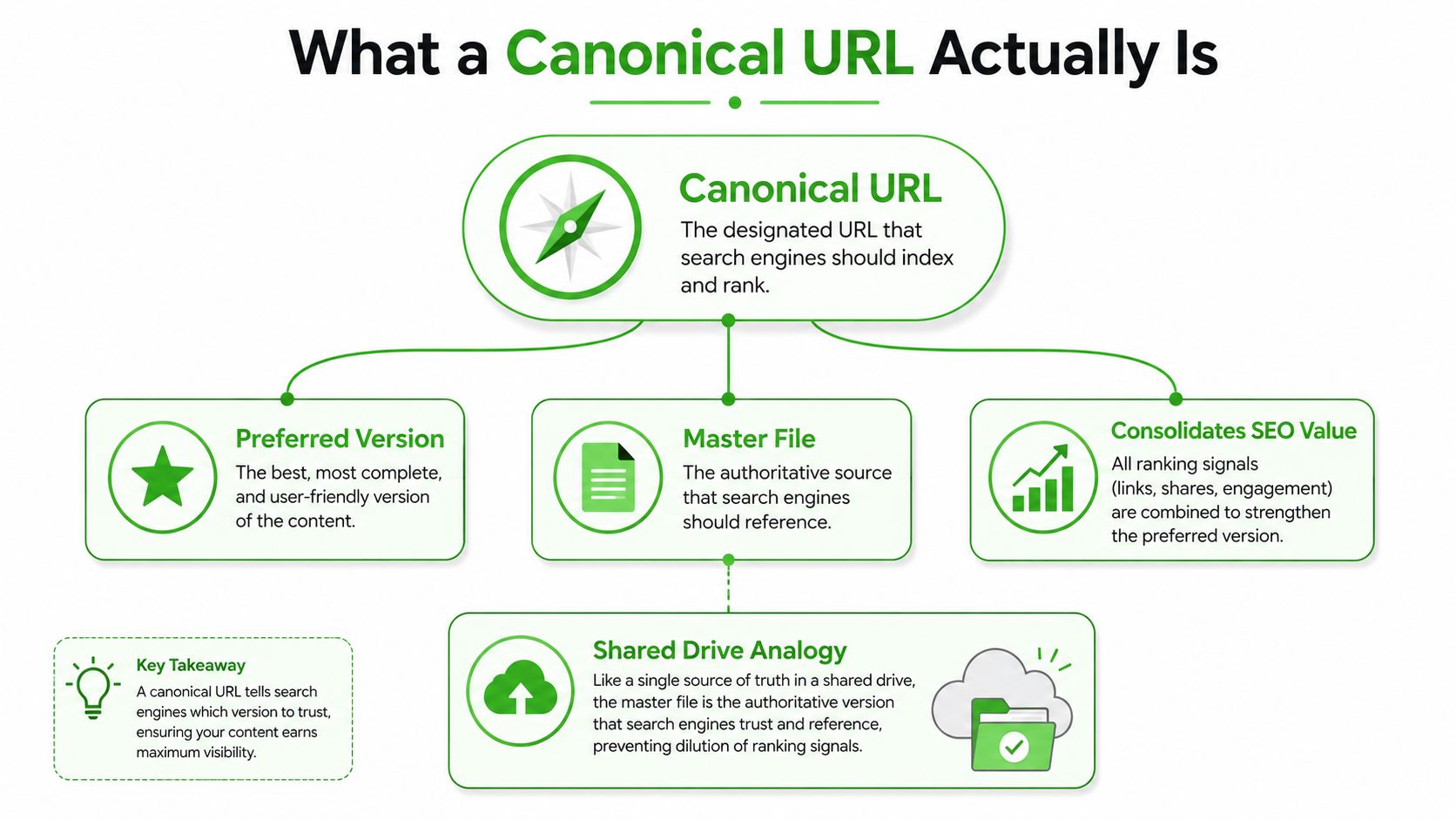
Think of a shared drive where five versions of the same document exist, but only one is marked as the master file. A canonical URL is that master file. It's the preferred representative URL for a set of duplicate or very similar pages, and Google's process of choosing it is called canonicalization.
Google doesn't rely on one clue. It uses about 40 signals to determine canonicals, and some signals matter more than others. The strongest include rel="canonical" and 301 redirects, while sitemap inclusion is a weaker signal according to Google's documentation on canonicalization. That's why a sitemap alone can't rescue a messy URL structure, even if it's technically correct.
The simple version of the mechanic
You tell Google which page should be the master version, usually by placing a self-referential canonical in the HTML <head> of the preferred page or by sending a canonical HTTP header. Google treats that as a strong hint, not a magical command, and then cross-checks it against the rest of the site's signals.
A canonical tag doesn't delete duplicates. It tells search engines which copy should carry the signal weight.
For teams that manage different CMS setups, this distinction matters. A WordPress install, a headless build, and a white-labeled portal can all surface the same content through slightly different URLs. The canonical URL is the organizing principle that keeps those versions from behaving like separate assets.
If you're translating this for clients, use the library analogy. Several photocopies can sit on the shelf, but the librarian needs one catalog entry that points to the authoritative copy. Without that, users and search engines waste time on the duplicates instead of the source. For more implementation-oriented examples in a vertical context, on-page SEO for plumbers gives a practical reminder that canonical handling is part of broader technical cleanup, not a standalone trick.
Later, the report side becomes just as important as the crawl side. Google's performance measurement now leans heavily on that same chosen version.
Why Canonicalization Protects Search Performance
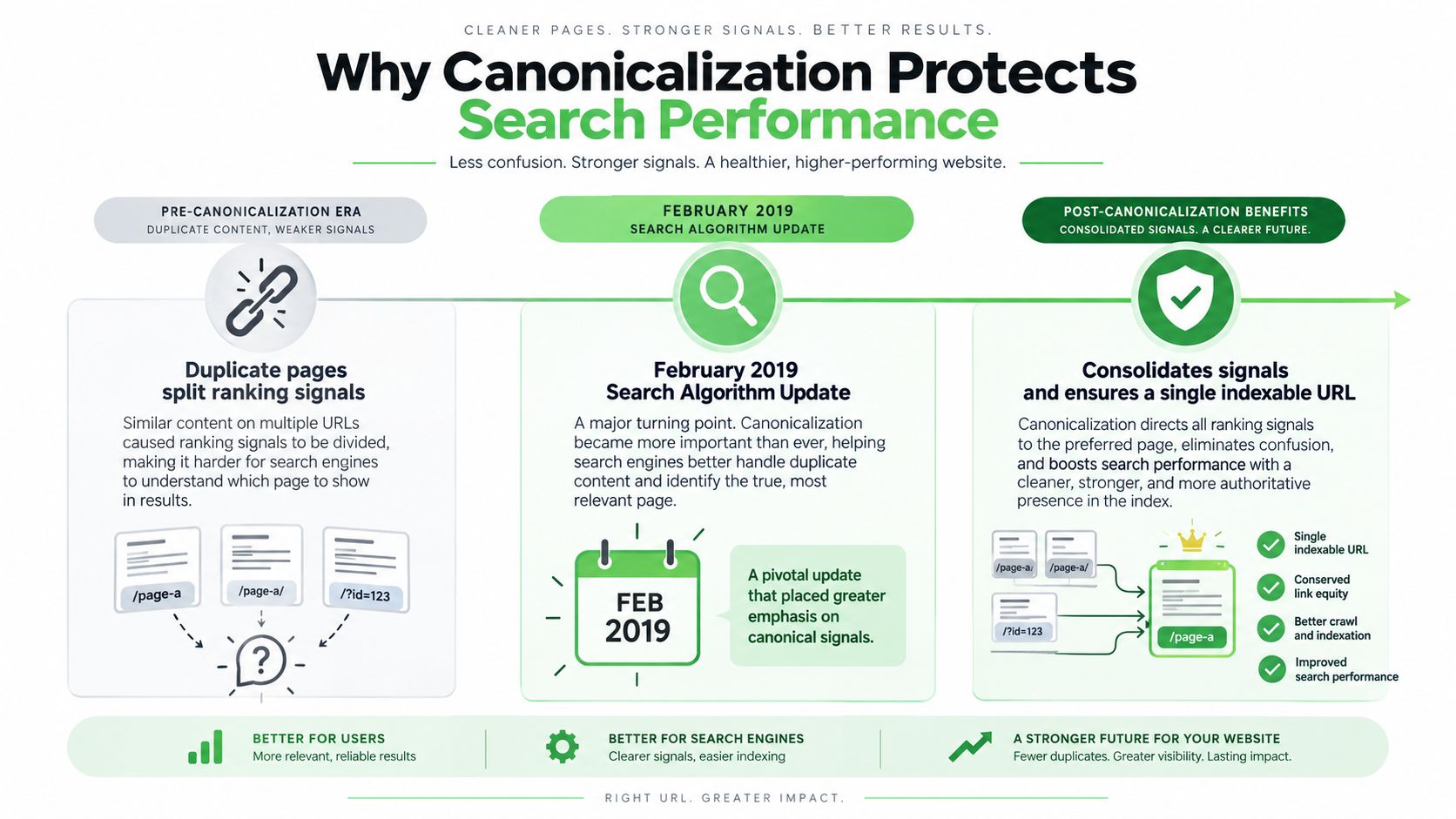
When duplicate URLs exist, ranking signals don't disappear. They fragment. One version gets the backlinks, another gets internal links, and a third gets indexed because it's easiest for crawlers to reach. Canonicalization pulls those signals back into one place so the preferred page has a better chance of representing the whole content set.
That matters beyond rankings. In February 2019, Google announced that Search Console would begin consolidating search performance data onto the Google-selected canonical URL rather than the exact URL shown in search. Google's later documentation for the Canonical URL Aggregation report says most performance data is assigned to the canonical URL instead of duplicate URLs, which means one canonical can stand in for multiple variants in reporting.
Why agency reporting gets cleaner
For client dashboards, this changes the interpretation layer. If a product page has multiple parameterized versions, the numbers you care about may now be tied to the canonical rather than scattered across every version. That makes the canonical decision part of measurement, not just indexing.
It also explains why clients sometimes think traffic “disappeared” after a cleanup when it really moved into the canonical bucket. The visit didn't vanish. The reporting got consolidated around the page Google selected as the master version.
For SEO teams managing large sites, this is a practical advantage. Canonicalization reduces the noise from duplicates, so performance reporting reflects one piece of content more clearly. It's especially useful when a site has alternate paths, campaign parameters, or duplicate template outputs from different systems.
The core tradeoff
The upside is simple. One URL collects the signals, and one URL becomes easier to measure. The downside is also simple. If the wrong canonical is chosen, all the reporting and ranking energy can be concentrated on the wrong page.
That's why canonical health affects both crawl clarity and performance interpretation. Search engines need a clean master copy, and agency teams need a clean reporting source. When those line up, client conversations get easier because you can explain which page is carrying the search value.
How to Implement Rel Canonical Correctly
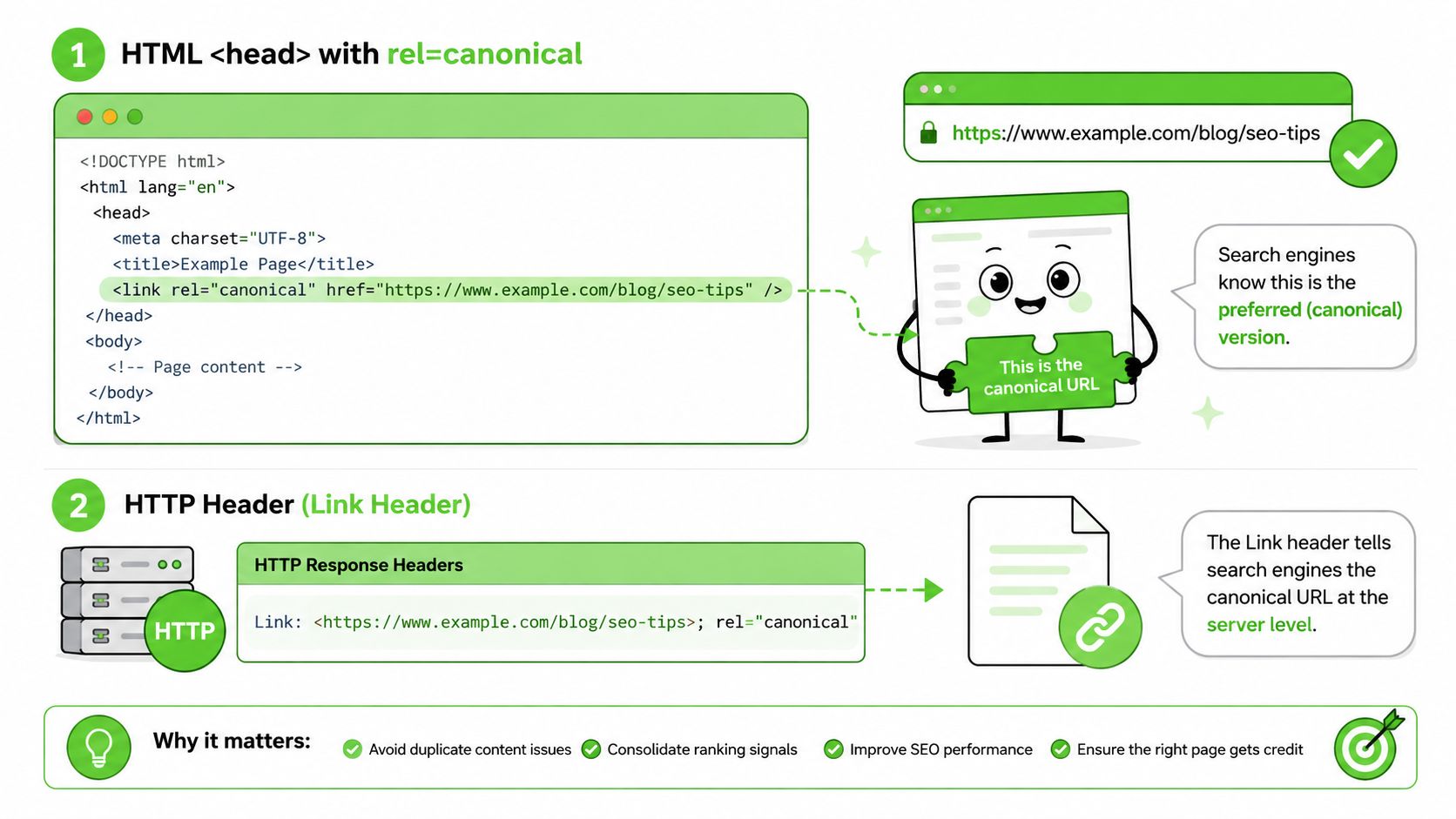
The cleanest setup starts with the preferred page declaring itself. Use an absolute URL in a self-referential canonical in the page's <head>, or send a canonical HTTP header when you're dealing with non-HTML content. The key detail is consistency, because Google looks for signals that all point to the same master version.
The HTML version
A typical canonical tag looks like this:
<link rel="canonical" href="https://example.com/preferred-page/" />
That tag belongs in the <head> section, and it should point to the full canonical URL, not a relative path. Absolute URLs remove ambiguity, especially when multiple environments or templates are involved.
The HTTP header version
For PDFs or other non-HTML files, the canonical signal can be sent in a header instead of the page body. That's useful when there's no editable HTML head, or when a platform serves files dynamically and the document itself can't carry the tag.
CMS and plugin deployment
Most agencies don't hand-code every canonical. They use CMS controls, theme settings, or plugins. In WordPress, for example, Yoast and similar tools can generate self-referencing canonicals automatically, and you can override the preferred URL when a special case needs it. That's usually the fastest path for resold client sites where multiple editors are active.
Implementation rule: the preferred page should normally declare a self-referential canonical, and the duplicate versions should point back to that same absolute URL.
One more guardrail matters. Sitemap inclusion is a weak signal, so don't rely on it to override conflicting canonicals, redirects, or internal links. If the rest of the site says one thing and the tag says another, the search engine will decide which clue to trust. The safest deployments keep the canonical, internal linking, redirects, and sitemap all aligned.
Canonical Tags vs Redirects and Hreflang
A canonical tag, a 301 redirect, and hreflang all solve different problems, and agencies get into trouble when they try to make one do another's job. Canonicals say which similar page is preferred. Redirects move users and search engines to a new URL. Hreflang tells search engines which language or regional version should serve which audience.
| Method | Purpose | Use When |
|---|---|---|
| Canonical tag | Consolidate signals onto one preferred URL | You need multiple similar URLs to exist, but only one should represent the page in search |
| 301 redirect | Move users and signals permanently to another URL | An old or duplicate URL should no longer stand on its own |
| Hreflang | Signal language or regional alternatives | The same topic exists in multiple language or market versions |
The easiest way to decide is to ask one question. Do you want the duplicate URL to keep existing for users? If yes, canonical is usually the better fit. If no, a 301 redirect is cleaner because it removes the old version from circulation.
Hreflang sits in a different category. It doesn't replace canonical logic, and it doesn't resolve duplicate content by itself. It helps search engines understand that similar pages are meant for different audiences, which is why multilingual and multi-region sites need both careful canonical handling and correct language targeting.
For agency owners, this distinction prevents unnecessary traffic loss. A redirect is stronger, but sometimes too strong if the alternate page still needs to function. A canonical is softer, which makes it better for filters, sort orders, campaign parameters, and white-labeled platform URLs that should remain accessible while a single master version carries the signals.
Common Canonical Mistakes and Debugging
The biggest mistake is assuming the tag alone fixes everything. A canonical pointing to a page that's blocked, redirected, or otherwise non-indexable sends mixed signals, and Google may ignore it. The same thing happens when the sitemap, internal links, and canonical all point in different directions.
The issues that cause the most confusion
- Canonical to a redirected URL: the tag says one thing, the redirect says another. Point directly to the final preferred URL.
- Relative canonical URLs:
/page/is less clear than a full absolute URL with protocol and domain. - Canonical chains: one URL points to another, which points to another. Chains dilute clarity and make debugging harder.
- Conflicting sitemap entries: if the sitemap lists alternates instead of the preferred version, it weakens your signal consistency.
- Canonicals on non-indexable pages: if the target page can't be indexed, the canonical hint is much less useful.
Google Search Console gives you a direct way to check whether your chosen version matches Google's choice. The URL inspection view shows both the user-declared canonical and the Google-selected canonical, which helps you spot when the search engine picked a different master copy. For a broader site sweep, tools like browse meta tag analyzers at AI Website can help you inspect whether tags are present and where they're pointing.
Debugging shortcut: if Google keeps choosing a different canonical, check the redirects, internal links, and sitemap before blaming the tag itself.
The easiest pre-publish habit is to inspect the page source, confirm there's one canonical tag, and verify that the target URL is the clean version you want indexed. Then match that URL across the sitemap and main internal links. When those three layers agree, the canonical has a much better chance of sticking.
Practical Canonical Recommendations for Agencies
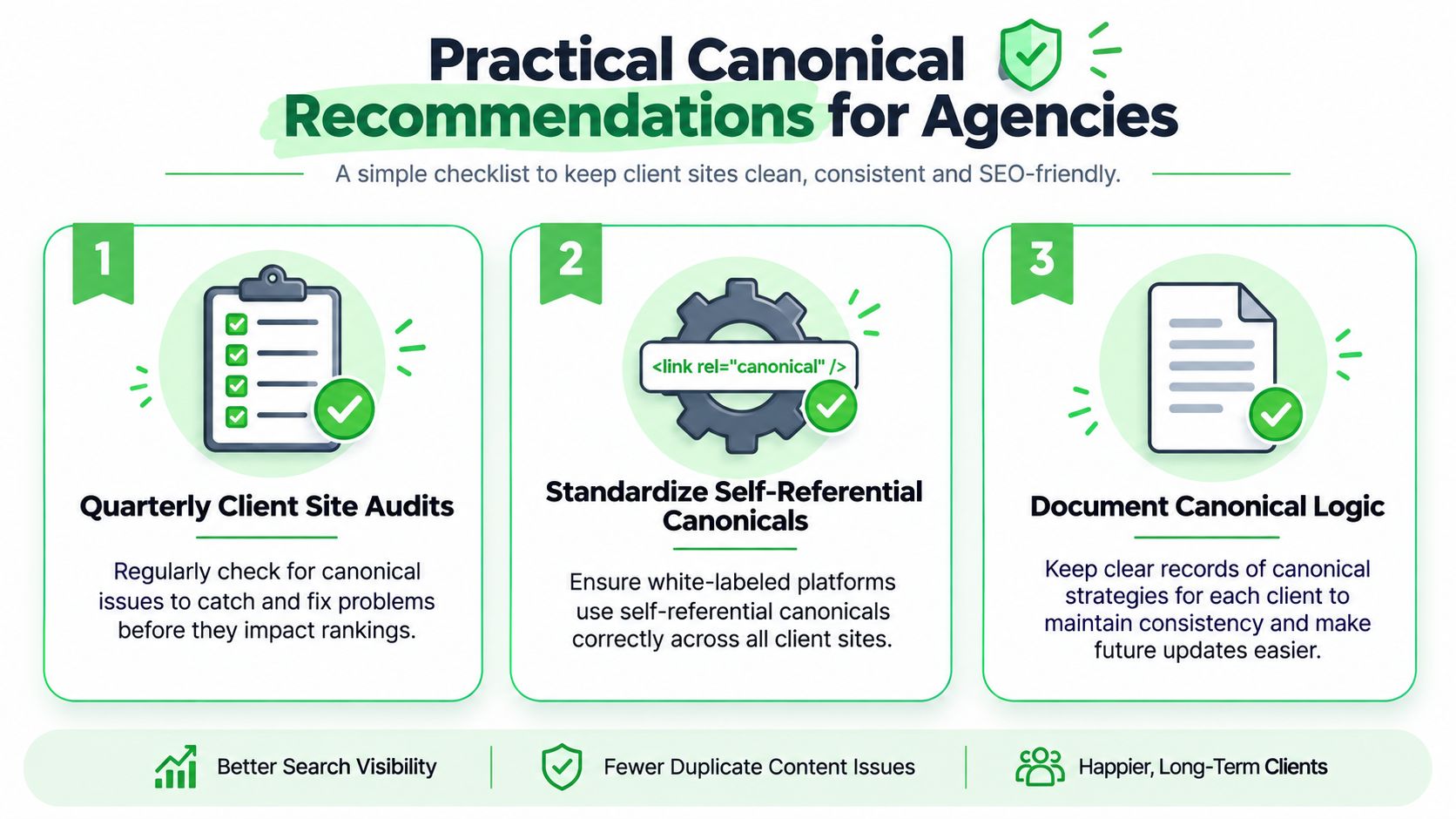
Agencies that manage many client sites need a repeatable canonical process, not a one-off fix. Quarterly site audits are the baseline because canonical drift tends to creep in after content launches, migrations, theme changes, and campaign builds. If the site uses parameters or alternate templates, those checks need to happen before problems spread.
Build the process around repeatability
Start by standardizing self-referential canonicals across the platforms you resell. White-labeled systems often create duplicate paths through filters, campaign URLs, or alternate domain structures, so the default behavior needs to be predictable before launch. If your team has to remember the rule manually every time, the setup will drift.
Then document canonical logic for every client that uses parameterized URLs, language variants, or product filters. That document should say which version is the master, which variants are allowed to exist, and what happens after a migration or campaign launch. It becomes the reference point when a developer, strategist, or account manager makes a change later.
Prioritize the checks that protect revenue
- Quarterly client site audits: review canonical tags, sitemap entries, and key duplicate patterns before issues stack up.
- Standardize self-referential canonicals: make the preferred page declare itself by default on every template.
- Document canonical logic: keep a record of the preferred version, alternate versions, and exception cases for each client.
The opening problem gets solved in practice through this. Instead of letting backlinks, internal links, and campaign URLs scatter across copies, you create a system that always points search engines toward one master file. That's the difference between a site that merely has canonical tags and a site that uses them to protect rankings.
If you want a white-labeled platform that helps you package and resell client-facing workflows cleanly, Double My Leads is built for agencies that need a faster launch path and tighter control over how they present services. It's a practical fit when you're selling systems, not just advice, and you want a clear offer to pair with technical SEO work like canonical cleanup.


