
Wapremium Explained Features Limits and Better Options
What is wapremium? Learn features, limits, pricing and how it compares to WhatsApp Business API and white-label options for agencies.
The popular advice around Wapremium gets one big thing wrong. It treats a paid WhatsApp tier like a business upgrade, when the reported feature set is mostly about personalization and organization. If you're an agency, a publisher, or a reseller, that distinction matters more than the badge, the theme, or the extra pinned chat.
WhatsApp itself is enormous, which is part of why this confusion keeps spreading. It grew from 10 million monthly active users in October 2010 to 1 billion by February 2016, then 2 billion by February 2020, and 3 billion by May 2025 (WhatsApp scale data). In that kind of ecosystem, even a small paid tier can sound strategic. But scale doesn't automatically turn a cosmetic subscription into operational infrastructure.
The right question isn't “Should I pay for Wapremium?” It's “What job am I trying to do?” If you want a nicer personal inbox, Wapremium may be interesting. If you need lead handling, team collaboration, broadcast workflows, or resellable margins, you're comparing the wrong class of product.
Table of Contents
- Introduction Why Everyone Is Asking About Wapremium
- What Wapremium Actually Is and What It Is Not
- Wapremium Features Limits and Pricing Reality
- How Wapremium Compares to WhatsApp Business and White Label Platforms
- Who Should Use Wapremium and Who Should Skip It
- Setup and Onboarding Considerations Before You Commit
- Final Recommendations for Resellers and Growing Teams
Introduction Why Everyone Is Asking About Wapremium
People search for Wapremium because it sounds like a paid upgrade that might matter inside WhatsApp. That reaction is understandable. WhatsApp is a massive communication platform, and even a small paid tier can seem meaningful in a system used by so many people (WhatsApp scale data).
Confusion comes from mixing two jobs that look similar but are built for different outcomes. One is personal customization, changing the app's appearance, pinning more chats, or using premium stickers. The other is business operations, routing leads, assigning conversations, managing multiple inboxes, syncing CRM activity, and running broadcasts. A nicer interface can help with comfort. It does not create a sales workflow.
For agencies, that gap matters. A cleaner inbox does not help if your team still cannot share replies, track ownership, or keep follow-up organized. A custom icon changes the look of the app. It does not increase response speed or help revenue move through the pipeline.
If the value you want is how WhatsApp looks and feels, Wapremium may be worth a look. If the value you want is how WhatsApp helps you handle leads, collaboration, or reseller margins, the better comparison is infrastructure, not decoration.
That is why this topic needs a sharper lens. Many readers are trying to decide whether the subscription is a useful personal add-on or a path to business capability. Those are different questions, and this guide keeps them separate so the choice is clearer.
What Wapremium Actually Is and What It Is Not
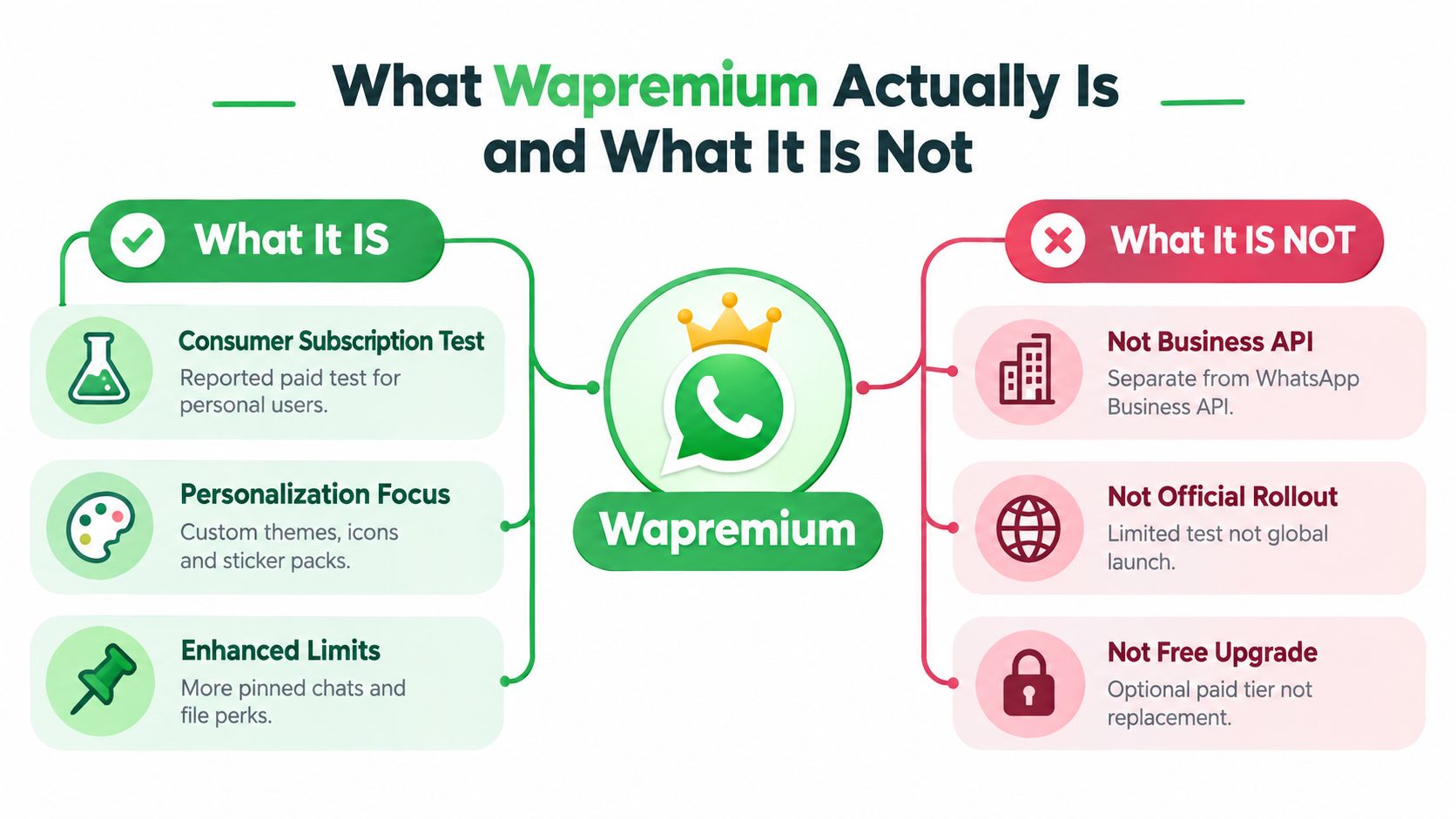
Wapremium works like a custom phone case. It changes the look and feel of the app, but it does not change the machinery underneath. For agencies and publishers, that distinction matters because presentation and operation solve different problems.
Reported coverage describes Wapremium as a consumer subscription test centered on personalization and light organization, not a separate business platform. The described features are premium sticker packs, custom themes, custom app icons, extra pinned chats, premium ringtones, and list customization (reported feature coverage). That same coverage also mentions a one-month free trial.
What it is
Wapremium is easiest to read as a paid layer on top of the standard WhatsApp experience. It adds comfort and some control over how the app looks and how a user sorts conversations. For people who spend a lot of time inside WhatsApp and want the interface to feel more personal, those extras can matter.
What it is not
It is not the WhatsApp Business Platform. It is not a shared inbox. It is not an automation layer. It does not turn a phone into a team console, and it does not create lead routing, ownership tracking, or workflow control.
That is the part many readers miss. A prettier inbox can feel better, but it does not help a sales or support team decide who replies, when follow-up happens, or how conversations move between people. A custom icon changes appearance. It does not change throughput.
For agencies, the useful comparison is simple. Wapremium is decoration plus convenience. Operational WhatsApp infrastructure is routing, collaboration, broadcast control, and handoff logic. One improves the room's look. The other changes how work moves through it.
That is why the question should stay narrow. If the goal is a more personal WhatsApp setup, Wapremium may fit. If the goal is to handle leads, support collaboration, or reseller margins, the better reference point is infrastructure, not cosmetics.
Wapremium Features Limits and Pricing Reality
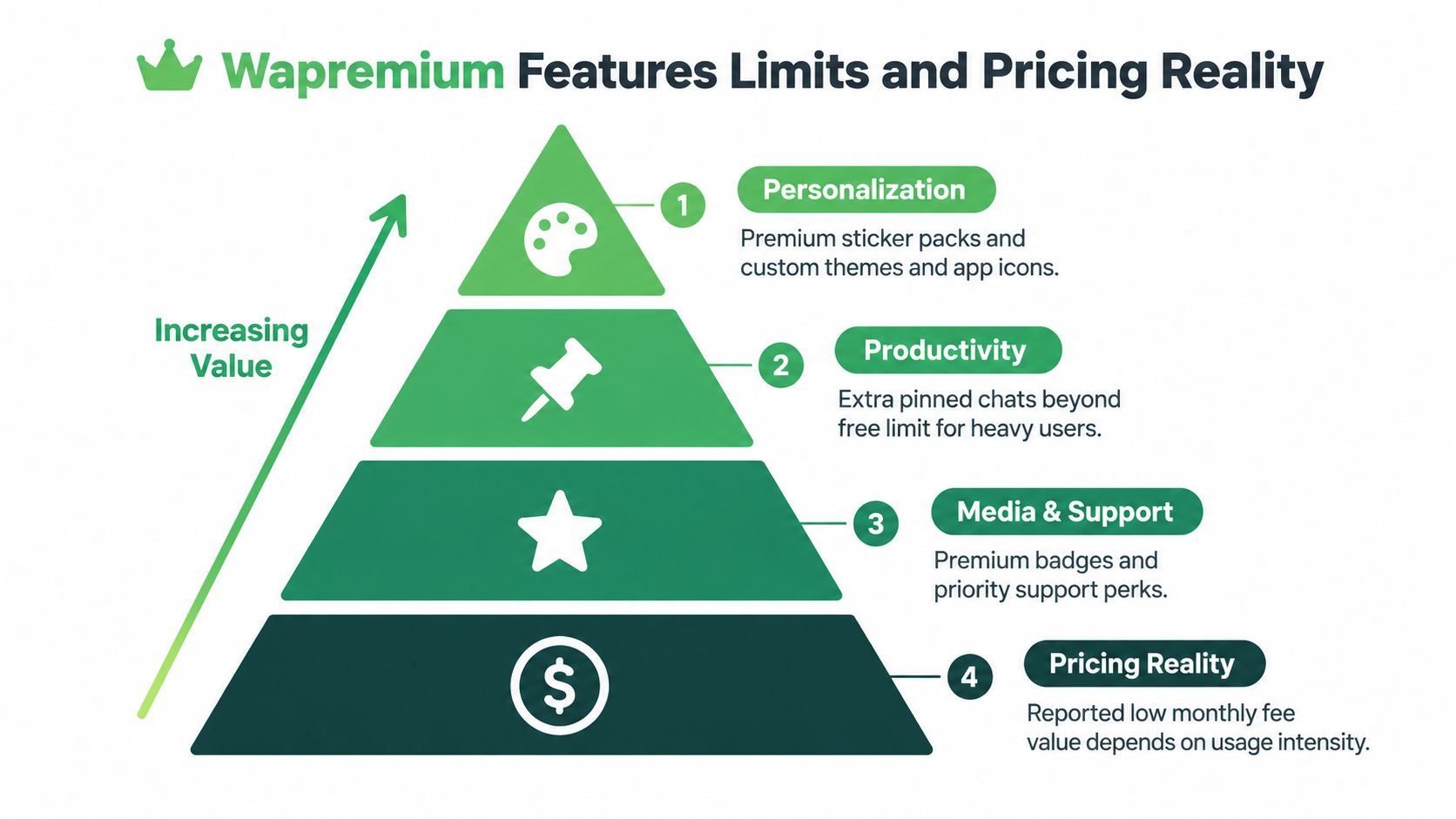
The reported feature set stays narrow, and that narrowness explains the product. Wapremium sits in the visible layer of WhatsApp use, the part people notice first. It changes how the app feels, not how a team works inside it.
The feature stack
The reported inclusions are premium sticker packs, custom themes, custom app icons, extra pinned chats, premium ringtones, and list customization (reported feature coverage). For someone who spends a lot of time in chats, those additions can make the app feel more personal and less cluttered.
That is useful in a personal setting. A cleaner inbox can reduce friction, just as arranging your desk makes it easier to find what you need. The limit appears as soon as the use case shifts from personal comfort to shared work. There is no shared assignment logic, no collaboration queue, no CRM-aware handoff, and no automation layer in the reported feature list. Cosmetic changes improve the experience, but they do not change workflow.
The pricing question
Coverage also points to regional pricing differences, including €2.49 per month in Europe, PKR 229 in Pakistan, and about $2.99 per month in the US (pricing coverage). Once a tool moves from free messaging to a recurring subscription, the question is whether the extra comfort is worth paying for each month.
For a solo user who lives in WhatsApp, maybe. For a reseller, publisher, or agency, the bar is different. They need clear ownership, faster replies, lead capture, and a way to coordinate conversations without confusion.
A subscription that changes themes but not handoffs is a style cost, not an operating tool.
That is the simplest way to judge it. Core WhatsApp already covers messaging. Wapremium adds appearance and convenience, which can be pleasant. Agencies and publishers need broadcast control, inbox collaboration, and resell margins, so they should compare the spend against WhatsApp Business Platform or white-label infrastructure instead.
How Wapremium Compares to WhatsApp Business and White Label Platforms
Wapremium sits in a different category from WhatsApp business infrastructure. Compare them side by side, and the choice becomes clearer. You are not choosing between two versions of the same tool. You are choosing between personal customization and an operating system for communication.
| Platform | Best For | Team Inbox and Automation | Throughput and Scale | Pricing Model |
|---|---|---|---|---|
| Wapremium | Personal users who want more customization | Not designed for shared inbox work or automation | Works inside the normal app experience, not as a scale layer | Recurring consumer subscription |
| WhatsApp Business App | Small businesses handling simple conversations | Useful for basic business presence, still limited for teams | Better than personal WhatsApp for business use, but not built like an agency stack | Free app model |
| WhatsApp Cloud API | Teams that need programmable messaging at scale | Built for structured workflows and integrations | Hosted on Meta infrastructure, with up to 80 messages per second per registered business phone number by default and potential upgrade to 1,000 messages per second (Cloud API docs) | Platform and usage model tied to API infrastructure |
| White Label Platform | Agencies and resellers that want their own branded WhatsApp offering | Built for inbox collaboration, client workspaces, and business workflows | Scale depends on the platform design rather than a consumer subscription | Flat-fee or reseller-oriented model |
The main operational difference is where scale lives. With the Cloud API, Meta sets the infrastructure rules, including per-number throughput limits, so your system follows platform capacity rather than a consumer app workflow. That matters if you send many messages, coordinate several clients, or need a repeatable service model.
For a business framing of WhatsApp itself, the guide on what is WhatsApp Business gives a useful baseline. The point here is narrower. Wapremium changes the app experience. Business API and white-label platforms shape how the work gets done.
That is also why resale economics change so much. A consumer subscription has value for one account. A white-label platform can be branded, packaged, and sold across multiple clients. Those are different revenue structures, and they lead to different margin potential. If the goal is to build a service business, the white-label model gives you room that a cosmetic subscription does not.
Who Should Use Wapremium and Who Should Skip It
The cleanest way to decide is to separate cosmetic value from operational value. Wapremium changes how WhatsApp looks and feels. It does not change how a team handles leads, assigns work, or runs client operations.
Good fits for Wapremium
Solo heavy users are the clearest match. If you spend most of your day in one inbox, care about themes and icons, and want more pinned chats, Wapremium can make the app feel more personal. That is a reasonable reason to pay for it.
Creators and newsletter publishers may also like that side of it if WhatsApp is mainly a personal communication hub. They may care more about convenience than process. In that case, Wapremium remains a matter of user preference rather than business necessity.
Weak fits for Wapremium
Agencies are a different case. A team managing managing multiple client accounts needs assignments, notes, tags, and a shared place to work. Extra pins do not solve handoff problems. A premium ringtone does not create clear ownership of replies.
Publishers running announcement-style communication need more than decoration too. They need audience control, simple sending workflows, and a way to connect activity back to source or campaign. A subscription tier does not address those operational needs.
Practical decision guide
- Choose Wapremium if your goal is personal customization and you do not need team collaboration.
- Skip it if your goal is lead handling, broadcast management, or client servicing.
- Move to infrastructure if you plan to resell WhatsApp as part of a service.
The image below makes the split easier to see. Individual and casual use cases sit on one side, while team and enterprise use cases point toward tools built for coordination, not decoration.

The short version is simple. If your success metric is comfort, Wapremium may fit. If your success metric is conversion, collaboration, or resellable service delivery, it leaves too much of the workflow untouched.
Setup and Onboarding Considerations Before You Commit
Wapremium is easy to think about because it sounds lightweight. That can be useful, but it also hides onboarding question, which is how much work you want to absorb before the first useful message goes out. The answer is very different for a consumer subscription than for operational software.
What setup looks like in practice
For consumer-style app access, the friction is low. By contrast, the WhatsApp Business Platform can use an Embedded Signup flow where a business on the WhatsApp Business app sees a QR code, scans it from the app, may be prompted to share chat history, and then receives asset IDs and an exchangeable token code after scanning (Meta embedded signup docs). That's a real onboarding path, and it's much closer to how agencies think about migration and account handoff.
That difference matters because onboarding is where many teams lose time. If you're comparing options, ask how fast you can connect a number, start replying, and move into actual operations. For a white-label platform, the setup usually includes branding, domain, and billing configuration. For a business API stack, there's more technical and account-level coordination.
The checklist that actually matters
- QR connection: If a tool uses a phone scan instead of API keys, onboarding is simpler for teams that want speed.
- Device linking: Check whether the product handles multi-device work cleanly before you pay.
- Billing control: Recurring app-store style billing can be fine for a personal add-on, but it's not ideal for a client service model.
- Data continuity: Back up chats before changing subscriptions or moving to a new workspace.
- Trial value: Use any trial period to test whether the product changes real work, not just the app's appearance.
If you want a structured framework for this part of the decision, the guide on onboarding best practices is worth reading alongside your internal launch checklist. And for operators who are already running multi-account systems, managing multiple client accounts is the kind of operational problem that should shape the product choice from day one.
Operational rule: if onboarding ends with a nicer app but no clearer workflow, the setup was easy for the wrong reason.
The main takeaway is simple. Easy setup is good, but easy setup alone doesn't justify a subscription. The test is whether the platform fits your process after the novelty wears off.
Final Recommendations for Resellers and Growing Teams
If you're a solo user, Wapremium is easy to evaluate. Try it if you care about themes, icons, and chat organization, and keep your expectations tight. It's a consumer-style paid layer, not a business engine.
If you're an agency, publisher, or SaaS operator, be stricter. You need inbox collaboration, scalable messaging, predictable margins, and a way to package the service under your own brand. That's why a white-label platform makes more sense than a cosmetic subscription, especially when you plan to resell access or manage multiple client workspaces. The business model matters as much as the feature set.
For teams selling outbound or appointment-setting services, the question is not “Can I make WhatsApp look better?” The question is “Can I run this as a repeatable offer?” That's where the decision shifts toward infrastructure with unlimited messaging, AI-assisted workflows, a REST API, and reseller-friendly billing. If you want a deeper view of that model, the white-label SaaS reseller approach shows why packaging and margin control matter more than extra app customization.
Hiring also becomes part of the equation once volume grows. If you're building a lead engine around WhatsApp, you may need people who can work replies, qualify interest, and keep follow-up moving. Resources like Best place to hire SDRs can help you think about staffing once the workflow outgrows a single operator.
My recommendation is direct. Use Wapremium only if the value is personal and cosmetic. If your goal is revenue, service delivery, or reselling, choose a platform built for business operations instead of decorating a consumer app.
Double My Leads gives agencies and SaaS teams a white-labeled WhatsApp platform with QR-based onboarding, an unlimited real-time inbox, and reseller-friendly workspaces. If you're comparing Wapremium to something that moves leads and revenue, visit Double My Leads and review the workflow, onboarding, and branding options for your team.