
You're probably looking at a product, blog, or category page that feels better with endless scrolling, then hearing the same warning from SEO, crawlability, and analytics teams. That tension is real, because infinite scroll can improve browsing flow while also hiding content from search engines if the implementation depends on JavaScript alone. The right answer isn't to ban it, it's to make sure every chunk of content still has a crawlable, unique URL and a server-rendered path to index.
Table of Contents
- Why Infinite Scroll Can Be an SEO Disaster
- The Core Solution Building on Crawlable Pagination
- Using the History API to Maintain Unique URLs
- How to Verify Your Implementation is Working
- Measuring SEO Impact and User Engagement
- Final Checks Accessibility and Advanced SEO
Why Infinite Scroll Can Be an SEO Disaster
The UX argument for infinite scroll is easy to understand. Users keep moving, friction drops, and content discovery feels natural on mobile and desktop. The SEO risk starts when that smooth experience is built on content that only appears after scroll-triggered JavaScript runs, because crawlers don't behave like human visitors and often won't trigger the same loading events.
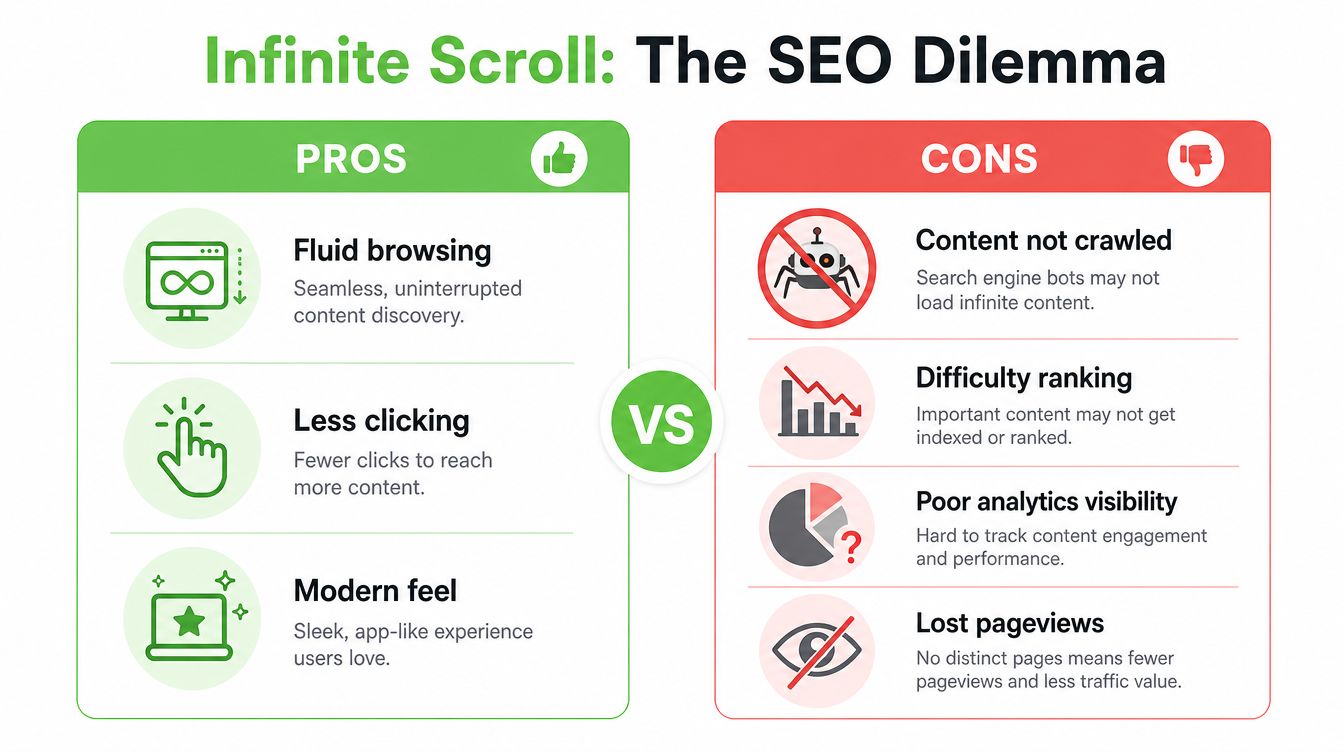
Google's guidance has long treated infinite scroll as a risk unless it's paired with crawlable pagination, and the reported failure modes are severe. According to Google's own guidance and independent analysis, dynamically loaded content has an indexing failure rate as high as 73%, only 12% of “second screen content” on pure infinite-scroll pages gets indexed, and bounce rate can be 41% higher than traditional pagination (Google pagination and incremental loading guidance). Those aren't abstract concerns, they're symptoms of a page that looks complete to a user but incomplete to a crawler.
Why crawlability breaks first
The technical failure is simple. If the next batch of items only exists after an event fires in the browser, Googlebot may never reach it, and other search systems that rely on HTML discovery can miss it too. That means products, articles, or category items can remain effectively invisible even while users see them fine.
A safer way to think about the pattern is as progressive enhancement. Start with a fully functional paginated set of pages, then layer scroll behavior on top. That keeps discoverability intact even when JavaScript rendering is inconsistent, delayed, or partially blocked.
Practical rule: If the content matters for organic search, it has to exist as a real URL before it exists as a scroll effect.
For teams trying to separate UX concerns from indexing concerns, it helps to revisit understanding duplicate content in the context of pagination variants. The issue usually isn't that a second page exists, it's that the wrong pages are duplicated, hidden, or canonically collapsed in ways that prevent search engines from seeing unique value.
The Core Solution Building on Crawlable Pagination
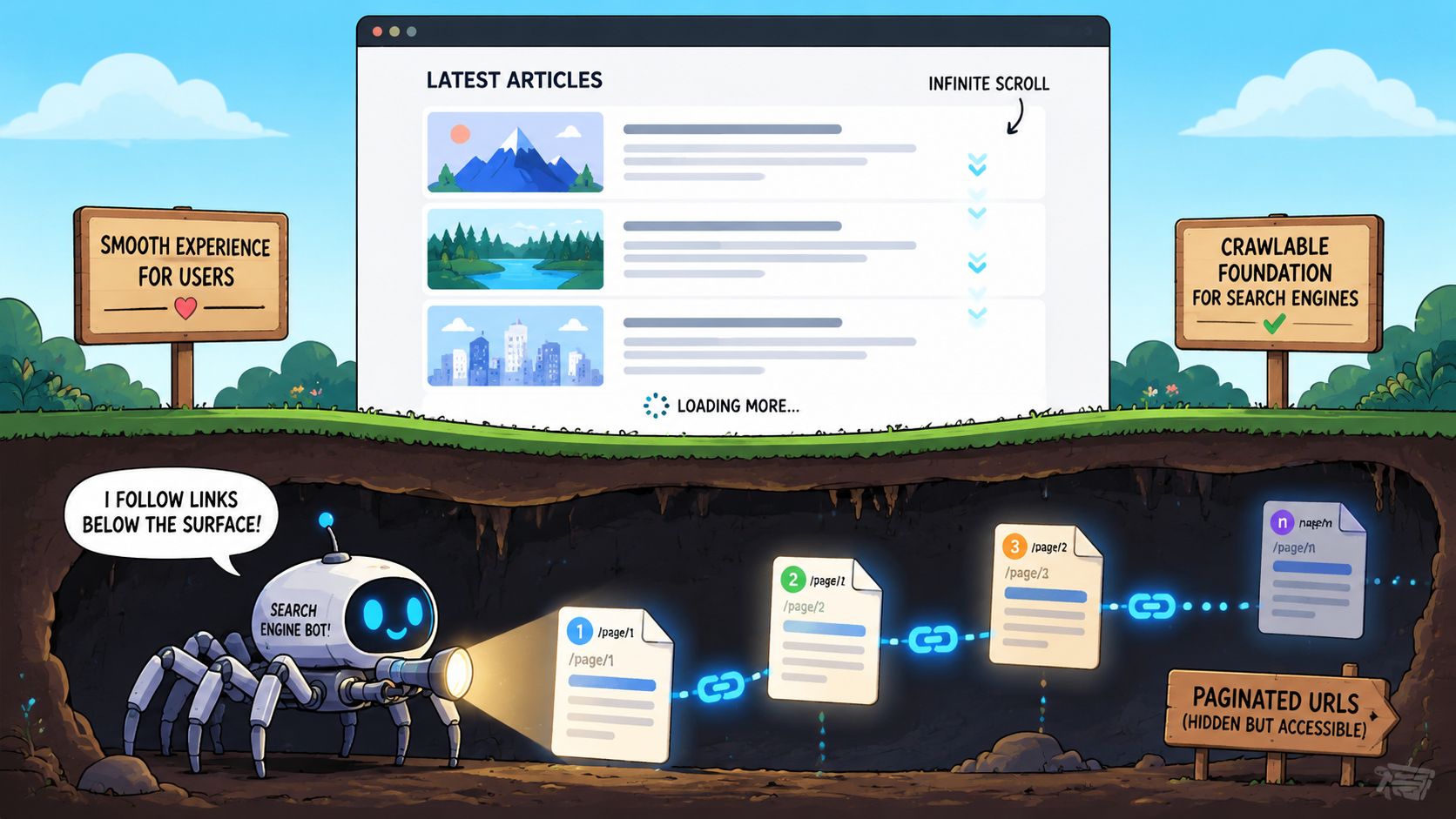
The cleanest architecture is boring in the best possible way. Build traditional pagination first, make every paginated URL work on its own, then add infinite scroll as a layer that improves interaction without replacing the underlying URL structure. Google's guidance for search-friendly infinite scroll is explicit about this, each component page needs a distinct URL, a unique set of items, and the ability to load directly without JavaScript (Google search-friendly infinite scroll guidance).
Start with standalone component pages
For an e-commerce category page, that means building URLs like /shoes?page=2 or /shoes?page=3. Each of those pages should return meaningful HTML on direct access, not a shell that waits for client-side rendering to fill the grid. If a crawler requests ?page=3, it should get page 3, not an empty state or the same content from page 1.
That structure matters because it gives Google a direct path to deeper inventory and gives users a linkable destination for a specific portion of the catalog. It also lets you keep internal links, sitemaps, canonicals, and analytics aligned around the same URL set.
Add infinite scroll after the crawl path exists
Once the paginated sequence is stable, the scroll experience can fetch the next chunk and append it into view. The browser address bar should update as the user moves through the sequence, but the URL update is only the visible layer. The underlying SEO advantage is that every chunk already exists as a normal page with HTML links and server-rendered content.
If your front end already leans heavily on React, Vue, or another SPA-style stack, use a resource like RankEngine for single page app optimization as a check against common rendering mistakes. The key question isn't whether the UI is modern, it's whether the URL, HTML, and content all remain independently accessible.
A page that works only after hydration is not an SEO strategy, it's a rendering dependency.
Video walkthroughs can help dev teams align on architecture, and the main point should stay consistent throughout the build, the crawlable layer comes first, the endless scroll comes second.
Using the History API to Maintain Unique URLs
The browser's History API is what lets the UI feel continuous while the URL stays honest. pushState() creates a new history entry when the user crosses into a new content chunk, and replaceState() can refine the current entry without adding noise to the back button. Used properly, these methods make the user's view and the crawler's view describe the same state.
Keep the URL tied to the visible chunk
A common pattern is to watch scroll position, fetch the next component page before the user hits the end, append the returned items, and update the visible URL to match that chunk. If the user lands on ?page=4 from a shared link or bookmark, that URL should resolve directly to the same content the browser shows. That consistency matters for refinding, sharing, and indexing.
The mistake teams make is treating the URL as cosmetic. Search engines use URLs as discovery and consolidation signals, and users rely on them as stable references. If the content changes but the address bar does not, you've created ambiguity that shows up later in analytics, support tickets, and crawl reports.
Don't depend on client-side rendering alone
Client-side rendering can work for display, but it's a weak foundation for discovery when the HTML response doesn't contain the needed links and content. Server-side rendering or prerendering ensures the important text, links, and metadata exist before any JavaScript executes. That's the safer pattern when item visibility matters for search.
Structured data should follow the same rule. If you're marking up products, articles, or listings, the item-level schema needs to be present on the relevant component page, not only injected after load in a way that a crawler may miss. The goal is consistency, each loaded state should still look like a real page.
A simple implementation pattern
- Watch the viewport edge: Trigger the next fetch before the user reaches the bottom, to ensure a continuous flow.
- Fetch the matching component page: Request the HTML or data for
?page=2,?page=3, and so on, rather than reusing a generic feed endpoint. - Append and update: Add the items to the DOM, then call
pushState()so the URL matches the newly visible content. - Support back and forward: Listen for
popstateso the browser can restore prior chunks without breaking orientation.
If you're tempted to skip the URL update because the scroll feels smoother without it, don't. Smoother isn't better if a user can't share, reload, or return to the exact section they found.
How to Verify Your Implementation is Working
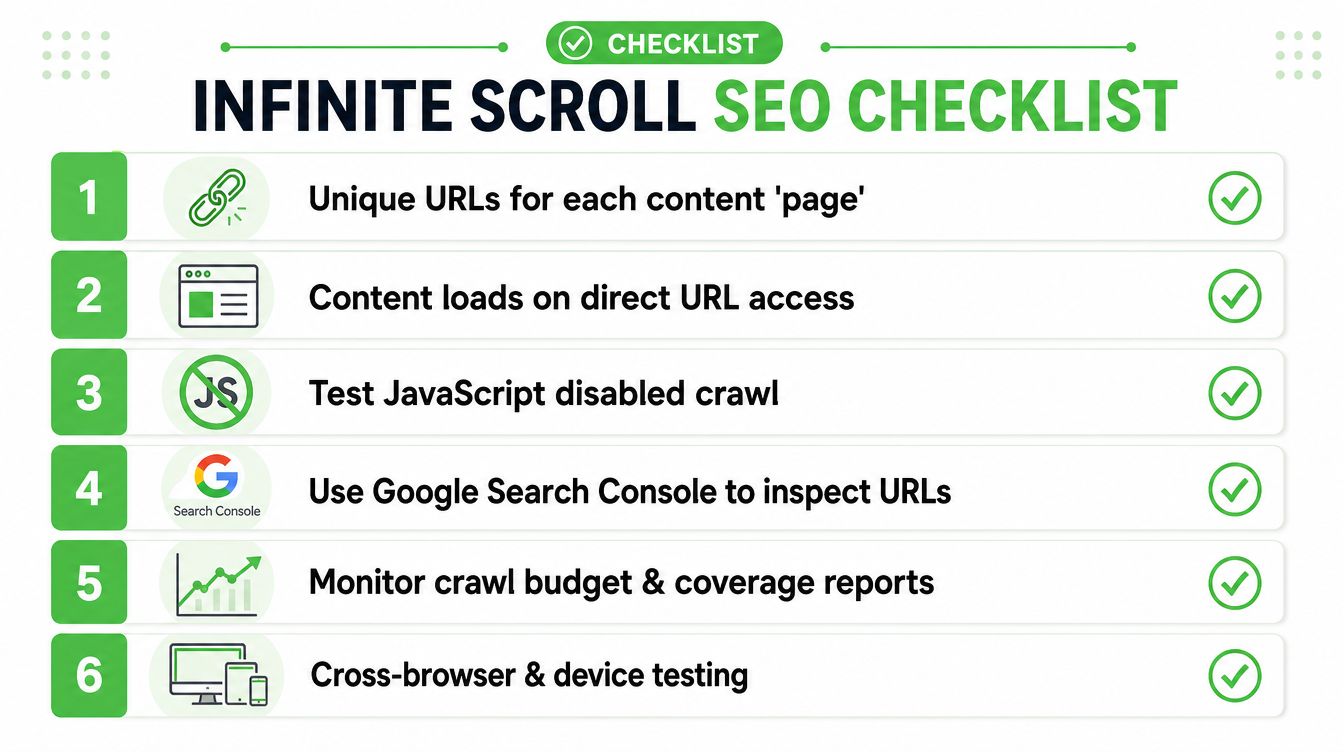
The implementation isn't done when the page scrolls nicely. It's done when you can prove that crawlers can discover each content chunk, render it, and access it without hidden dependencies. That means testing with and without JavaScript, inspecting URLs individually, and confirming that deeper pages exist in the index rather than only in the browser experience.
Crawl the site the way a bot might
Use Screaming Frog or Sitebulb with JavaScript rendering turned off and confirm that the paginated URLs are still discoverable through plain HTML links. If the only way to reach page 2 is through a scroll event, you've already failed the test. The crawler should be able to move through the sequence using normal <a href> links, not synthetic browser actions.
Then repeat the crawl with rendering enabled and compare the results. You're looking for consistency between the source HTML and the rendered HTML, especially for the links that expose deeper pages. If the pagination set appears only in rendered output, you've created unnecessary risk.
Inspect individual URLs in Search Console
Google Search Console's URL Inspection Tool is the fastest way to check whether a specific component page renders correctly. Inspect ?page=2 and ?page=3 directly, then confirm that Google can see the same content and links a user can see. If the rendered result is incomplete, that's a signal to revisit your server output or hydration timing.
Also check whether those URLs are becoming visible in performance and coverage reporting over time. You're not only testing indexability, you're testing whether the site's deeper pages are entering Google's understanding of the site. That's the difference between theoretical crawlability and operational SEO.
Use direct-access tests that remove wishful thinking
Open a paginated URL in a clean browser session, with no JavaScript assumptions and no prior page state. If the page doesn't function directly, it's not ready. Then check whether the page title, H1, and item set make sense on their own, because unique URLs need unique signals.
The scale of the opportunity is real enough to justify the QA work. A 2026 Site Stats Database snapshot found 6,364 websites using infinite scroll, equal to 0.65% of tracked sites, with those sites generating 166,124,718 combined monthly visits and a median of 584 pages per site (Site Stats Database infinite scroll snapshot). The same dataset reported an average Ahrefs Domain Rating of 30 and median referring domains of 405, which means many implementations sit on sites with enough authority and content depth that crawl mistakes can hide a lot of value.
QA standard: If a page can't be reached, rendered, and indexed from its own URL, treat it as unavailable for SEO.
Measuring SEO Impact and User Engagement
Once the crawl path is solid, the primary concern becomes whether the implementation helps search visibility and user behavior without trading one for the other. Frequently, many teams stop too early. They verify the URLs exist, then never check whether those URLs start earning impressions, clicks, and meaningful engagement.
Measure at the URL level, not just the session level
Search Console should show whether the deeper paginated URLs begin appearing in performance reports. If ?page=2 and similar pages never surface, that doesn't automatically mean failure, but it does mean the content may still be too hidden, too similar, or too weakly differentiated to earn search demand. Google's own recommendations imply this page-level evaluation because each chunk is supposed to be independently accessible and referenceable (SEOClarity on infinite scroll SEO).
Organic analytics should follow the same logic. Check whether those URLs receive landing page traffic, how often users continue deeper into the sequence, and whether scroll-heavy sessions lead to more content interaction. A good implementation changes discoverability and browsing behavior together.
Look for signals that the deeper content matters
The most useful question isn't “Did traffic go up?” It's “Did the content hidden below the fold become visible to search and useful to users?” That means comparing the performance of component pages against their role in the site architecture, not against a vanity benchmark. If deeper pages start earning impressions for long-tail queries, you've proved the architecture is doing real SEO work.
Session metrics matter too, but they should be interpreted carefully. Long scroll depth can mean discovery, or it can mean users are hunting for a filter, a footer link, or a faster route to specific content. Pair scroll data with click behavior, internal search usage, and entry-page performance so you don't mistake movement for engagement.
Use a simple review cadence
- Check Search Console weekly: Look for page-level impressions, clicks, and coverage changes on the component URLs.
- Review landing pages monthly: See whether deeper URLs are pulling in organic entry traffic that didn't exist before.
- Compare engagement patterns: Confirm that users who land on paginated URLs continue browsing instead of bouncing immediately.
- Watch for hidden duplication: If multiple URLs compete for the same intent, tighten titles, H1s, and canonicals.
The main point is measurement discipline. Infinite scroll can make the interface feel better, but that feeling only matters if it produces measurable search access and meaningful content discovery.
Final Checks Accessibility and Advanced SEO
Accessibility is not a nice-to-have here. If the infinite scroll control can't be reached by keyboard, announced properly by assistive tech, or activated without precision timing, you've built a usability problem that often overlaps with an SEO problem. A proper Load More button should be a real, focusable control, not a div disguised as one.
Make the interaction usable outside the mouse
Screen reader users need predictable landmarks and clear status changes when new content arrives. Keyboard users need a path to trigger additional content and return to prior focus without losing their place. The safest pattern is still the same, preserve the crawlable paginated structure, then enhance it in ways that don't block access.
Advanced SEO details matter most when the implementation gets large. Self-referencing canonicals should stay on each unique component page, because collapsing everything back to page 1 undermines the distinct URLs you built for discovery. rel="next" and rel="prev" are no longer ranking signals, but if your platform already emits them, they can still serve as structural hints for some tools.
Treat the fallback as the product, not the backup
The right mental model is simple. Traditional pagination is the foundation, and infinite scroll is the enhancement. If the enhancement fails, the site still works, the URLs still resolve, and search engines still have a route through the content.
That's why infinite scroll is worth using only when the UX benefit is strong enough to justify the extra verification work. For discovery-heavy feeds and catalogs, it can be a solid choice. For anything where deep content needs to rank, get linked, or be revisited, crawlable pagination has to remain the source of truth.
If your team is planning an infinite scroll rollout, Double My Leads can help you turn traffic into conversations once the SEO foundation is solid. Visit Double My Leads to see how their WhatsApp business platform supports lead capture, routed conversations, and follow-up workflows that make every organic visit more valuable.


