
Strong onboarding has a measurable impact on retention and time to value. For agencies and SaaS resellers, the effect is even sharper because every delay cuts into margin, triggers support work, and gives the client time to question the purchase.
That risk shows up early. A new account signs up, but the client does not connect a channel, complete setup, or reach a first result in the first session. In a white-labeled WhatsApp platform like Double My Leads, those first actions are concrete. Connect the number. Scan the QR code. Send a test message. Confirm delivery. Know the next step.
Agencies do not have the luxury of treating onboarding as a generic product tour. Resellers need an onboarding system that gets clients to activation fast, keeps service teams out of repetitive setup work, and gives the buyer a result they can show internally or resell to their own customers. The best programs reduce admin friction, tailor guidance by client type, and add live support only where complexity justifies the cost.
If you want to streamline client onboarding, build the experience around the actions that prove your service works. Everything else should support that outcome.
Table of Contents
- 1. Interactive Product Tours & Guided Walkthroughs
- 2. Contextual In-App Help & Search
- 3. Progressive Profiling & Smart Segmentation
- 4. Activation Checklists & Progress Tracking
- 5. Personalized Email Onboarding Sequences
- 6. Live Onboarding Sessions & 1-on-1 Setup Calls
- 7. Sample Data & Pre-Built Templates
- 8. Community & Peer Learning Networks
- 9. Adaptive Onboarding Based on Behavior & Usage Analytics
- 10. Clear Pricing Transparency & Value Demonstration
- 10-Point Onboarding Best Practices Comparison
- From Onboarding to Partnership
1. Interactive Product Tours & Guided Walkthroughs
New accounts decide fast whether your platform feels usable or heavy. For agencies and SaaS resellers, that judgment often happens during the first setup session, while they are trying to connect a client number, confirm branding, and prove the tool works.
The strongest product tours guide users to a single verified outcome. In a white-labeled WhatsApp platform, that first outcome is rarely “learn the interface.” It is usually much more concrete: connect the number, scan the QR code, open the inbox, and send a first message.
Passive tours miss that moment. Users click through five or six tooltips, close the tour, and still do not know which action matters first. Guided walkthroughs perform better because they ask the user to complete the task inside the product, in the right order, with the right prompt on the right screen.
For a Double My Leads-style onboarding flow, I would keep the first walkthrough tight. Step one is QR code connection. Step two is inbox confirmation. Step three is one outbound test message. Only after that should the platform introduce broadcast creation, automation rules, or white-label settings.
That sequencing matters because agencies and resellers do not all start from the same goal. A reseller admin may need to configure branding, invite sub-accounts, and prepare the workspace for downstream clients. A local agency account manager usually wants proof that messaging works before presenting the tool to a client. One generic tour serves neither group well.
Slack gets this right in its workspace setup flow. Loom does it with screen-specific prompts that appear only when the user reaches the relevant feature. The operational lesson is simple. Trigger guidance at the moment of action, not as a product tour for every menu item.
Practical rule: Build the first walkthrough around one result the client can confirm in under ten minutes.
A good tour also respects trade-offs. Showing fewer steps reduces overwhelm, but hiding too much can increase support tickets later. The fix is not a longer intro tour. The fix is separate walkthroughs tied to role and stage: first connection for new accounts, branding setup for resellers, campaign launch for active teams, and advanced configuration only after the account shows real usage.
A good demo of how step-by-step onboarding can feel in practice is below.
2. Contextual In-App Help & Search
Support volume climbs fast when new clients have to leave the product for basic setup answers. For agencies and SaaS resellers, that delay shows up immediately in slower activation, more hand-holding, and lower margin on every account you onboard.
Contextual help fixes that by answering the question inside the step where the question appears. A reseller connecting WhatsApp should see setup guidance beside the QR flow, not buried in a separate knowledge base. An agency launching its first campaign should get scheduling help inside the broadcast builder, where timing, audience selection, and approval questions come up.
The best in-app help systems reduce switching costs. Notion keeps templates and guidance close to the workspace. Zendesk keeps help content inside the product flow instead of forcing users into a separate support journey. For a white-labeled WhatsApp platform like Double My Leads, that principle matters even more because the user is often configuring the tool while preparing to present it to a client.
A useful in-app search experience should surface task-specific answers such as:
- QR code setup: what to check when the session fails, disconnects, or times out
- Broadcast scheduling: how to move from draft to scheduled send without missing approval or audience steps
- CRM sync: where mapped fields appear, how contact ownership is handled, and what happens to duplicate records
- API integration: technical documentation for implementers, with simpler summaries for account managers and non-technical staff
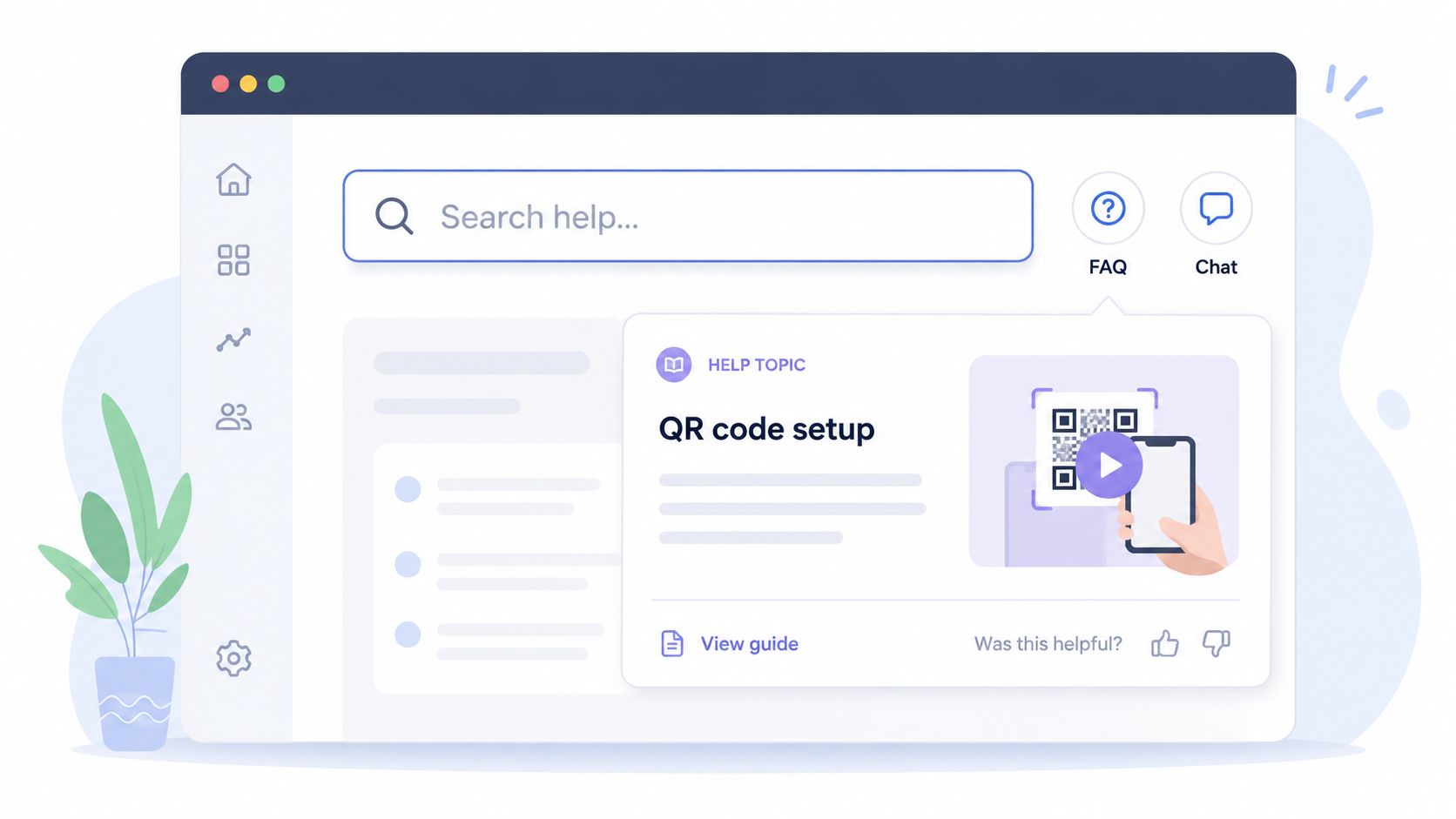
Search data also helps you decide what to build next. If new reseller accounts keep searching for "GHL integration," "sub-account branding," or "announcement groups," the product team has a clear signal. Write the article, record the short video, or add the tooltip before those questions turn into avoidable support tickets.
There is a trade-off here. A large help center can answer everything and still fail if search returns generic articles first. Keep the index tight, prioritize setup blockers, and rank content by onboarding stage. During the first week, clients need operational answers that help them connect a number, send a message, sync contacts, and show progress to their own customers.
As noted earlier, hybrid onboarding tends to work well because clients can self-serve for routine tasks and escalate only when they hit a real blocker. That is the standard agencies should aim for. Put fast answers in the product, reserve live support for exceptions, and protect your team from answering the same setup question fifty times.
3. Progressive Profiling & Smart Segmentation
Broad onboarding flows underperform for agencies and resellers because they hide the fastest path to value. A white-labeled WhatsApp platform serves very different buyers. A reseller setting up branding, billing, and sub-accounts has different priorities than a creator sending broadcasts or a community operator managing replies.
The fix is simple. Collect only the inputs that change the next step.
At signup, ask for the few details that affect setup order, feature visibility, or support priority. For a platform like Double My Leads, that usually means business model, primary use case, technical ownership, and whether white-label configuration needs to happen before message sending. You do not need a long intake form to get this right. You need enough information to put the account on the correct onboarding path.
HubSpot and Mailchimp both use this approach well. They gather a small amount of role and goal data early, then adjust recommendations inside the product instead of forcing every user through the same path. Agencies and resellers should do the same with client activation.
A practical segmentation model looks like this:
- Agency or reseller: prioritize white-label domain setup, branding, billing structure, CRM sync, sub-account planning, and API documentation
- Creator or newsletter operator: prioritize broadcasts, smart links, audience segmentation, scheduling, and campaign reporting
- Info product seller: prioritize welcome automations, lead routing, segmented follow-up, and conversion-focused templates
- Community manager: prioritize announcement groups, moderation workflows, inbound reply handling, and team permissions
Ask only what changes the next screen.
This approach improves activation speed, but there is a trade-off. Every extra segment adds logic, UI conditions, and support edge cases. If the team creates ten audience types and custom flows for all of them, maintenance costs rise fast and onboarding becomes harder to manage. In practice, three to five segments usually cover most of the revenue base without creating operational drag.
Progressive profiling also helps resellers sell more effectively after setup starts. If a new account identifies as an agency with multiple clients, the platform can surface brand controls and account provisioning first. If the account is a solo operator, showing API credentials on day one adds noise and slows progress. Good segmentation reduces time to first success because it removes decisions the client should not have to make early.
As noted earlier, clients adopt faster when the onboarding path matches the reason they bought. For agencies, that often means proving they can launch a client account quickly, protect margin, and avoid preventable support tickets. Progressive profiling supports that outcome by asking less, segmenting early, and showing the right setup path before friction builds.
4. Activation Checklists & Progress Tracking
A short checklist can cut days of drift out of onboarding. Agencies and resellers do better when the client sees the exact path to first value, who owns each step, and what still blocks launch.
Turn setup into visible momentum
The job of a checklist is not decoration. It is operational control.
For a white-labeled WhatsApp platform like Double My Leads, the first checklist should answer one question: what has to happen before this account can send a real message and prove the service works? If the list is too long, clients stall. If it is too vague, your team fills the gap with support tickets, follow-up emails, and manual status checks.
Keep the primary path tight:
- Connect WhatsApp: Make this the first required milestone.
- Scan QR code: Position it as device authorization and connection confirmation.
- Send first message: Use this as the main activation event.
- Create first broadcast: Show the account can move from one-to-one messaging into repeatable campaigns.
That sequence fits how agencies onboard clients. First prove the channel works. Then prove the client can use it for outreach, reminders, or promotions. After that, introduce the account-specific extras.
Advanced tasks belong in a second layer. White-label settings, custom domains, API credentials, CRM sync, and team permissions matter, but they should not sit in the same checklist as first-message activation unless the buyer is a technical reseller who asked for that path upfront.
Progress tracking matters just as much as the checklist itself. Show completed steps, blocked steps, and the next action clearly inside the product. For agency teams, add ownership where possible. If a client contact needs to scan the QR code, say that directly. If your implementation manager needs to finish brand setup, label it. Shared visibility reduces the back-and-forth that slows launches and erodes margin.
I have seen this trade-off repeatedly. A detailed onboarding checklist makes the product feel organized, but every extra item increases perceived effort. The fix is simple. Keep phase one tied to activation. Move expansion tasks into a second checklist called something like "Complete your rollout" or "Prepare to onboard clients at scale."
Completion cues help too. When the account connects a number and sends a first message, confirm it in-product with a clear status update. For resellers, that moment is not just progress. It is proof they can now demo the system, invoice the client, and start recovering acquisition cost.
The best checklists do not try to teach the whole platform. They drive the first win, make progress visible, and give agencies a cleaner handoff from sale to active account.
5. Personalized Email Onboarding Sequences
Email still drives activation because clients do not stay inside the product all day. Agencies switch between client accounts, Slack threads, billing, and campaign work. Resellers do the same while trying to get a new account live fast enough to protect margin. A useful onboarding sequence brings each account back to the next action that matters.
The key is relevance. Generic welcome emails get ignored because they sound like every other SaaS drip. Behavior-based emails perform better because they match the account's actual setup stage and give the recipient one clear job.
For a white-labeled WhatsApp platform like Double My Leads, that usually means segmenting by business model, not just company size. An agency that has connected WhatsApp but has not sent a first broadcast needs a different message than a reseller that already finished brand setup and is preparing to onboard its own clients. A local business owner using the same platform may need examples tied to reminders, follow-ups, or group announcements instead of white-label rollout steps.
A practical sequence over the first two weeks looks like this:
- Welcome email: confirm access, restate the first success milestone, and link to the exact setup step that gets the account to first message sent.
- Behavior-triggered email: respond to what the account has or has not done, such as connecting a number, importing contacts, or stopping before the first campaign.
- Segment email: show one relevant use case for agencies, resellers, or direct business users instead of sending the same feature pitch to everyone.
- Expansion email: introduce white-label settings, team permissions, templates, or CRM connections after basic usage starts.
- Reply-driven check-in: ask what is blocking progress and route the response to support, success, or the implementation owner.
Specificity matters here. “Complete your setup” is weak. “Connect your number and send a test WhatsApp broadcast in the next 10 minutes” gives the client a concrete target. For agencies, I also like to tie the email to commercial outcomes. If they complete setup today, they can demo the inbox, launch the first client campaign, and start billing against the new account.
Keep the sequence short. Five focused emails will usually outperform ten broad ones because each message has a job. Long sequences often create internal reporting activity without improving activation.
The trade-off is maintenance. Personalized onboarding emails take more work to map, write, and connect to product events. They are still worth it when your buyers include agencies and resellers, because each activated account can represent multiple downstream client rollouts. Structure beats improvisation, especially when the client is learning a white-labeled platform and deciding whether to make it part of their service offer.
6. Live Onboarding Sessions & 1-on-1 Setup Calls
A live onboarding call can save weeks of drift for an agency account. That matters when the buyer is not just testing software, but deciding whether to roll it out across client accounts, add it to a retainer, and put their brand on it.
High-touch onboarding works best when the setup has real operational risk. Agencies and resellers often need to configure white-label branding, connect a WhatsApp number, define inbox ownership, confirm compliance steps, and send a first test campaign without mistakes. If that process stalls, activation slows down and the account starts aging before value is proven.
For a white-labeled WhatsApp platform like Double My Leads, I would not treat every new account the same. Smaller direct users can often start with guided self-serve onboarding. Agency and reseller accounts usually need a scheduled setup call because one successful session can set up the first client launch, shape internal SOPs, and remove the objections that delay expansion.
A good call is hands-on. The client should leave with work completed, not just advice.
Use the session to cover the setup points that create the most friction:
- connect the number and confirm it is working
- set brand assets and white-label basics
- assign team roles and inbox ownership
- import a small contact list or test segment
- send a controlled first broadcast or test message
- answer implementation questions tied to the client's service model
That last point matters. Agencies do not buy a platform in isolation. They buy it in the context of delivery, billing, support load, and margin. A setup specialist who can explain how to structure client workspaces, who should own approvals, and how to avoid cross-client confusion will prevent problems that documentation alone will not catch.
I have seen the difference in practice. A client who watches a demo often says they understand the product. A client who completes the setup during the call is far more likely to launch, train their team, and come back with expansion questions instead of basic support tickets.
Keep the format tight. Thirty to forty-five minutes is usually enough for first-call onboarding if the agenda is clear and the client has the right access ready. Longer calls tend to turn into generic training, which raises cost without improving activation.
The follow-up matters as much as the call itself. Record the session, send a recap with the exact actions completed, list the next two or three milestones, and include screenshots if anything was configured on their behalf. That gives the agency an internal handoff asset they can share with account managers, media buyers, or client success staff.
Live onboarding is expensive compared with self-serve flows. It is still profitable when used selectively. If one call helps an agency launch faster, keep a client longer, or roll the platform out across multiple accounts, the margin impact is usually positive.
7. Sample Data & Pre-Built Templates
Empty accounts create hesitation fast. An agency logs into a new white-labeled WhatsApp platform, sees no conversations, no campaigns, and no example automations, then has to design the operating model from scratch. That slows activation and pushes setup work back onto your team.
Pre-built templates reduce that friction because they answer the first practical question immediately: what should this account look like when it is set up correctly?
For agencies and SaaS resellers, the goal is not generic sample content. The goal is a launch-ready environment that mirrors how clients deliver the service. On a platform like Double My Leads, a useful template shows naming conventions, inbox structure, campaign flow, user roles, and reporting layouts that a reseller can copy across accounts without rebuilding everything each time.
A strong template library usually includes a few distinct starting points:
- Agency template: White-label branding settings, a sample client account, example contact segments, approval workflow, and one outbound WhatsApp campaign.
- Creator template: Welcome automation, subscriber broadcast example, smart link tracking, and a basic re-engagement sequence.
- Info product template: Enrollment reminders, no-show follow-up, launch announcements, and support message routing.
- Community manager template: Group announcement cadence, moderation notes, recurring event reminders, and escalation paths.
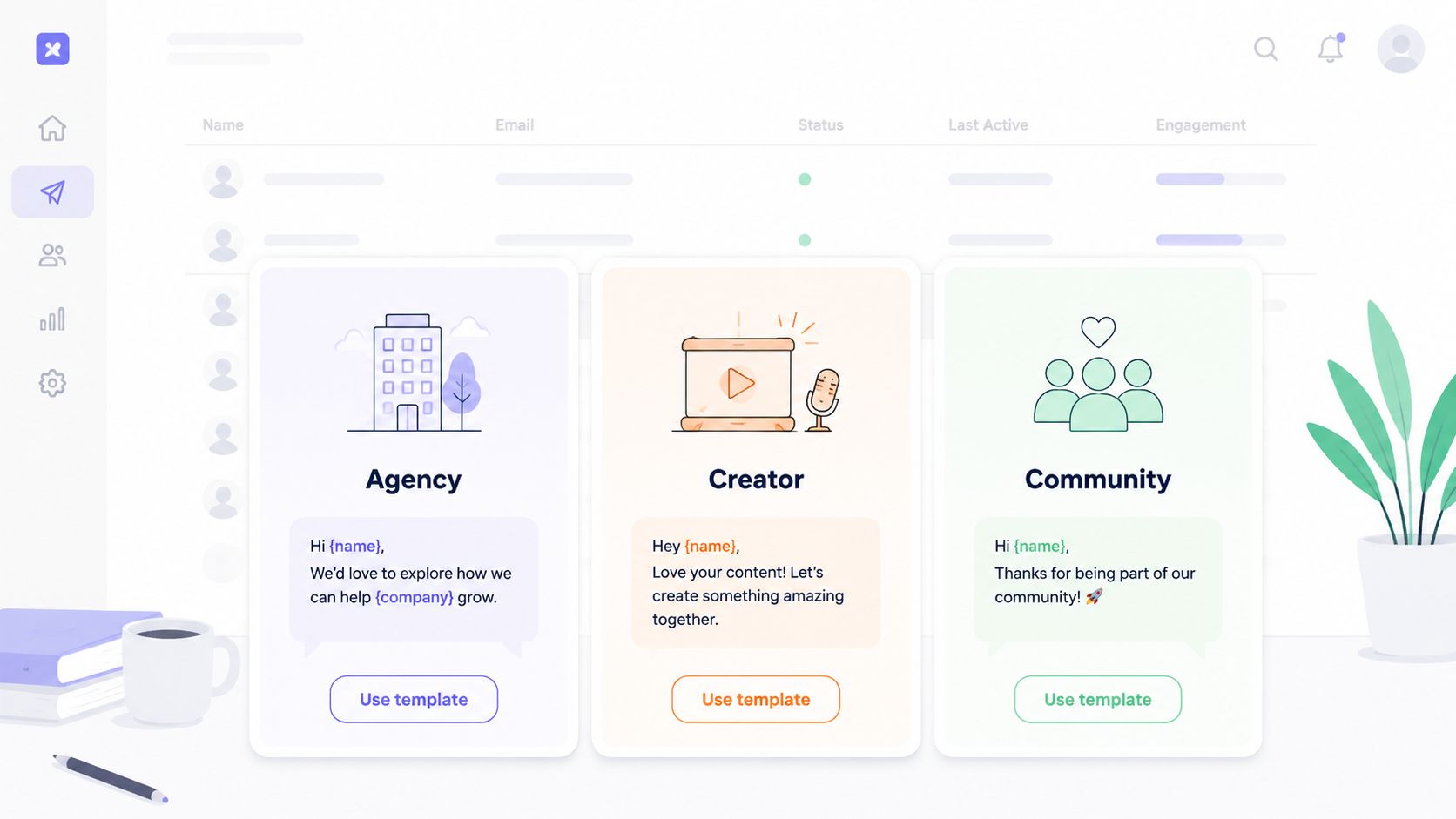
The trade-off is maintenance. Templates save time only if they stay current with the product, the channel rules, and the way agencies package the offer. A stale template creates the wrong expectations and increases support tickets. I have found that fewer, well-maintained templates outperform a large gallery of mediocre ones.
Sample data matters just as much. Populate the inbox with realistic conversations. Show what a broadcast report looks like after a send. Include example tags, contact records, and campaign results so the client can inspect a working setup before touching live data.
That approach works especially well for resellers. Instead of teaching every agency partner how to build a WhatsApp onboarding flow from zero, you give them a proven starting point they can adapt for local service businesses, coaches, clinics, or multi-location brands. They launch faster, make fewer configuration mistakes, and reach first value sooner.
8. Community & Peer Learning Networks
Agencies that learn from other agencies get to revenue faster. Product knowledge alone does not answer the questions that stall activation in practical scenarios. How should this be packaged for a local service client? What does a sensible first WhatsApp campaign look like? Which objections come up when a prospect still relies on SMS or email?
That is why community belongs inside onboarding, not beside it. For a white-labeled WhatsApp platform like Double My Leads, peer access helps new resellers move from setup to client delivery with fewer mistakes and less hesitation.
The strongest communities are structured around practical use, not general chat. A new partner should be able to join and immediately find examples, answers, and proof that other agencies have already solved the same problem.
A few formats work well:
- First-30-days channel: Keep it focused on setup, launch blockers, and activation milestones.
- Wins channel: Ask partners to post first broadcasts, reply rates, booked calls, or first retained clients.
- Role-based channels: Split conversations by agency model or client type so advice stays relevant.
- Weekly office hours: Offer a live place to ask implementation questions without turning every issue into a support ticket.
For resellers, value is commercial confidence. Seeing another agency explain how it prices WhatsApp management, frames ROI, or handles opt-in setup removes uncertainty that product documentation cannot fix. It also reduces the number of low-value support requests because partners can learn proven approaches from each other before escalating to your team.
Peer learning works best with clear guardrails. Give the community a moderator, pin proven onboarding resources, and separate tactical discussions from product support. Without that structure, communities drift into noise, and new users leave with more opinions than answers.
A lightweight buddy system can also help. Pair new agency partners with an internal onboarding specialist or a more experienced reseller for the first few weeks. The goal is not friendship. The goal is better questions, faster decisions, and fewer preventable mistakes during launch.
Shared onboarding also creates momentum. New clients are more likely to stay engaged when they can see other partners shipping campaigns, solving setup issues, and getting early results. For agencies selling a white-labeled platform, that visibility matters because it turns onboarding from a solo setup task into a repeatable delivery model.
9. Adaptive Onboarding Based on Behavior & Usage Analytics
Accounts rarely fail onboarding all at once. The pattern usually shows up in the first few actions. An agency connects WhatsApp but never sends a first message. A reseller creates a workspace, opens the broadcast builder twice, and leaves without publishing anything. Those are not minor details. They are early warning signs that the account is drifting away from activation.
Adaptive onboarding fixes that by changing the experience based on what the client does. For agencies and SaaS resellers, that matters because your customers do not all buy for the same reason. One partner wants to launch fast under a white label. Another is testing whether the platform can fit an existing service stack. A generic onboarding path treats both accounts the same and slows both down.
Track the actions that mark progress for your product. On a white-labeled WhatsApp platform such as Double My Leads, that usually includes account creation, QR code connection, first inbound or outbound message, first broadcast, first automation, and first CRM or API setup. Keep the list short. If every click becomes an event, teams lose sight of the milestones that predict activation and retention.
Then attach a response to each stall point.
- QR connected, no message sent: trigger a short prompt with the fastest path to sending a test message.
- Broadcast started, never scheduled: surface a proven campaign template and a quick explanation of audience selection.
- Multiple visits to technical settings or API docs: route the account to technical onboarding instead of repeating basic training.
- Strong inbox usage, no campaign usage: introduce the next monetizable workflow, such as broadcasts, smart links, or automations.
- Low activity after initial setup: assign partner success outreach before the account goes quiet for a full week.
Timing matters more than volume. A well-placed intervention within a day of a stalled action will outperform a generic nurture sequence sent to every new account on the same schedule. I have seen teams overbuild onboarding here. They create dozens of branches, then struggle to maintain them. Start with the three or four failure points that show up most often and improve those first.
The commercial angle matters too. Agencies do not only need product help. They need help getting a client live in a way they can repeat profitably. If usage analytics show that resellers consistently stop before setting up templates, shared inbox rules, or client-facing branding, that is not just an education problem. It means they have not yet built a delivery model they can sell with confidence.
Use analytics to segment by readiness, not just role. A new reseller who has already connected a number, imported contacts, and tested a broadcast needs a different onboarding path than an agency owner still evaluating packaging and margin. Product behavior can reveal that gap faster than a form field ever will. Even pricing pages can signal intent. Teams reviewing Klap pricing plans are often comparing packaging, limits, and resale economics, which usually calls for a business-focused follow-up rather than another setup tutorial.
Done well, adaptive onboarding reduces wasted support time and catches churn risk early. Done poorly, it becomes noisy automation that fires messages without solving the blocker. The standard is simple. Every trigger should help the client complete the next meaningful action faster.
10. Clear Pricing Transparency & Value Demonstration
Pricing clarity belongs inside onboarding because in this phase agencies and resellers decide whether a platform is profitable to deliver, not just easy to configure.
For white-labeled WhatsApp platforms, that decision happens fast. A buyer is already estimating resale margin, support load, client packaging, and how many custom explanations their team will need after launch. If those answers stay fuzzy during setup, activation slows down and sales conversations get harder than they need to be.
The fix is simple. Show the business model as clearly as the product workflow.
With a platform like Double My Leads, onboarding should explain more than how to connect a number or send the first message. It should show what the agency can sell, what is included in the monthly fee, and where the margin comes from. Flat monthly pricing matters here because it makes packaging easier, especially for resellers serving smaller clients that will not tolerate variable billing surprises.
A strong onboarding flow makes value visible in practical terms:
- Explain the pricing model in plain language. Show how a flat monthly cost affects resale pricing, client retainers, and margin planning.
- List included capabilities early. White-label domain, custom branding, shared inbox access, broadcasts, smart links, QR codes, and API access should not be buried three screens deep.
- Tie features to sellable outcomes. Community Announcement Groups are more persuasive when framed as a retention or launch channel than when presented as another item in a feature list.
- Use plan comparisons to reduce buying friction. Agencies evaluating packaging often need a clean side-by-side view, similar to how Klap pricing plans present plan choices clearly.
- Show delivery examples. A reseller onboarding a local clinic, franchise group, or real estate team should be able to see a credible path from setup to billable service.
Clients judge effort and value at the same time. If setup looks straightforward but pricing feels vague, they start questioning long-term fit before they have seen results. If pricing is clear but the value case is weak, they treat the platform like a commodity and pressure margins.
The best onboarding for agencies answers one commercial question early. Can I package this confidently and deliver it at a profit? If the section does that well, sales handoff improves, activation gets faster, and churn usually drops because the buyer understood the economics from day one.
10-Point Onboarding Best Practices Comparison
| Onboarding Method | Implementation Complexity 🔄 | Resource Requirements ⚡ | Expected Outcomes 📊⭐ | Ideal Use Cases 💡 | Key Advantages ⭐ |
|---|---|---|---|---|---|
| Interactive Product Tours & Guided Walkthroughs | Medium, requires tool integration or custom dev 🔄 | Medium, product dev, design, content ⚡ | Fast time-to-value (3–5 min); ↑ feature adoption; support ↓30–40% 📊 | New users, first-session demos (QR scan, inbox, broadcasts) 💡 | High engagement; guided discovery; visually demos key features ⭐ |
| Contextual In-App Help & Search | Low–Medium, embed KB and search widgets 🔄 | Low–Medium, content creation + widget tooling ⚡ | Immediate answers on first question; support ↓25–35% 📊 | Users needing instant answers; complex feature help 💡 | Scales support; searchable; low friction for users ⭐ |
| Progressive Profiling & Smart Segmentation | Medium, requires segmentation logic and backend 🔄 | Medium, data infra, tagging, conditional UX ⚡ | Lower signup friction; personalized journeys; form abandonment ↓40%+ 📊 | Segment-heavy products (agencies vs creators) for tailored onboarding 💡 | Better targeting; improved data quality; relevant feature surfacing ⭐ |
| Activation Checklists & Progress Tracking | Low, simple UI component + tracking 🔄 | Low, UI work + basic backend tracking ⚡ | Clear path to first success; completion ↑20–30%; core flow ~15–30 min 📊 | Critical setup flows where milestones matter (connect WhatsApp, send first message) 💡 | Reduces paralysis; gamifies progress; identifies drop-offs ⭐ |
| Personalized Email Onboarding Sequences | Low–Medium, automation workflows 🔄 | Low–Medium, email platform + content production ⚡ | Improves adoption 15–25%; reduces early churn; builds over 2 weeks 📊 | Nurturing users over time; segmented education for different personas 💡 | Cost-effective secondary touchpoint; measurable engagement ⭐ |
| Live Onboarding Sessions & 1‑on‑1 Setup Calls | High, scheduling, training, process design 🔄 | High, dedicated CSMs, scheduling tools, ops ⚡ | Immediate activation for attendees; very high activation rates (often 80%+) 📊 | High-value customers, agencies, complex white‑label or API setups 💡 | Resolves complex issues; builds relationships; captures qualitative feedback ⭐ |
| Sample Data & Pre‑Built Templates | Medium, design templates and sample workspaces 🔄 | Medium, content design and maintenance ⚡ | Quick time-to-value (5–10 min); reduces blank‑canvas overwhelm 📊 | New users who learn by exploring; common workflows (broadcasts, CRM) 💡 | Demonstrates best practices; learn-by-doing; customizable starters ⭐ |
| Community & Peer Learning Networks | Low–Medium, platform setup and moderation plan 🔄 | Low–Medium, community managers, moderation, platform ⚡ | Peer support reduces support load; engagement grows over 1–2 weeks 📊 | Users who benefit from peer examples, office hours, template sharing 💡 | Encourages advocacy; crowdsourced help; long‑term stickiness ⭐ |
| Adaptive Onboarding Based on Behavior & Analytics | High, analytics, event tracking, ML logic 🔄 | High, analytics platform, data engineering, experimentation ⚡ | Personalized interventions; early churn detection; ongoing optimization 📊 | Data-rich products with many users and varied pathways 💡 | Right help at right moment; A/B testing; predictive alerts to reduce churn ⭐ |
| Clear Pricing Transparency & Value Demonstration | Low, content and calculator updates 🔄 | Low, marketing/content + simple calculator tooling ⚡ | Improves purchase confidence; reduces post‑purchase anxiety; aids ROI evaluation 📊 | Decision-makers and agencies comparing per‑message vs flat models 💡 | Builds trust; simplifies buying decision; demonstrates ROI and margins ⭐ |
From Onboarding to Partnership
Agencies do not lose clients because a platform lacks features. They lose them because the client never reaches a clear operational win in the first stretch of the relationship. In a white-labeled WhatsApp offer, that win might be connecting a number, sending a first broadcast, assigning inbox conversations, or proving that replies can be managed faster than email and SMS.
Good onboarding creates momentum. Great onboarding creates confidence.
That distinction matters for agencies and SaaS resellers because onboarding is tied directly to margin. If a client needs repeated support tickets to complete basic setup, your team absorbs the cost. If the client sees value fast, account management gets easier, renewals get less defensive, and expansion conversations start earlier. I have seen this play out repeatedly with reseller offers. The accounts that complete setup with a clear sequence usually become multi-location rollouts. The accounts that get access without direction often stall before month two.
The strongest onboarding programs in this guide share a practical pattern. They move the client through real tasks, not product tours for their own sake. They ask for only the information needed to personalize the next step. They mix self-serve guidance with human support when complexity or client size justifies the cost. They show progress clearly, so the client knows whether they are on track.
That mix matters even more for a white-labeled platform like Double My Leads. Agencies are not just onboarding one business. They are often building a repeatable service they plan to resell across many client accounts. A good process has to work twice. First for the agency team learning the system, then for the end clients they bring onto it under their own brand.
Poor onboarding usually fails in predictable ways. The client gets credentials but no launch plan. They see features but not priorities. They receive help content but no sequence that leads to a measurable result. At that point, usage drops, support requests become reactive, and the agency ends up defending the subscription before the client has experienced enough value to justify it.
The fix does not have to start big.
Start with one activation path tied to one concrete outcome. For a WhatsApp reseller, that could mean: connect a number by QR code, import contacts, send one approved campaign, and reply from the shared inbox. Then support that path with the assets that reduce friction most. A checklist, one role-specific email sequence, a short setup call for higher-value accounts, and templates that remove blank-page work.
Partnership starts when the client feels capable, not dependent. Once that happens, the conversation changes. Clients ask how to expand usage, how to standardize campaigns across locations, how to train staff, and how to report results to their own customers. That is the point where onboarding stops being a handoff task and starts functioning as a retention and growth system.
If you want more perspective on keeping customers after activation, these customer retention insights are a useful next read.
If you're building a WhatsApp offer for clients, Double My Leads gives agencies and SaaS resellers a faster path to launch. You can white-label the platform, connect numbers by QR code, manage unlimited messaging from a real-time inbox, run broadcasts and announcement groups, and resell under your own branding without getting buried in setup complexity.


